
Complete Site Creation Guide
Summary (TL;DR)
In this post we explain the main points involved in creating a professional website. We show how much it costs to create a website, which part of R$ 1,200 (Express Website, from model) or R$ 5,000 (under measure), depending on the complexity, in addition to recurring costs such as domain, hosting and maintenance.
We also explain the difference between an amateur site and a professional website and how factors such as design, SEO, performance and user experience directly impact on business results.
♪ We show ♪ how long it takes to create a website, which may normally vary between 5 and 10 days for simple websites, 15 to 30 days for institutional sites and up to 90 days for more complex projects.
We address the main types of website, additions that can be added and the complete process of creation, from planning to publication.
Continue reading to know all the details.
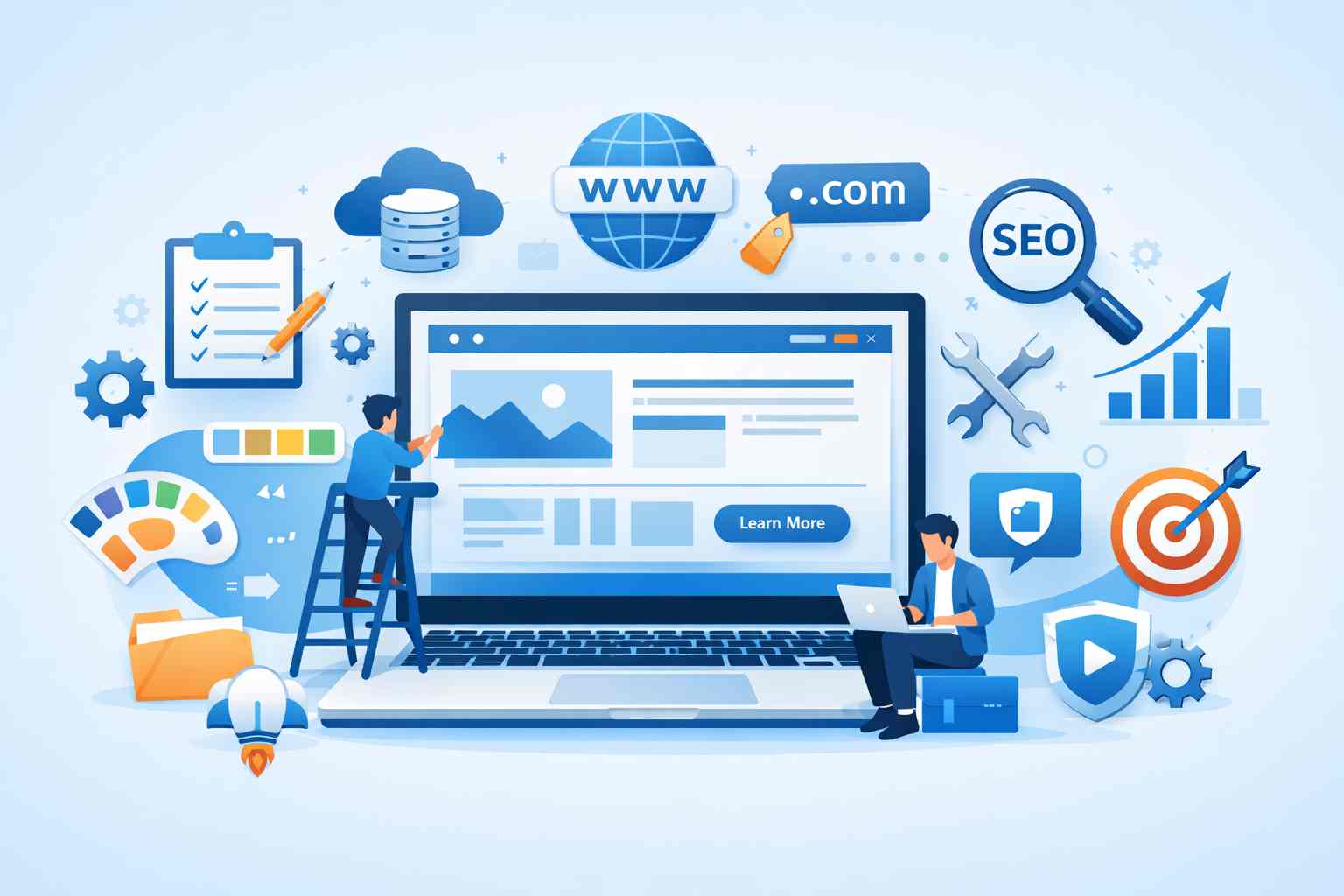
Creating a website is one of the most important decisions for any company that wishes to have a consistent digital presence. Today, much of the research for products and services starts on Google. So we decided to draw up a complete site creation guide to take away all your doubts.
Think about it: If the company does not appear in the results or has a weak website, chances of losing customers to competitors increase.
At the same time, there is still a lot of confusion about what really involves creation of professional websites.
Many people believe that just choose a ready template and publish some pages. Others imagine that any developer can create a website that generates results.
In practice, a website that really helps the company grow involves several factors: strategy, design, performance, SEO, content structure and user experience.
Before entering the costs, it is important to understand an essential point: the difference between a website made in any way and a professional site.
This difference usually impacts directly on the number of visitors, the credibility of the company and the sales generated by the site.
The difference between an amateur site and a professional website
Many companies create their first website only to “mark presence on the internet”. The problem is that an ill-planned site rarely generates real results.
A professional website, on the other hand, is developed with clear objectives: attract visitors, transmit credibility and generate contacts or sales.
This difference may seem subtle, but in practice it directly impacts business performance in the digital environment.
First impression and credibility of the company
When a visitor enters a site for the first time, he forms an opinion about the company in a few seconds.
Several factors influence this initial perception:
- visual appearance of the site
- organisation of information
- image quality
- ease of navigation
- adaptation for mobile phone
As credibility guidelines on the Stanford web they record that people quickly evaluate a site only by visual design. So an amateur layout weighs against the company even before the visitor reads the text.
This means that an amateur layout can harm the brand's perception, even if the company offers a good service.
Enjoy the main elements of website design increase visitor confidence and help the company look more solid in the market.
Ability to appear on Google
Another important point is the site's ability to generate organic traffic.
Amateur sites are usually built without considering technical aspects of SEO. This makes it difficult to rank the search mechanisms.
Among the most common problems are:
- incorrect heading structure (H1, H2, H3)
- pages without keyword strategy
- Unstructured URLs
- slow loading
- lack of interconnection between pages
A professional website is usually planned from the beginning with a focus on visibility in searchers. WebSyd for example offers SEO consulting with qualified professionals who help clients to use the best techniques.
When SEO strategies are well implemented, the site has more chances of appearing in relevant research.
Conversion of visitors into customers
Attracting visitors to the site is only part of the process. The real goal is to turn these visitors into customers.
Amateur sites are usually not thought of for conversion. Often they present only some institutional information and a contact form.
Professional sites are structured with a focus on driving the visitor along a clear journey. You have to make a good one. user experience.
Some elements that make a difference in this process include:
- calls for well-positioned action
- Detailed service pages
- social proof (testimonials, cases, evaluations)
- logical structure of navigation
- texts oriented to solve user problems
These factors help to significantly increase the rate of contact and the generation of commercial opportunities.
See this example of social proof of WebSyd home:
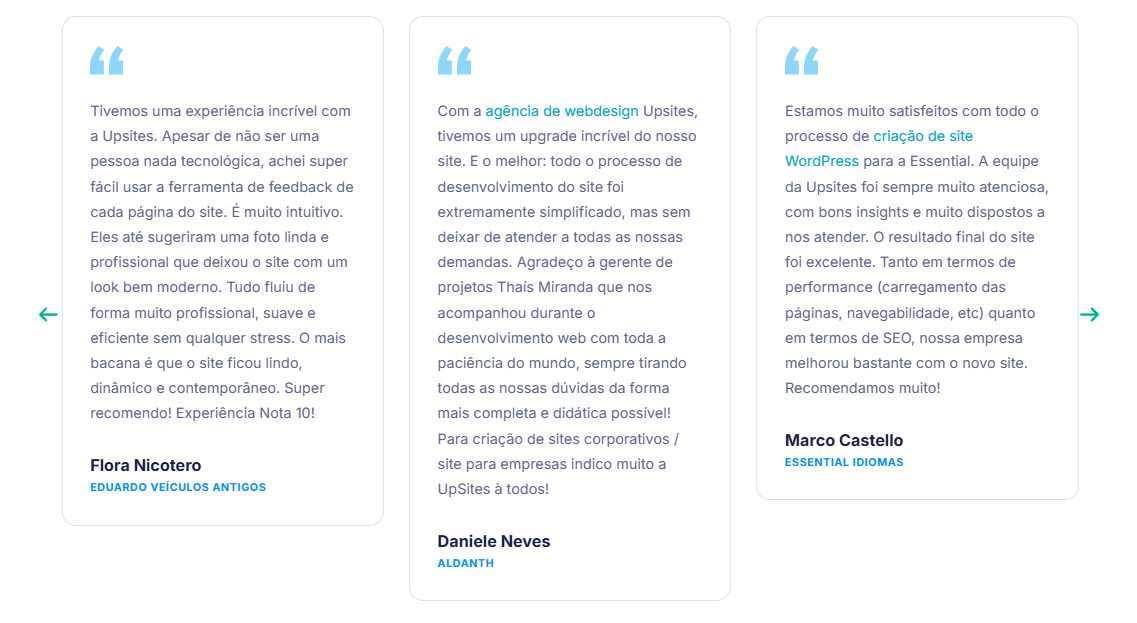
This section shows not only the testimony, but also the person and company who hired our services. It is possible to confirm all of them with people, or by accessing the website of their companies.
This credibility is very important to show seriousness and commitment to deliver everything that is promised in the scope of your service or product.
Performance and speed of the site
Loading speed also directly influences the performance of a website.
According to data released by Google, 53% of mobile visits tend to be abandoned when the page takes more than three seconds to load.
Sites created without performance concern usually present problems such as:
- very heavy images
- plugins excess
- Unorganized codes
- low quality accommodation
On the other hand, a professional website usually considers from the beginning:
- Image optimisation
- appropriate use of scripts
- lighter code structure
- most stable servers
This results in faster pages and better user experience.
The site as business generation asset
A website can be just an institutional page or it can become a real customer acquisition channel.
Companies that treat the site as a strategic tool usually invest in:
- content optimised for search
- pages focused on services
- integration with digital marketing
- constant performance improvements
Over time, this type of site can generate daily visits through Google and become an important source of new customers.
Companies that invest only at the least necessary rarely achieve this kind of result.
Comparison between amateur site and professional website
| Criteria | Amateur Site | Professional Website |
| Design | Simple or outdated layout | Modern design and brand aligned |
| Creditability | You can convey little confidence | Passes more professionalism |
| SEO | Usually without optimisation | Google-designed structure |
| Performance | Slower loading | Speed optimisation |
| Conversion | Little focus on generating contacts | Structure for conversion |
| Scaleability | Difficult to evolve | Allows growth and new pages |
How much it costs to create a website
The cost of creating a website may vary greatly depending on the type of project, level of customisation and company objectives.
In the market, there are extremely simple and inexpensive solutions, but also complete projects that require strategic planning, personalised design and more robust development.
A basic website, created with ready model or visual builder, has few pages and limited customisation. On WebSyd, the Express Website meets this profile, from R$ 1,200 investment, plus R$ 114 per month (no changes on the site). In builders like Wix, there are monthly paid plans, with price on the platform's own website.
See an example of a site made by us with ready template:
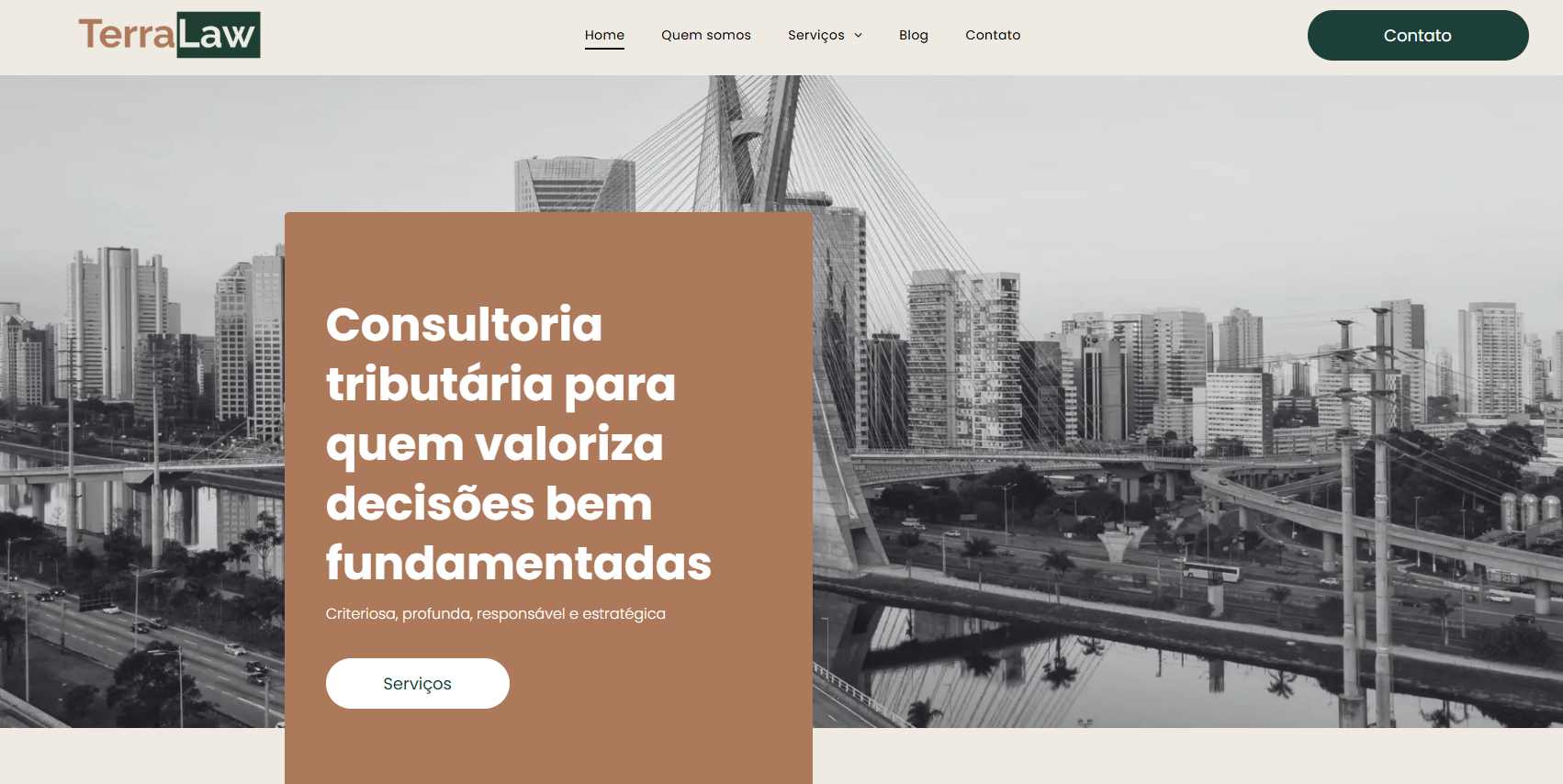
One already. corporate professional website, developed with SEO planning, custom design and structure designed for conversion, part of R$ 5,000 (one page) or R$ 6,500 (multipage) in WebSyd, with payment up to 6x, and the final value depends on complexity. The average ticket for our projects is R$ 10,000.
Consider an example of a complex site, made by us from scratch:
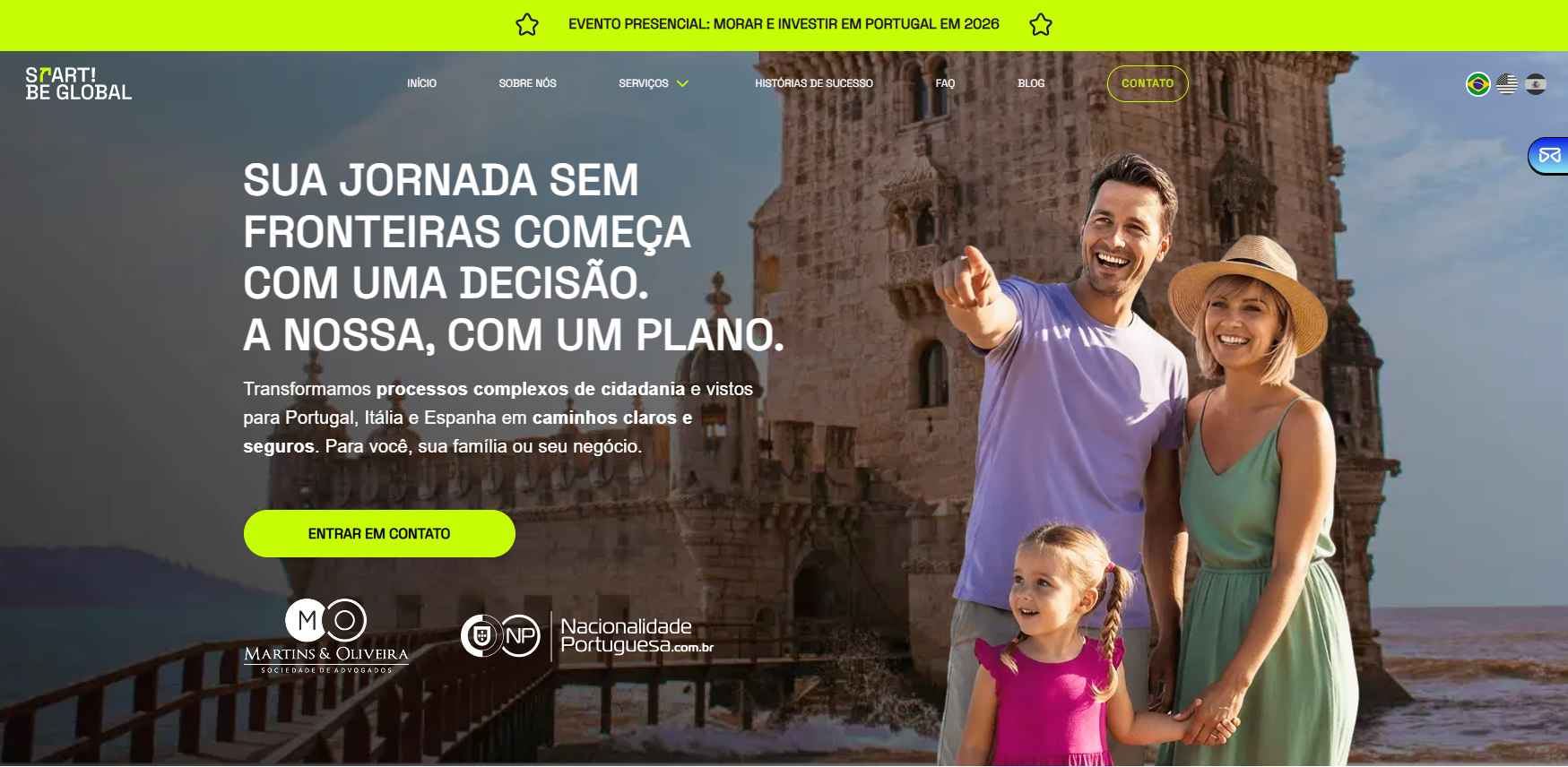
This example of Start! Be Global! we can see that in addition to a fully customised design, they have translation into other languages, and many more pages.
This difference between how much a website costs it happens because the creation of a website involves several stages that are often not perceived by those who are hiring. Among them are the planning of page architecture, interface design, technical development, and performance optimisation and the structure of the content.
Not every company needs a complex website. So, in the budget, describe the objective of the site and the number of pages: this is what defines the type of project and the price.
We help you decide which model and complements your site really needs, avoiding spending unnecessary resources.
If the idea is to make a professional website, ask for a budget by the button below:

It is important to understand that investment in a website is not limited only to initial development. After the site goes on air, there are recurring costs that are part of the company's digital operation.
Among these costs are hosting, mastery and technical maintenance. Next we'll detail each one of them.
How much does it cost to keep a website
After the site is published, it becomes part of the company's digital infrastructure. Therefore, there are some recurring costs to ensure that it continues to function properly.
Maintaining a website mainly involves hosting, domain renewal and technical maintenance.
For simple institutional sites, the monthly maintenance cost It's usually short. On the Express Website, server, technical maintenance and support stay at a monthly fee of R$ 114 per month (not including changes to the website).
When the site is used as a lead generation channel or as an important marketing tool, investment tends to be greater. In this case, the WebSyd Site Care Plan starts from R$ 305,90/month and includes Cloud hosting, weekly maintenance with plugin update, backup, security, SSL and human support, which technically helps and also makes the changes requested (3 change tickets per month).
This type of maintenance helps to avoid technical problems, ensure security updates and keep the site running with stability.
How much does hosting cost?
Accommodation is the service responsible for keeping the website available on the internet. All files on the site are stored on a server, and whenever someone accesses the website address, this server sends the information to the visitor's browser.
The value of hosting depends mainly on the infrastructure used.
For small or institutional websites, shared hosting is usually enough. This type of service is part of R$ 5.99/month in long promotional plans, with more expensive renovation (e.g.: Hostinger, R$ 23,99/month in renewal, consultation in Oct/2026).
Sites that receive more visits or need more technical resources can use VPS servers or cloud solutions. In this scenario, one example is the Hostinger Cloud Startup, the R$ 39,999/month in the promotional price and R$ 129.99/month in renewal (see Oct/2026).
Larger projects, such as content portals or digital platforms, may require more robust infrastructure, with higher monthly costs, defined according to traffic and necessary resources.
The choice of hosting directly influences the speed of the site, stability and user experience.
How much is domain?
The domain is the address of the website on the internet, such as company.com.br.
It works as the digital identity of the company and allows users to find the site by typing the address in the browser.
Unlike hosting, the domain is paid annually.
In Brazil, domains with extension .com.br are administered by Registro.br and cost approximately R$40 per year.
International areas such as .com, .net or .org they have a price set by each registration company, so it's worth comparing before hiring.
Although it is a small cost within the project, choosing an appropriate domain is important to facilitate brand recognition and access to the site.
How much design
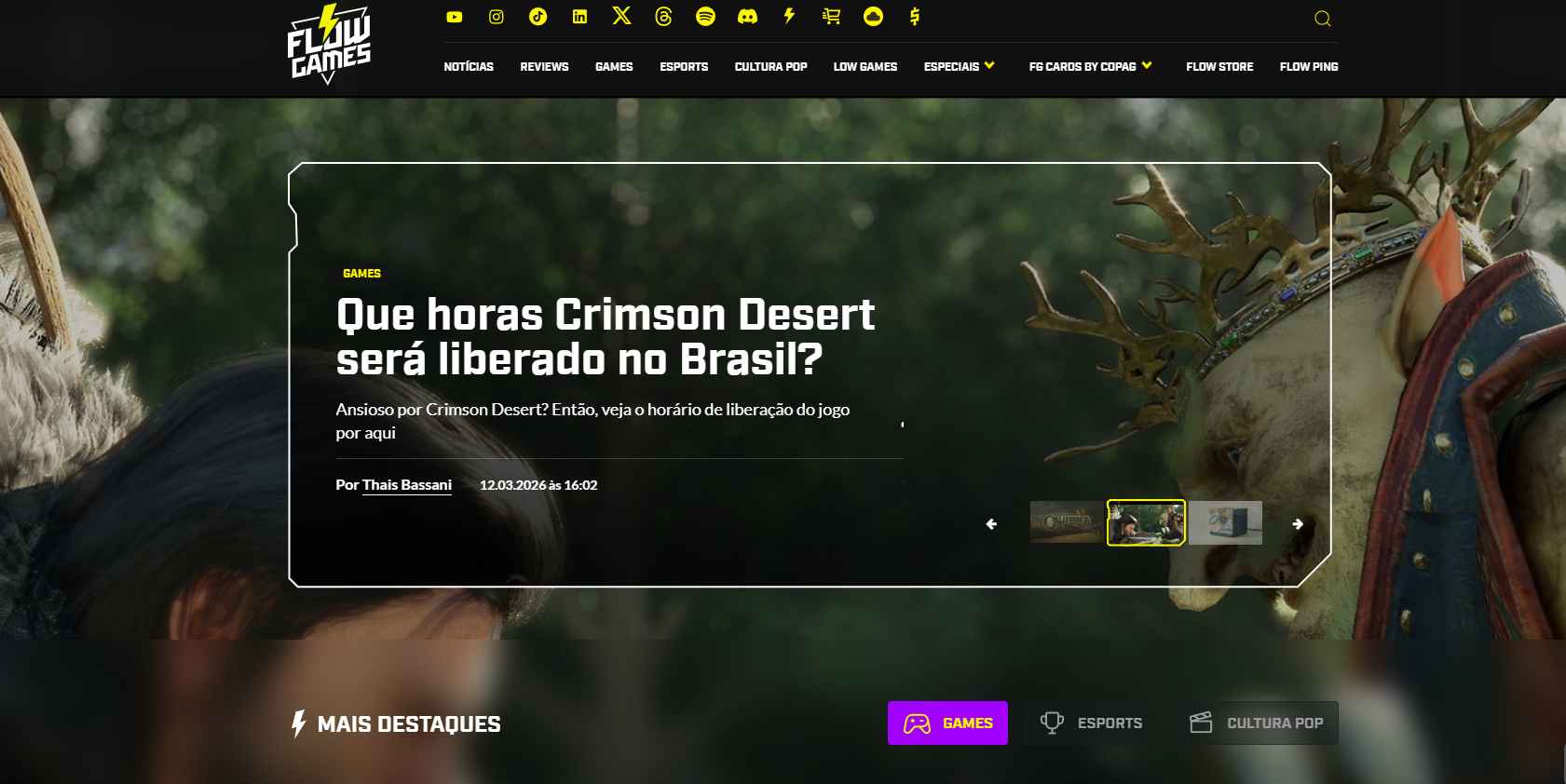
Design is one of the most important stages in process of creating a website. . It directly influences the user experience, the company's perception of professionalism and the site's ability to convert.
The design value may vary greatly depending on the level of project customisation.
When the site uses a ready model with few changes, the cost is lower. At WebSyd, this is the case of the Express Website, from R$ 1,200 investment and R$ 114 per month (no changes on the site).
Projects that use templates but receive greater customisation vary according to the volume of adjustments; when customisation is large, it usually compensates for going to a custom layout.
Fully customised projects already, in which the layout is developed from scratch based on brand identity and public behavior, they depart from R$ 5,000 (one page) and R$ 6,500 (multipage) at WebSyd; online stores start at R$ 10,000. Custom projects can be paid up to 6x.
This type of project usually involves steps such as creating Wireframes, defining visual hierarchy, prototyping and usability adjustments.
How much maintenance costs
Site maintenance is the continuous process of updating and technical monitoring after the site has already been published.
Even simple websites need periodic maintenance to avoid security failures, technical incompatibilities and performance loss.
In time, systems like WordPress, plugins and code libraries receive updates. When these updates are not applied, the site may present problems or become vulnerable to attacks.
So many companies hire maintenance plans.
Basic plans include server, updates and technical monitoring. At WebSyd, the Express Website plan, with server, technical maintenance and support (no site changes), costs R$ 114 per month.
More complete plans, which include technical support, error correction and small improvements on the site, such as WebSyd' Care Plan, depart from R$ 305,90/month.
For companies that rely on the site to generate contacts or sales, maintaining this maintenance structure is a way of protecting an important business asset.
Main types of website
Not all sites have the same goal. Before starting a project, it is important to understand which type of site makes more sense for the need of the company or professional.
There are different site formats, each with a specific structure and purpose. Some are focused on institutional presence, others for online sales, while some work as a portfolio or content production channel.
Choosing the right type of website helps to define the structure of pages, design, features and even the necessary investment in the project.
The following are the most common types of websites currently used.
Personal website
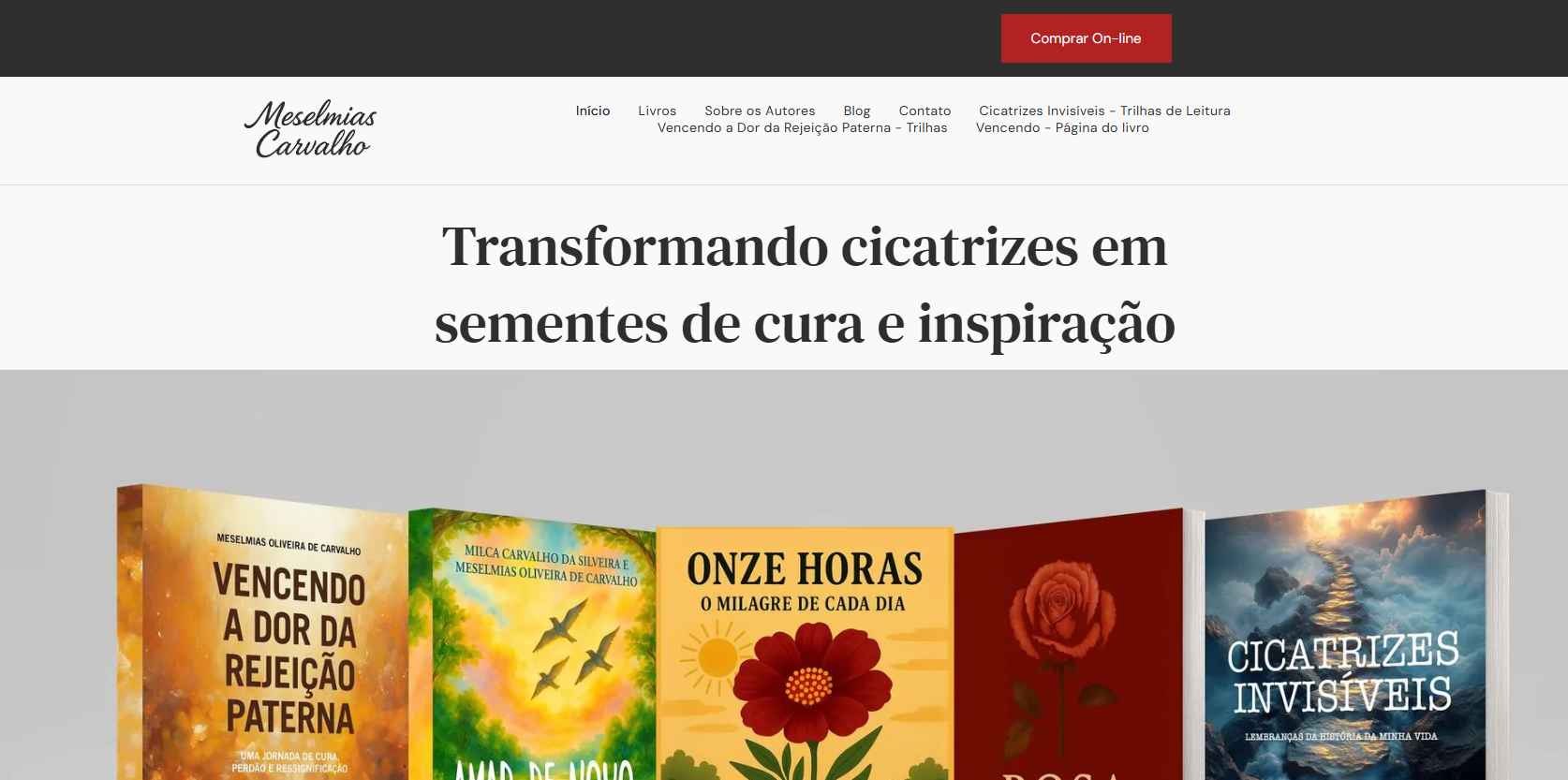
The personal site is used to provide information about a person. It is usually used by independent professionals, consultants, speakers, researchers or content creators.
This type of website usually presents information such as biography, professional experiences, projects performed and forms of contact.
In some cases, the personal site also includes a blog or article section, which helps build authority on a particular subject.
Personal sites usually have a simple structure, with few pages and focus on the presentation of the professional.
Business website
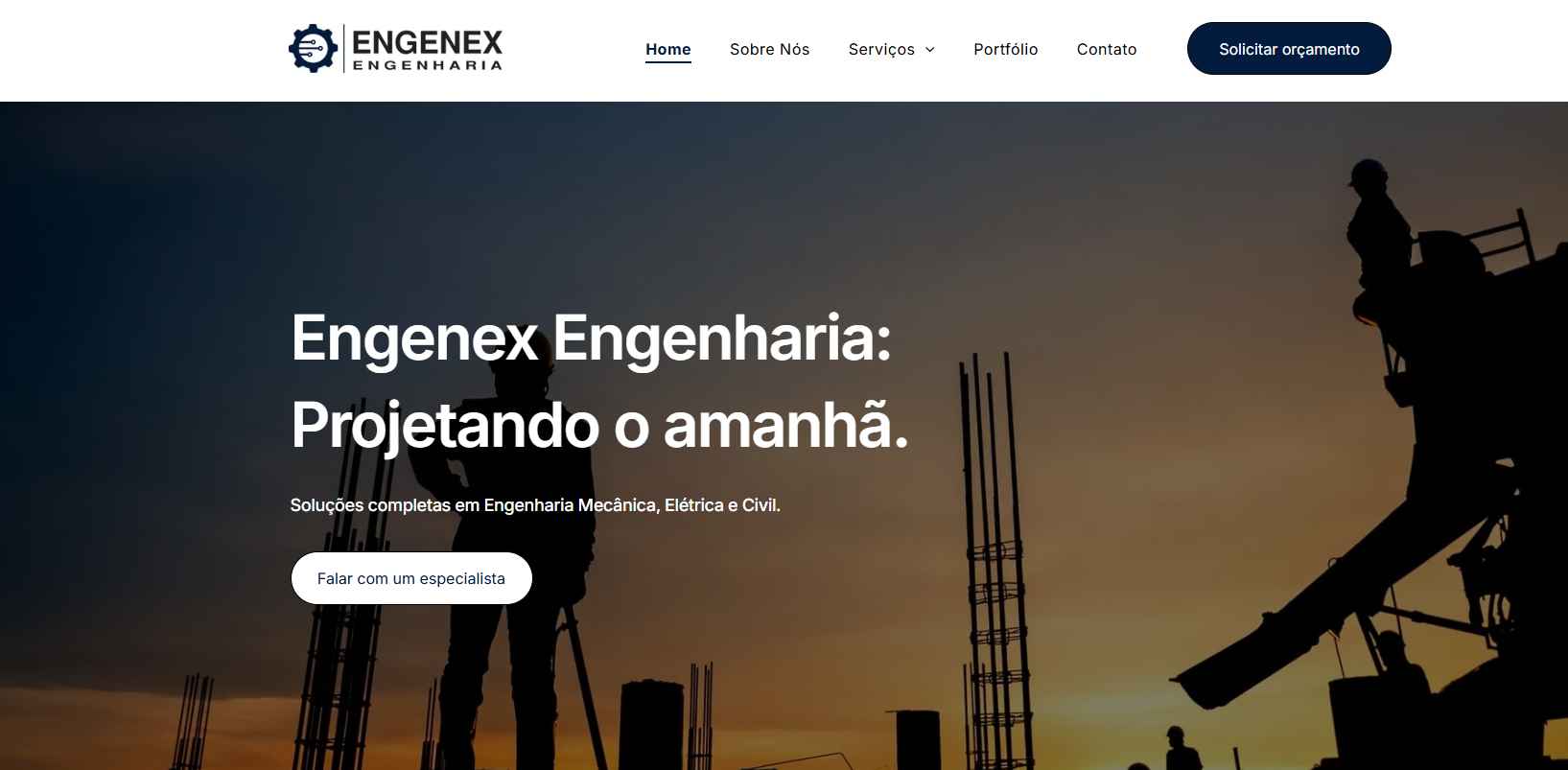
Site made by us to engineering company Engenex
The business site is one of the most used formats by companies. It functions as the institutional presence of the brand on the internet.
In this type of website, the main objective is to present the company, its services or products and facilitate contact with potential customers.
A business site usually has pages like:
- home page
- on the company
- services or solutions
- blog or content
- contact page
When well structured, the business site can function as a constant channel for generating business opportunities, especially when combined with SEO strategies.
Portfolio website
The portfolio site it is widely used by professionals who need to present work performed.
It is common in creative and technical areas, such as:
- graphic design
- photo
- architecture
- software development
- audiovisual production
The main focus of this type of website is to show previous projects, demonstrate experience and convey credibility to new customers.
The structure usually highlights images, case studies or detailed descriptions of the work performed.
E-commerce
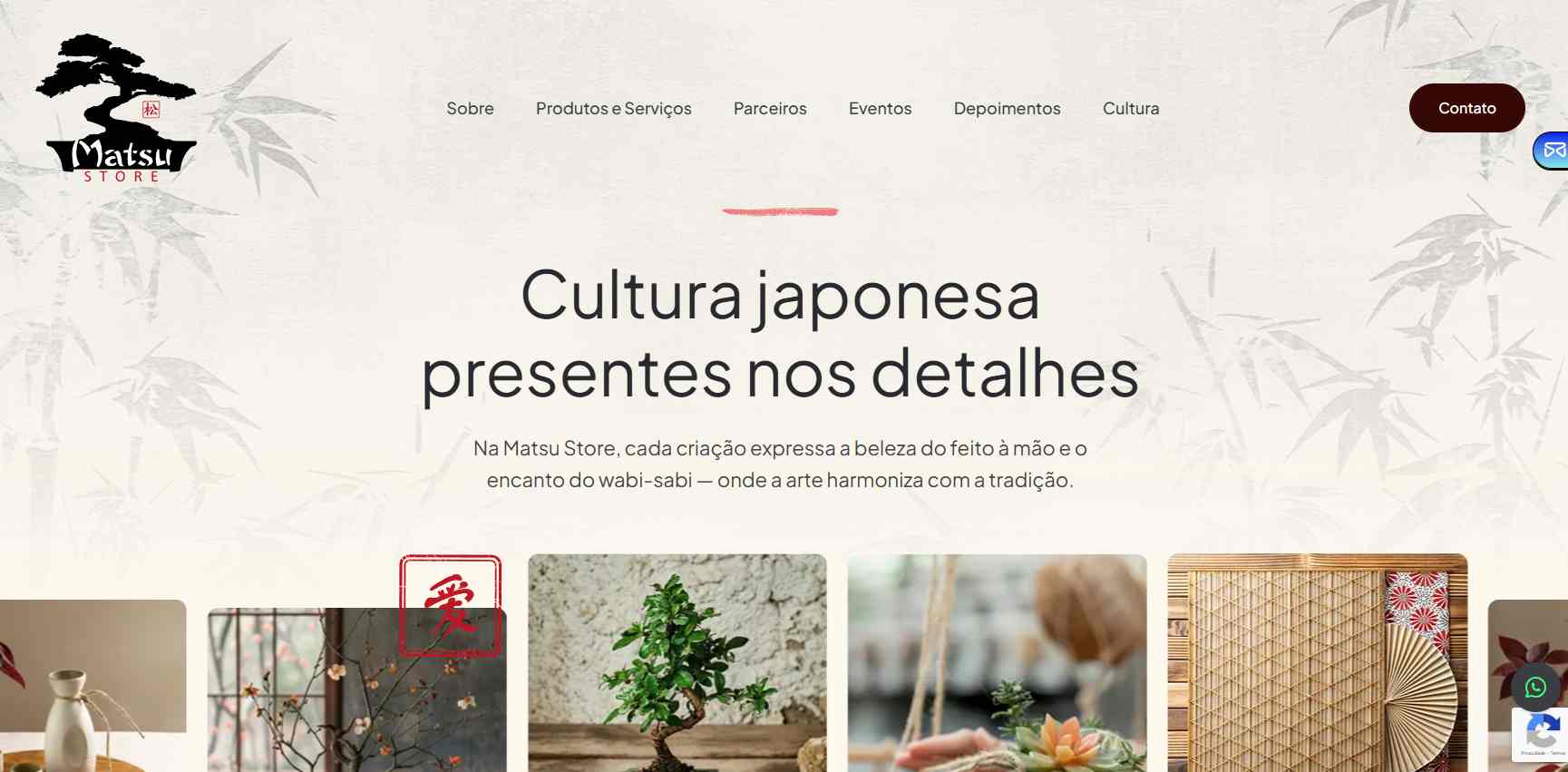
Site we made for Matsu Store, which sells products from Japanese culture
The e-commerce It's a website focused on online sales. In this model, the user can browse through the products, add items to the cart and finalise the purchase directly on the site.
In addition to the visual part, this type of site requires more complex features such as:
- payment system
- inventory control
- management of applications
- integration with carriers
- client account area
Because it involves more technical resources, the development of an e-commerce is usually more complex than a institutional website.
Blog or content portal
Blogs and Portals are websites focused on content publishing.
They are widely used by companies that wish to attract visitors through Google searches. By producing informative content, the site can generate organic traffic and strengthen brand authority.
Many corporate sites also have a blog area integrated with the main structure.
Content portals usually have categories of articles, author pages, internal search system and more structured editorial organization.
Landing page
The landing page is a page created with a specific conversion goal.
Unlike a full site, it usually has only one page and is used in marketing campaigns or ads.
The goal of the landing page is to lead the visitor to an action such as:
- request budget
- download a material
- Sign up for an event
- buy a product
Because it is focused on conversion, the landing page usually has a more direct structure and oriented to persuade the visitor.
Comparison between site types
| Type of website | For whom it is indicated | Main objective |
| Personal website | autonomous professionals, consultants, experts | present professional trajectory |
| Business website | local service or business undertakings | present company and generate contacts |
| Portfolio website | designers, photographers, architects, developers | show work done |
| E-commerce | companies that sell products online | do internet sales |
| Blog or portal | companies investing in content marketing | attract visitors by Google |
| Landing page | marketing campaigns and ads | generate specific conversions |
Main additions to a website
After the main structure of the site is defined, many companies start to think of additional features that can improve user experience, broaden the scope of the site or facilitate platform management.
These features are known as extra complements or functionality. They are not mandatory in all projects, but can bring important benefits depending on the type of business.
Some add-ons help to improve the accessibility and usability of the site. . Others expand the international reach of the company or facilitate the service to visitors.
The following are some of the most commonly used add-ons on professional websites.
Multilingual Translation and Websites
For companies that serve customers in different countries or who have international audiences, offering the site in more than one language can be an important strategy.
One multilingual site allows the content to be displayed in different languages such as Portuguese, English or Spanish. This can increase the scope of the company and facilitate communication with visitors from other markets.
There are two main ways to implement this resource. The first is automatic translation, made by tools that convert content into real time. The second is the professional translation, in which each version of the site is produced manually and adapted to the language and culture of the public.
Sites that work with international SEO usually opt for professional translations, as this allows you to optimise content for searches in each language.
Accessibility features
Digital accessibility seeks to ensure that people with different types of limitations can easily navigate the site.
Among the users who benefit from these resources are people with visual impairment, motor limitations or cognitive difficulties.
Some examples of accessibility features include:
- possibility to increase text size
- high contrast for reading
- keyboard navigation
- content reading by voice software
- alternative image description
In addition to expanding access to the website, these features help companies meet good practices of digital inclusion and accessibility guidelines on the web, such as the recommendations of the WCAG (Web Content Accessibility Guidelines).
Integration with chat or online service
Another widely used complement is the integration with real-time care tools.
This feature allows visitors to chat directly with the company while browsing the site. Depending on the tool used, service can be provided by human operators or automated chatbots.
WebSyd offers chatbot development with artificial intelligence. Go to our page and ask for a budget with us.
Among the most common chat options are:
- chat integrated to the site
- integration with WhatsApp
- automatic service chatbots
This type of functionality can increase the generation of contacts, especially on websites that offer services or products that require further explanations before purchase.
Integration with analysis tools
Analytical tools help you understand how visitors use the site.
These platforms allow you to track important metrics such as number of visitors, most accessed pages, origin of traffic and navigation behavior.
Among the most used tools are:
- Google Analytics
- Google Search Console
- heat map platforms
- conversion analysis tools
This information helps companies to identify opportunities for improvement on the site and better understand public behavior.
Performance and safety optimisation
Another important group of complements involves technical resources that help the improve speed and the security of the site.
Among the most common are:
- cache systems to speed up loading
- content distribution networks (CDN)
- SSL certificates for safe navigation
- firewall systems and attack protection
- Cookie Notice for user
These features help ensure that the site is fast, stable and protected from digital threats.
Specific integrations for each type of business
Depending on the type of company, the site may also receive specific integrations for certain activities.
Some examples include:
- online scheduling systems
- courses platforms or member areas
- marketplace integration
- reserve systems
- online calculators and simulators
These features expand the capabilities of the site and allow it to meet specific needs of each business model. WebSyd is also a software house and makes systems tailored to your company, and can also integrate it into your website.
How is the process of creating a professional website
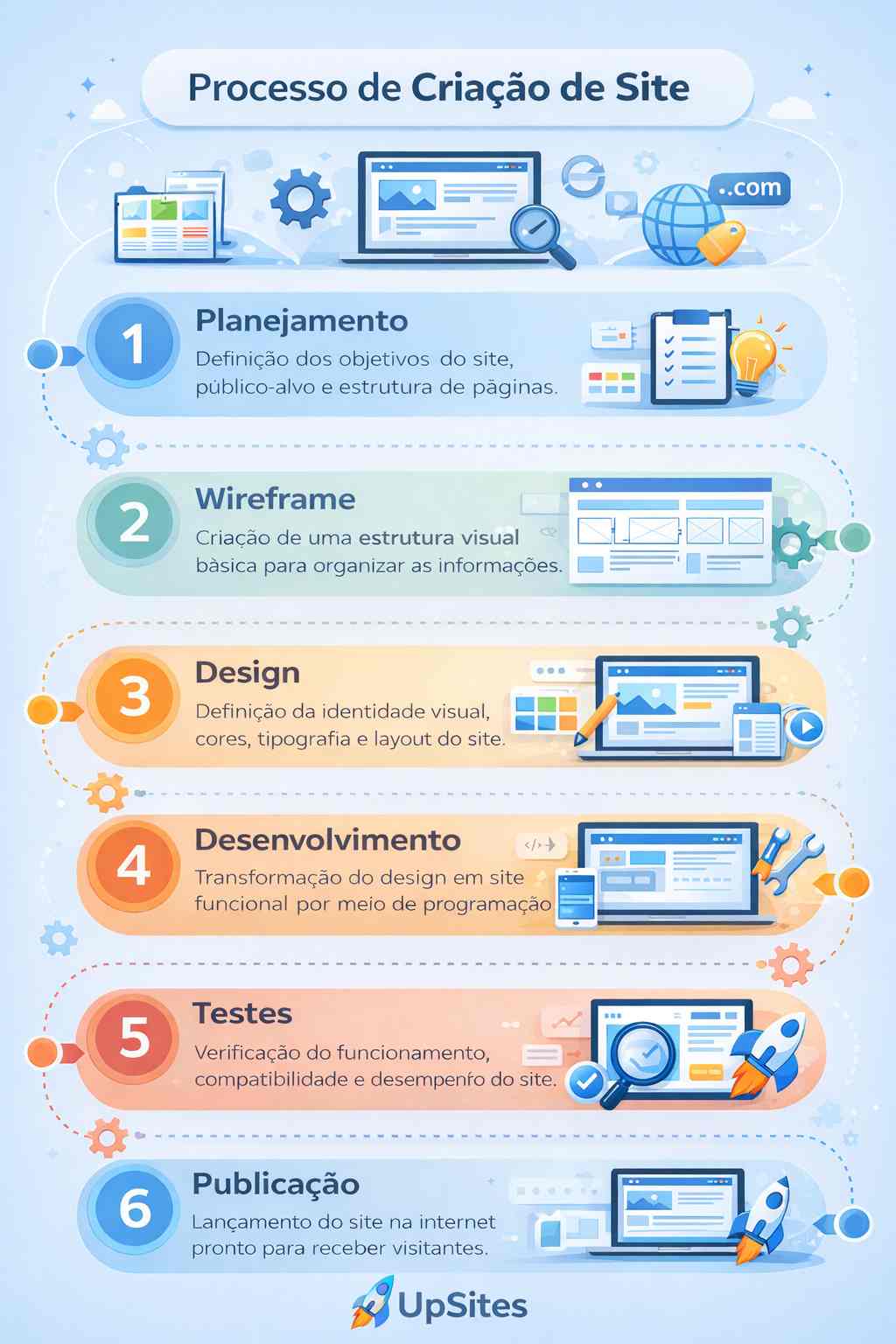
The creation of a professional website involves several stages that go far beyond visual design. A well-structured project goes through planning phases, layout definition, technical development and testing before being published.
Following an organized process helps ensure that the site is functional, fast, safe and prepared to generate results for the company.
The following are the main steps involved in the process of creating a professional website.
Planning
The planning is the initial stage of the project. . At this point the objectives of the site, the target audience and the structure of pages are defined.
It is also at this stage that we decide which features will be needed, what content the site will have and how the navigation between pages will be.
Good planning avoids rework during development and helps align the project with business objectives.
Wireframe
Wireframe is a simple visual representation of the site structure. It functions as a skeleton of the pages, showing where each element will be positioned.
At this stage, aspects are defined as:
- menu position
- organisation of sections
- spaces for text and images
- navigation structure
The aim of the Wireframe is not to present the final design, but to organize the information clearly before the visual stage.
Design
After defining the structure of the site, the design phase begins. Here the layout gains visual identity, colors, typography and graphic elements.
Design needs to consider both aesthetics and user experience. A good layout facilitates navigation, highlights important information and guides the visitor along the page.
It is also at this stage that the site becomes adapted to different devices, such as mobile phones and tablets, becoming a responsive site.
Development
With the approved design, the development of the site begins. At this stage layouts are transformed into functional pages using programming languages and content management systems.
During development, elements such as:
- Page structure
- contact forms
- integrations with external tools
- performance optimisation
- basic SEO settings
This step ensures that the site works correctly on different browsers and devices.
Tests
Before publishing the site, it is necessary to perform tests to check that everything is working properly.
Among the most common tests are:
- link and form verification
- Navigation tests on mobile devices
- load speed analysis
- review of content and images
- browser compatibility check
This step helps to avoid errors that could harm visitors’ experience.
Publication
After the site goes through all tests, it can be posted on the server and become available on the internet.
Publication involves the configuration of domain, hosting and important tools such as security certificates and traffic analysis systems.
After the launch, the site begins to be indexed by search engines and starts receiving visitors.
How long does it take to create a website according to our Complete Site Creation Guide
The time required to create a website can vary depending on the complexity of the project, the number of pages and the functionality required.
Simpler sites can be developed quickly, while larger projects require more planning and development steps.
At WebSyd, the average timeframes are:
- tailor-made sites: about 45 business days;
- online stores: about 60 days.
The Express Website, made from model, is delivered in up to 5 business days.
In addition to technical complexity, the deadline may also depend on the availability of content, the amount of revisions requested and the integration with other platforms.
When the project follows a well-organized process, it is possible to develop a site with quality and within an appropriate time frame for each type of need.
Are you excited to create a website for your business?
Now you know that creating a website involves more than just putting some pages on the air. A well-structured project considers design, performance, user experience and optimisation for search engines (SEO), factors that directly influence the company's credibility and the generation of new customers.
In our super site creation guide, we have seen that there are different types of sites, costs involved and complements that can expand the capabilities of the platform. With proper planning, a website can become an important asset to strengthen the digital presence of the company.
If you are thinking of creating a website or improving what you already have, relying on experienced professionals can make all the difference. The team of WebSyd can help your company to develop a website modern, fast and prepared to generate real results on the internet.
Click the button below and make a quick quote with WebSyd:
FREQUENTLY ASKED QUESTIONS
How much does it cost to create a professional website?
At WebSyd, custom sites depart from R$ 5,000 (one page) or R$ 6,500 (multipage), with payment in up to 6x, according to pages, design, features and integrations. Sites from model (Express Website) depart from R$ 1,200 investment, plus R$ 114 per month (no changes to the site).
In addition to the initial investment, there are recurring costs such as domain, hosting and technical maintenance.
How long does it take to create a website?
The deadline depends on the type of project. On WebSyd:
- Custom sites: about 45 working days;
- Virtual stores: About 60 days.
The Express Website, made from model, is delivered in up to 5 business days. The deadline varies according to complexity, integrations and speed in sending content and approvals.
What is required to create a website?
To create a website you need some basic elements:
-
one domain, which is the address of the site (example: company.com.br)
-
one Hosting service, where the site will be stored
-
o design and development pages
-
contents like company texts, images and information
With these elements it is possible to structure and publish a website on the internet.
What is the best platform to create a website?
The choice of the platform depends on the needs of the project. One of the most used in the world is the WordPress, because it is flexible, scalable and allows for various integrations.
Other platforms can also be used depending on the purpose of the site, such as specific e-commerce systems or custom tailored solutions.
Do I need to know how to program to run a website?
Nope. Most modern sites use administrative panels that allow simple content management.
With this panel it is possible, for example:
-
edit text and images
-
add new pages
-
publish articles on the blog
-
Register products in a online store
This allows the client himself to have autonomy to manage the site on a daily basis.
Does a website help my company to Google?
Yeah. A well-structured and optimised website can help your company appear in Google results.
For this it is important to apply techniques of SEO (Search Engine Optimization), which involve factors such as correct structure of pages, relevant content, site speed and strategic use of keywords.
When these practices are applied correctly, the site becomes more likely to receive visitors through research.
Is it possible to update or improve a site after ready?
Yeah. A site can evolve over time.
It is common to add new pages, update content, improve design or include new features as business grows. So it is important that the site be developed scalablely, allowing future improvements without needing to redo the entire project.
Is it worth investing in a professional website?
For most companies, yes. A professional website can function as an important customer generation channel, strengthening the digital presence of the company.
When well planned, it can attract visitors through Google, convey more credibility to the brand and help transform visitors into contacts or sales. So many companies treat the site as a strategic asset for business growth.
Is it more worth having a website or just social networks?
Social networks are important to promote a company, but they do not replace a website. Platforms such as Instagram, Facebook or TikTok are third-party controlled environments where rules and algorithms can change at any time.
A website is a digital asset of the company. It allows the business to have full control over content, structure and marketing strategy. In addition, a well-optimised site can appear in Google searches and generate visitors constantly.
Therefore, the ideal is to use social networks as dissemination channels and direct visitors to the site.
What are the most common errors when creating a website?
Some errors are quite common when companies create their first websites. Among the main ones are choosing low quality hosting, using disorganized design, not thinking about SEO from the start and creating pages that don't work well on mobile devices.
Another frequent error is not planning the structure of the site before starting development. A good project needs to consider user experience, performance and information organization to actually generate results.
Is WordPress good for SEO?
Yeah. O WordPress is considered one of the best platforms for SEO. . It allows you to create well-structured pages, use friendly URLs, manage content easily and integrate optimisation tools.
In addition, there are several plugins that help improve technical aspects of SEO such as meta tags, sitemap, content optimisation and indexing control. Therefore, many websites that appear in the first positions of Google use WordPress as a basis.

Caio Nogueira is a SEO, GEO, link building and Digital PR expert and co-founder of WebSyd, website creation agency and SEO consulting founded in 2016. It acts with organic search strategies, digital authority construction and brand optimisation for search engines and artificial intelligence platforms. Throughout his trajectory, he participated in more than 1000 projects involving SEO, website development, content marketing and authority acquisition through backlinks and Digital PR. At WebSyd, it participates in the planning of strategies to increase organic visibility, lead generation and presence of companies on Google and AI-based search engines. As an author, it publishes content on SEO, GEO, website creation, link building and digital authority, sharing analyses, strategies and practical experiences related to organic growth of companies. Its contents and contributions have also been published in companies and vehicles of technology and marketing such as Wix, HostGator, Duda, Neil Patel, Locaweb and E-Commerce Brasil.
View all posts


 Estimate the cost

