
Wix or WordPress – What is the best platform for my website?
Summary (TL;DR)
This text compares Wix and WordPress, two popular platforms for site creation, highlighting their main differences.
Wix is presented as a simple and fast solution, ideal for beginners who want websites with little customisation, while WordPress offers greater flexibility and control, being better for users seeking extensive customisation and optimisation for search engines.
The article discusses the ease of use, performance, customisation, e-commerce, data control and maintenance of each platform, concluding that the choice depends on the user's personalization and professionalism needs, with a lean recommendation for WordPress for those who want a more robust online presence.

Between Wix and WordPress, the choice depends on the size of the project. Wix is easier to use and solves small, simple websites. WordPress gives you more freedom to customize, has thousands of plugins and leaves you in control of your data. For a professional and scalable site, WordPress is the best option.
If you don't know which one to pick either, don't worry. Let us explain how they work, what their main characteristics and the differences that must be considered before the final decision. For companies that want to grow, the choice of the platform is only the first step in creation of professional websites.
What is a website platform and what is it for?
A website platform is the tool used for develop, manage and maintain a website. . It organizes content, manages design, integrates features and ensures that everything is available online to your visitors.
Main objectives of a website platform:
- create and publish pages in a practical way;
- organize content and media in one place;
- offer options of design and personalisation;
- integrate forms, shops and extra resources;
- optimise the site for searchers;
- facilitate updates without advanced code knowledge;
- ensure hosting or connection to servers;
- allow scalability as the site grows;
- centralise performance data and statistics;
- improve the end user experience.
There are several platforms in the market, but two of the best known and used are Wix and WordPress. We'll understand each of them in detail.
Wix
Wix is a cloud-based platform focused on users who seek practicality and speed. It offers a system of web design “drag and drop”, allowing anyone to create pages without having to program.
Because it is fully hosted on Wix itself, it does not require server configuration or maintainer technical. This facilitates the life of those who are starting, but can also limit customisation in more complex projects.
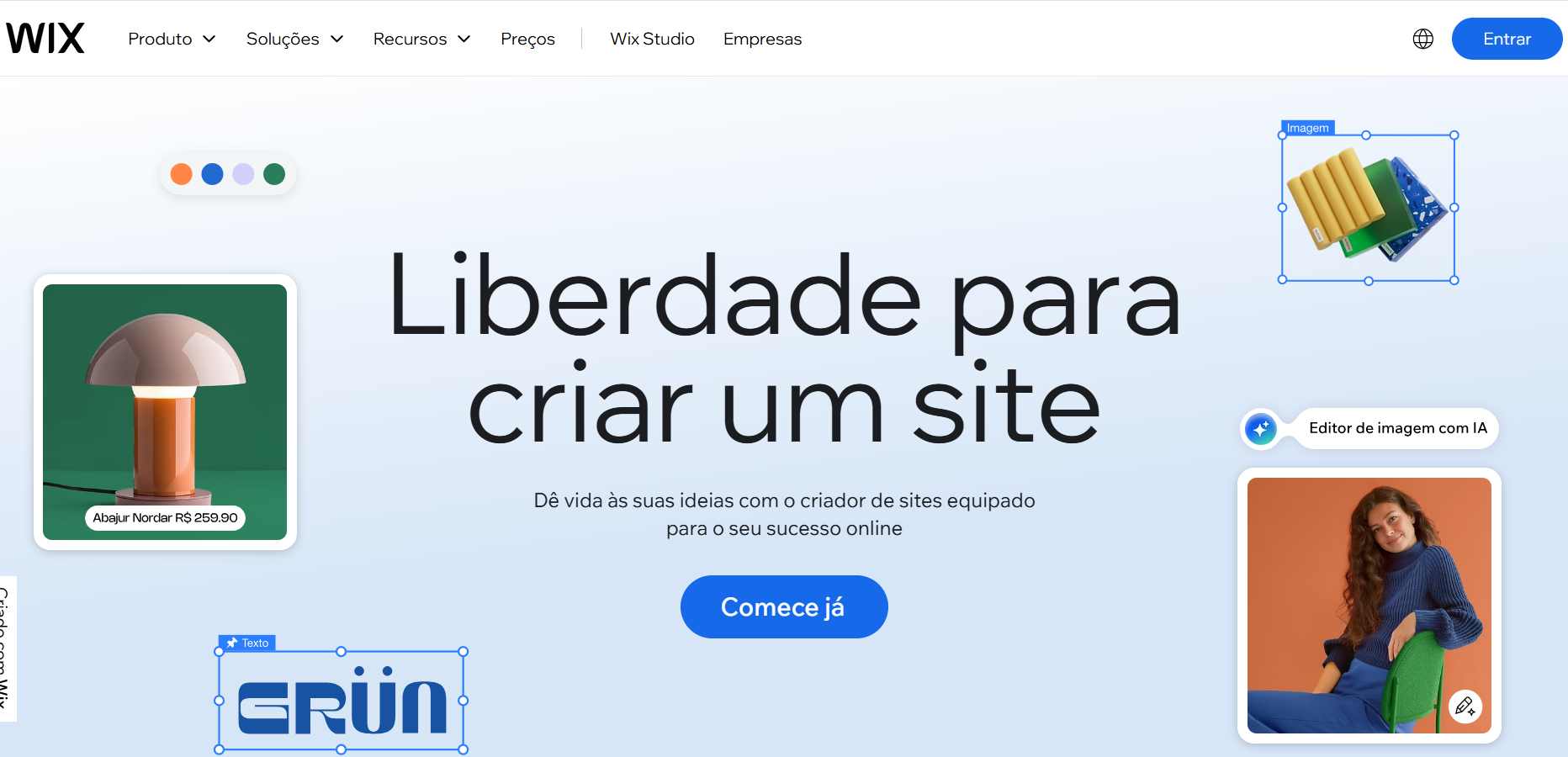
Main features of Wix:
- visual editor with drag and drop feature;
- accommodation included in the plan;
- ready-to-design models;
- online store integrated into some plans;
- technical support included;
- automatic updates;
- free and paid plans;
- limitations on advanced customizations;
- recurring monthly cost;
- total dependence on the platform.
WordPress
WordPress is the most popular platform in the world, used by more than 40% of all websites on the internet. It works as a CMS (content management system) and offers high flexibility, allowing from simple blogs to large e-commerce.
It is possible to install WordPress on own servers, choose themes, add plugins and customize the site according to business needs. It requires more technical knowledge than the Wix, but in return it gives total freedom.
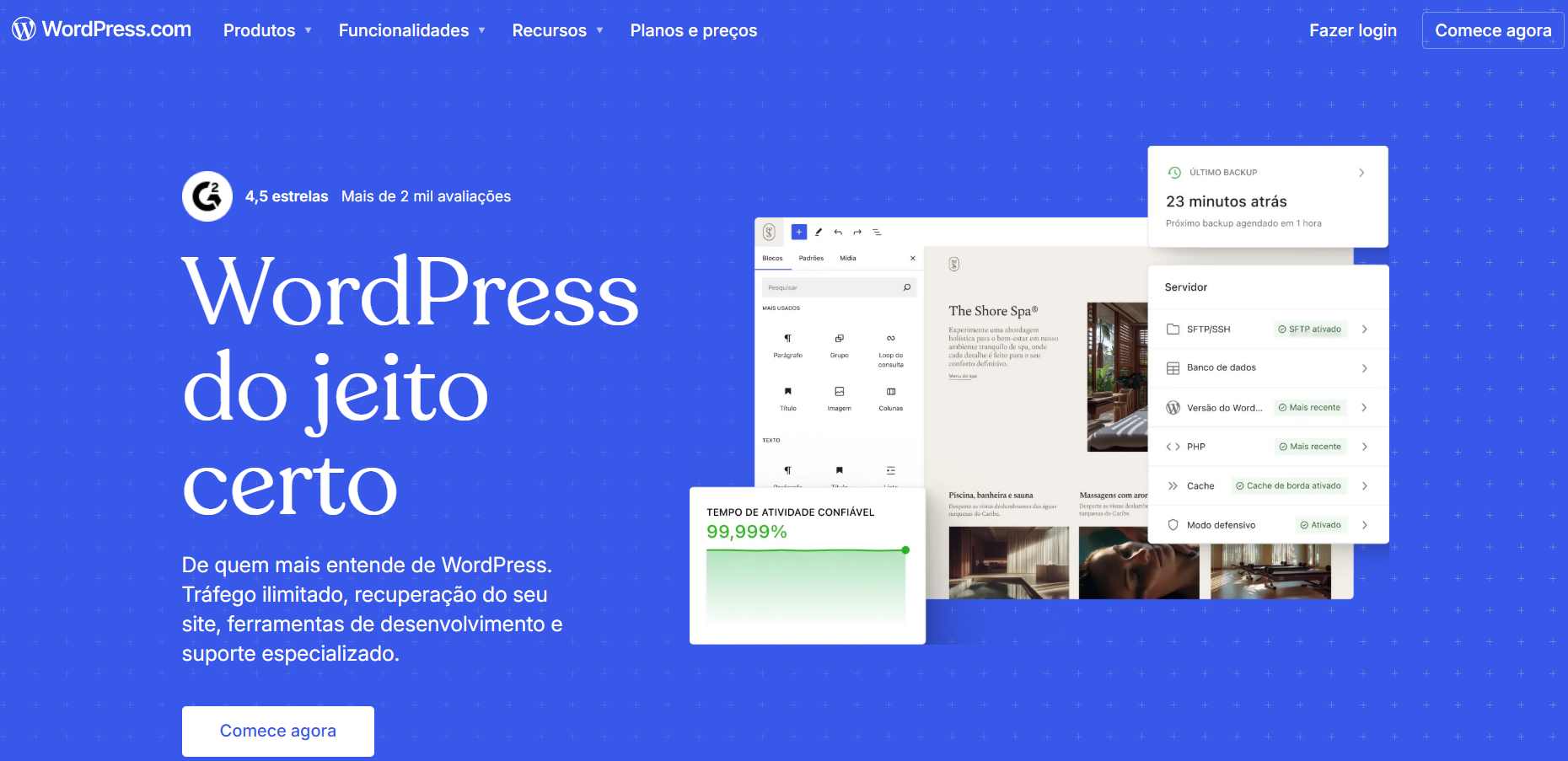
Main features of WordPress:
- open source software (free to install);
- unlimited customisation with plugins and themes;
- support advanced SEO;
- integration with e-commerce via WooCommerce;
- needs its own accommodation;
- active and collaborative global community;
- total freedom to scale the project;
- learning curve greater than Wix;
- maintenance and updates under user responsibility;
- Flexible cost (depends on hosting and chosen plugins).
What are the differences between Wix and WordPress?
Although both serve to create websites, Wix and WordPress have Very different proposals in terms of ease, customisation and costs. See below for a summary of the main differences:
| Wix | WordPress |
| Simple drag and drop editor | Advanced customisation with code and plugins |
| Hosting included | Hosting contracted apart |
| Plans paid monthly | Free, costs vary with hosting and plugins |
| Easy for beginners | Most suitable for those who have experience |
| Design ready models | Free and paid themes of all kinds |
| Customization limitations | Virtually unlimited flexibility |
| Store integrated in premium plans | WooCommerce and miscellaneous integrations |
| Support from the platform itself | Community support and contracted services |
| Less scalable for large projects | Highly scalable for any size |
| Total platform dependence | Total freedom to migrate and expand |
What are the facilities of each platform?
In general, the Wix is easier to use than WordPress, since it was created precisely to meet beginners who want practicality and agility. However, this simplicity is accompanied by some limitations of customisation and scalability, points where WordPress stands out. We will detail below the facilities of each platform:
Wix facilities
Creating a website on Wix is fast and direct. After creating an account, you choose the segment of the site (such as business, portfolio or online store) and then select one of the ready-to-use templates available. From there, just access the Wix Editor, where it is possible to edit text, images and elements dragging and dropping on the screen without needing any line of code.
The whole process is intuitive, ideal for those who have no technical knowledge and practicality. Wix lets you save changes, publish when you want and even pause the project to continue later. It is a solution designed for those who value speed of execution and do not intend to perform very complex customizations.
WordPress Facilities
In WordPress, the process requires a few more steps. Before starting, you need to register a domain (in Brazil, made by Registro.br) and hire a hosting service. With everything set up, you install WordPress and can choose from thousands of free and paid themes to define the site's initial appearance.
Although it is not as simple as Wix, WordPress offers much more flexibility. Plugins like the Element make the visual creation similar to the “draw and loose” model, but with advanced customisation, optimisation and expansion options.
If the idea is to have total freedom to grow and scale the project, WordPress is the ideal choice. And if you lack time or interest, there is always the possibility of having a specialised agency to take care of everything.
Wix or WordPress: which one has the best performance?
Compare the performance of Wix and WordPress requires attention since each platform works differently. . Wix is a solution “all in one”: gathers hosting and website builder in one package, but does not allow changes in the code, which limits performance. This can affect loading speed and flexibility for technical adjustments.
Already WordPress depends directly on Hosting chosen. . When installed on quality servers, it delivers far superior results in speed and stability. In the tests carried out, WordPress pages loaded more than three times faster than in Wix, besides presenting slight advantage in time of activity.
Wix Performance
- Page loading speed: 5.2 seconds (slow);
- Activity time: 99,95%.
WordPress Performance
- Page loading speed: 1.7 seconds (fast);
- Activity time: 99,97%.
Note: Performance depends on the hosting provider. In the tests, we used the Infinite, recommended host for WordPress.
How is the personalization and flexibility of each platform?
Wix stands out for its ease of use, ideal for those who seek practicality. . Already WordPress wins in customisation and flexibility, allowing you to create tailored websites with advanced features. Let's better understand each other's differentials:
Wix Customization
In Wix, additional features are made via Wix App Market, which offers just under 300 apps between free and paid. Although it is sufficient to meet basic needs, this amount is limited compared to the universe of plugins available in WordPress.
Another point is that Wix restricts code adjustments. . The most that can be done is to insert small snippets via iFrame, with several limitations. This prevents developers from creating more elaborate solutions or companies from customizing the site according to specific demands.
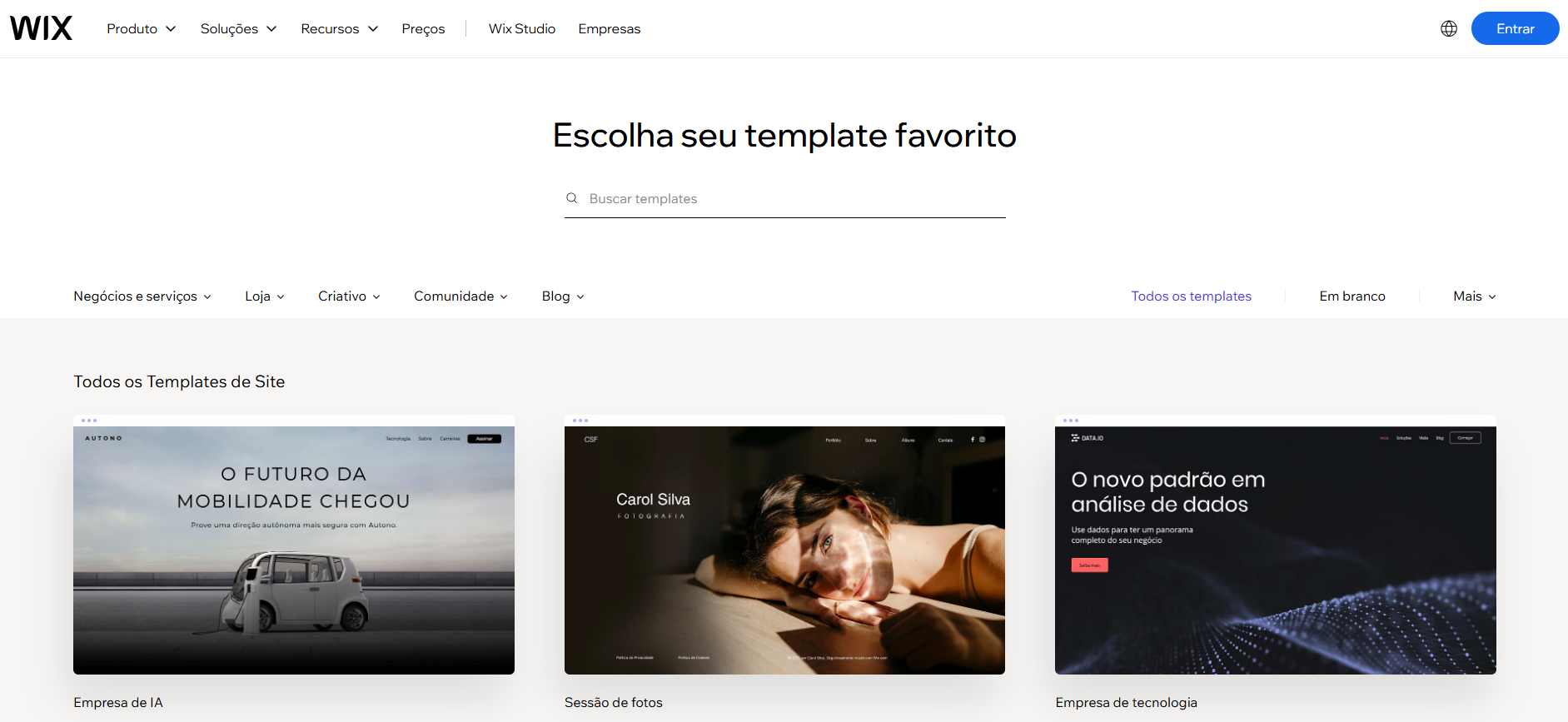
Main aspects of Wix customisation:
- access to the Wix App Market with basic apps;
- few advanced features compared to WordPress;
- restrictions for changes to the code;
- practicality, but little flexibility;
- suitable for simple and fast websites to publish.
Customization in WordPress
WordPress is world reference in flexibility. It has over 53,000 free plugins, plus thousands of premium options. With them, it is possible to add from basic resources to complex integrations with e-commerce, automations and social networks without having to program.
Also, WordPress lets you edit the code freely. . This opens up space for developers to create tailor-made solutions, expanding customisation possibilities. Tools like the Element make the visual experience much simpler, bringing the practicality of Wix closer together, but without giving up flexibility.
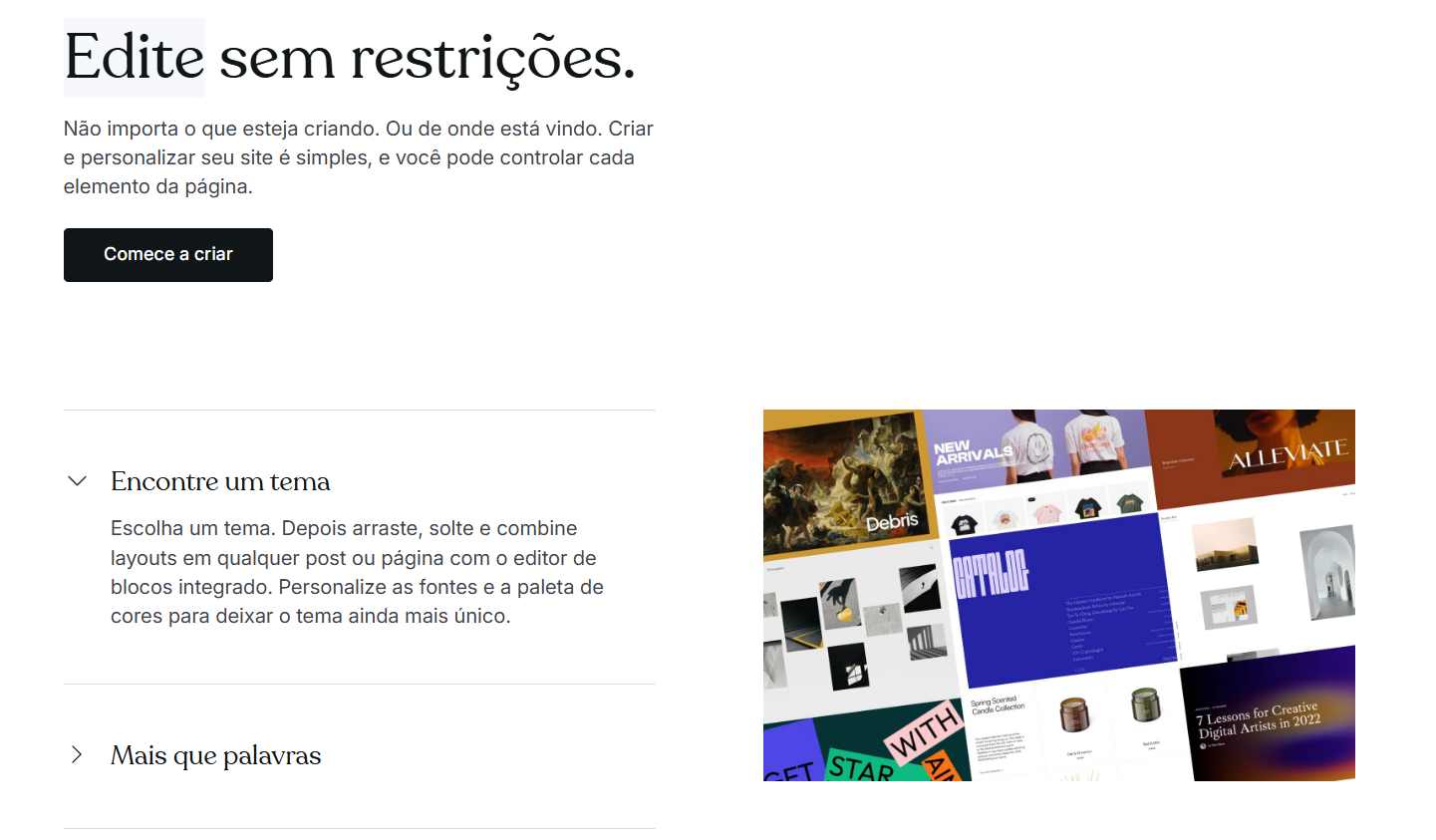
Main aspects of customisation in WordPress:
- library with thousands of free and paid plugins;
- total freedom for customisation via code;
- support for page builders as Elementor;
- integration with virtually any digital tool;
- ideal for scalable and professional websites.
How does e-commerce work?
Wix offers basic e-commerce features, ideal for small shops or those who sell few products. Already WordPress counts on the WooCommerce, one of the most used online store systems in the world, which ensures much more flexibility and customisation. Check out the details:
E-commerce on Wix
In Wix, you can create a store from ready models or integrate apps available in the Wix App Market. The process of adding products is simple and intuitive, with clear fields for text and images.
Despite its practicality, Wix has personalization limitations. It works well for those who want to sell items quickly, but may not serve businesses that need a more robust store or personalised experiences.
E-commerce on WordPress
WordPress, through WooCommerce, turns any site into a online store complete. . Today, it represents more than 23% of online stores in the world, surpassing platforms like Magento And Shopify.
In addition to selling physical or digital products, it is possible to integrate dozens of plugins to expand features: from freight systems to marketing automation. . The learning curve is greater than in Wix, but the possibilities are virtually unlimited.
Who controls the information on each platform?
Data control is one of the most important points in choosing the platform. Here, the WordPress stands out because it allows total freedom to manage, export or migrate filesWhile Wix keeps the data stuck on their servers.
Wix Data Control
In Wix, all content is stored on the servers of the platform itself. This reduces costs and simplifies maintenance, but brings serious limitations: it is not possible to easily migrate data to another tool or access system directories.
Data control in WordPress
In WordPress, you have total control. It is possible to import, export and modify files freely. Because it is an open source platform, developers and companies can customize everything without restrictions, something that ensures greater autonomy and long-term flexibility.
How does maintenance work?
Maintenance is also very different between the two platforms. Wix takes care of everything automatically, while in WordPress the responsibility is the user (or a partner agency).
Wix Maintainer
The Wix updates and protects the websites automatically. . The risk of attacks is low, unless the user uses fragile passwords. This simplicity pleases those who do not want to worry about technical aspects.
Maintainer on WordPress
In WordPress, the user needs to ensure security, update plugins and perform backups regularly. . Although it requires more attention, it is possible hire a specialised agency to manage everything.
Main care in WordPress:
- keep plugins and themes up to date;
- program regular backups;
- strengthening security measures;
- monitor vulnerabilities.
How much does it cost to build a website in Wix and WordPress?
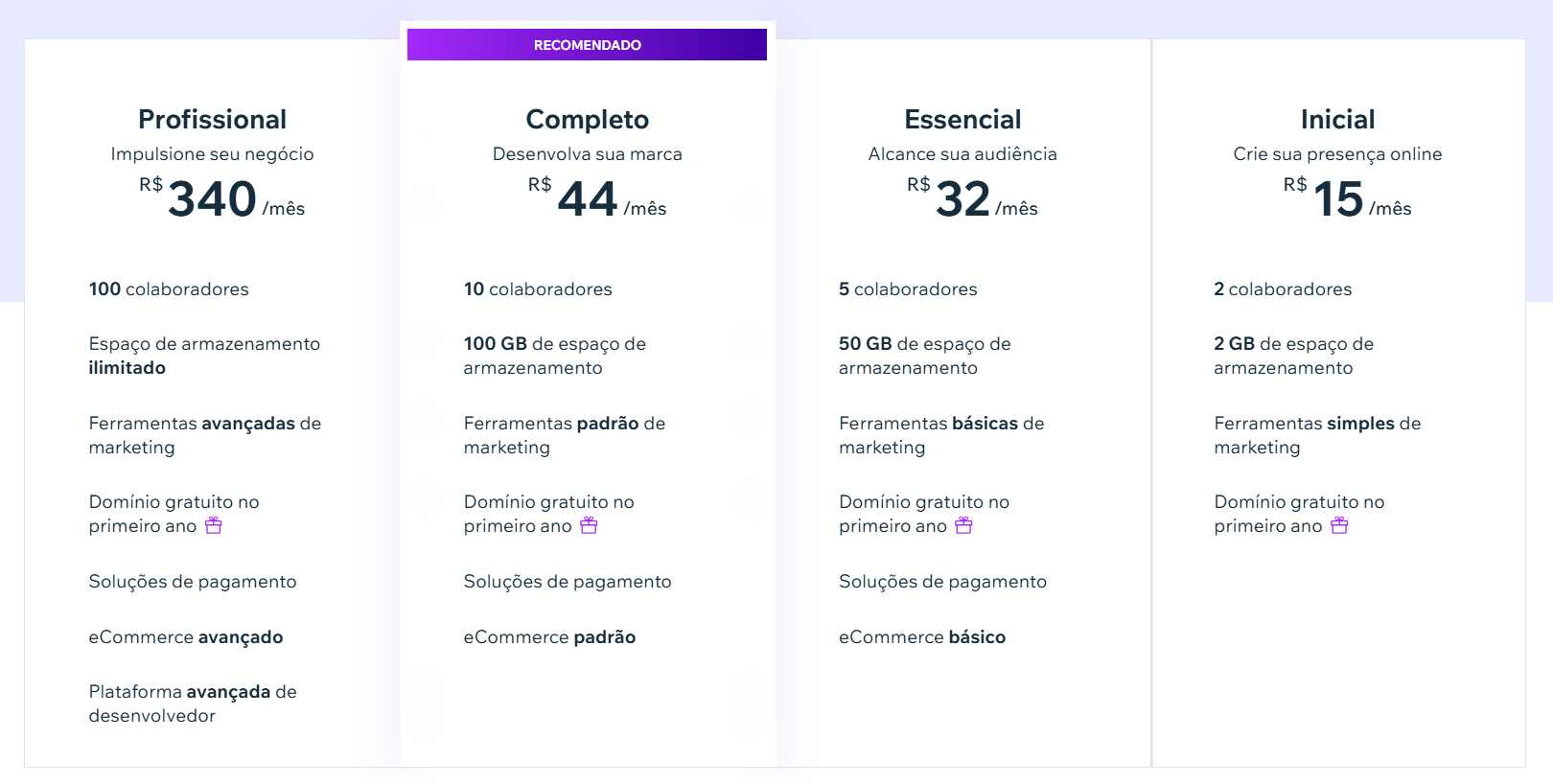
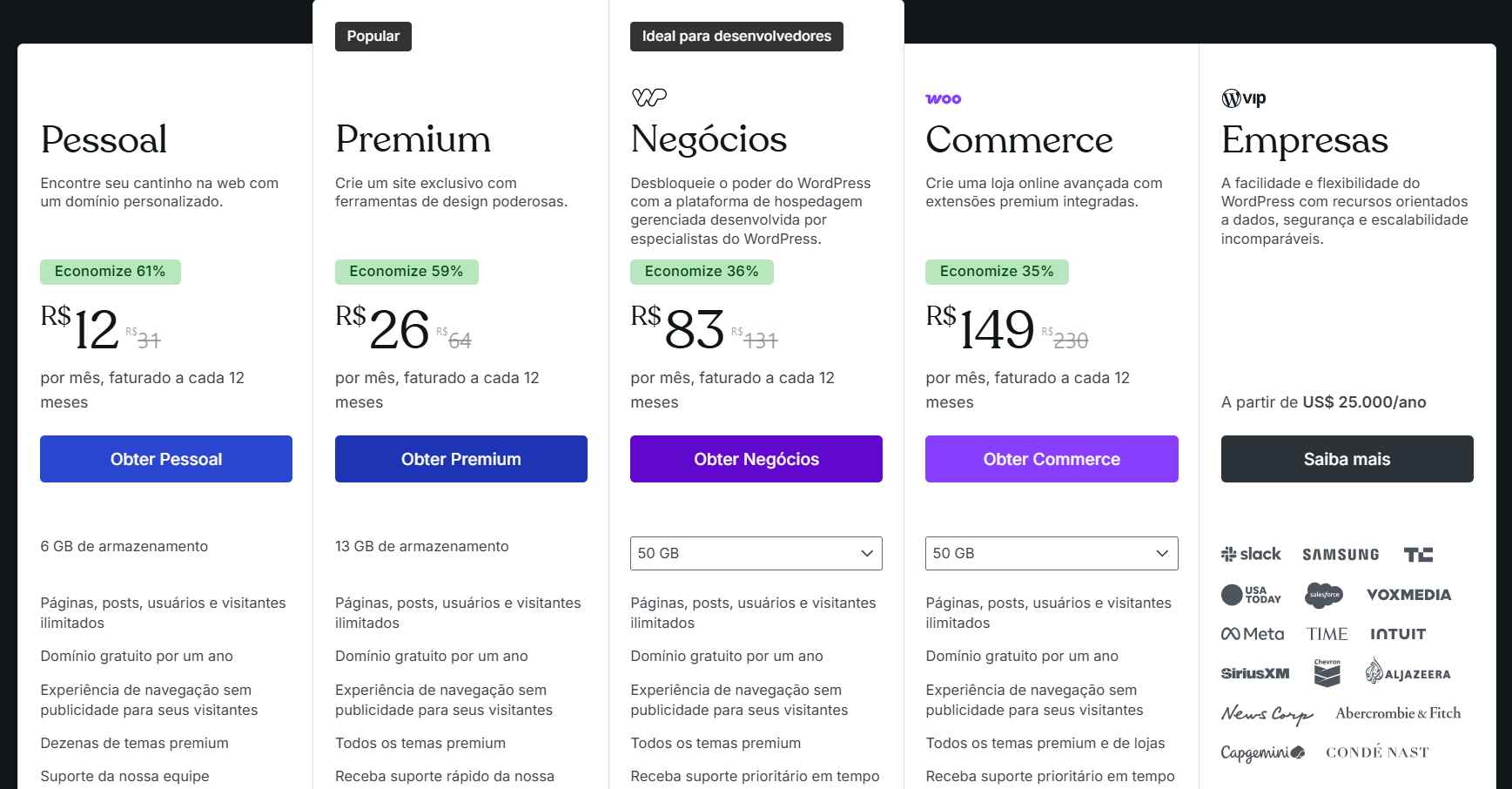
Wix works with monthly plans, including hosting and support. WordPress is free, but requires hiring hosting, domain and eventually paid themes or plugins. Check out the main costs to use both platforms:
Wix Costs
- monthly plans with varying values;
- free plan option (with ads and without own domain);
- specific plans for e-commerce;
- Recurrent fixed cost (as a rental).
WordPress Costs
- free platform (open source);
- domain from R$40/year in Registration.br;
- shared accommodation from R $ 5.99/month in long promotional plans (most expensive renewal; consultation on Oct/2026);
- possibility to invest in premium themes and paid plugins;
- plans for those seeking improved resources;
- Initial cost may be higher, but tends to be more advantageous in the long term.
Which platform is best in SEO?
Both platforms allow applying SEO techniques on page, how to optimise titles, descriptions, images and URLs. However, WordPress stands out for offering greater technical control and access to advanced plugins such as Yoast SEO.
Resources available in both:
- editing titles and meta descriptions;
- generation of sitemaps automatic;
- ALT tag configuration in images;
- friendly URLs;
- integration with Google Analytics and Search Console.
In WordPress it is possible to go further, optimizing the site architecture, performance and even elaborating SEO strategies more advanced, which makes it preferred by SEO professionals.
Wix or WordPress: Which should I choose?
If you seek practicality and does not intend to turn your site into a complex tool, Wix may be enough. It is easy to manage and solve well for smaller projects.
But if the idea is to have a professional site, scalable and with total freedom of personalization, WordPress is the best option. In addition to the active community, there are thousands of plugins, specialised support and the guarantee that you will always be in control of your data and results.
Why WebSyd Uses WordPress
“We use WordPress because it’s an excellent CMS for content management and SEO, with good performance and a strong community, with tested resources,” says Caio Nogueira, co-founder of WebSyd. WordPress is also the most used site platform in the world, according to W3Techs.
Which company to hire to create a website?
To ensure a professional, functional and strategic website, the ideal is to hire a website creation agency, like the WebSyd. . Specialized professionals take care of the whole process (planning, design, development, SEO, support and maintenance) so you have an efficient digital presence without headaches.
Benefits of relying on professional support:
- delivery with quality and technical consistency;
- application of good SEO practices already in the structure;
- design aligned with brand's visual identity;
- integration of customised features as needed;
- security, backups and continuous maintenance;
- time saving and focus on your main business;
- technical support when problems arise;
- guarantee of scalability and ability to evolve.
Although digital transformation is a reality worldwide, only 52% of small businesses have their own website, according to study of Cetic.br. . This highlights a strategic digital gap: being online with quality makes a difference in market competitiveness.
If you want to get out in front and have a website that actually works as a business tool, Count on WebSyd. . Our team offers technical experience, creativity and continuous support to turn your site into a digital result asset. Request a proposal right now!

FREQUENTLY ASKED QUESTIONS
Which platform is easier to use for beginners?
Wix is easier for beginners as it offers a simple site building experience with pre-ready models that do not require technical knowledge. Users can create websites quickly, dragging and dropping elements.
Does WordPress offer advantages in terms of customisation?
Yes, WordPress is highly customizable, allowing full control over the code and files of the server. This provides a significant advantage for SEO optimisation and design customisation, with access to more than 53,000 plugins that add varied features to the site.
Wix or WordPress, which is best for SEO?
WordPress is generally considered best for SEO due to greater flexibility in technical optimizations and access to plugins that help in optimizing search engines. Wix has limitations in terms of code optimisation that can restrict SEO performance.
Which platform is best suited for e-commerce?
For e-commerce, WordPress with WooCommerce plugin offers a more robust and flexible solution, allowing you to create custom online stores and expand features with additional plugins. Wix also supports e-commerce, but with less flexibility for customisation and expansion.
Are Wix or WordPress free?
Wix has a free plan, but with limitations such as ads and lack of self-control. WordPress is open source and does not require payment for use, but you need to invest in hosting, domain and possibly premium themes and plugins to have a complete and professional website.
Which platform is best for beginners?
Wix is best suited for beginners, as it offers ready models and an intuitive editor, allowing you to create websites without technical knowledge. WordPress has a larger learning curve, but with the help of plugins like Elementor, it can also be accessible and offers much more long-term flexibility.
Can I migrate my Wix website to WordPress?
Migrating from Wix to WordPress is possible but requires more technical effort and can demand professional help. On the other hand, the reverse path is not feasible because Wix keeps the data attached to its platform. This shows how WordPress guarantees more freedom for those who think about the digital future.
Who needs WooCommerce?
WooCommerce is the best option for those who want to turn a WordPress site into a full online store. It is ideal for companies that need to sell many products, integrate payment means, manage orders and customize the user experience. It's more flexible than Wix in e-commerce.
Which is safer: Wix or WordPress?
Wix automatically manages all security, which makes it easy for users without technical knowledge. On WordPress, security depends on the user or responsible agency, which should keep plugins up to date, perform backups and apply good practices. With certain care, WordPress is as safe as.
How much does it cost to keep a site in WordPress?
WordPress itself is free, but there are costs with hosting (shared from R $ 5.99/month in long promotional plans), domain (around R $ 40/year in the BR Registration) and any plugins or premium themes. Despite these costs, WordPress tends to be more advantageous in the long term compared to Wix.
When to hire an agency to create my website?
If you want a professional site, with strategic design, SEO applied from the start and continuous support, hiring an agency is the ideal way. Experts take care of all technical and creative details, ensuring that your site is not only beautiful but also generates real results.

Caio Nogueira is a SEO, GEO, link building and Digital PR expert and co-founder of WebSyd, website creation agency and SEO consulting founded in 2016. It acts with organic search strategies, digital authority construction and brand optimisation for search engines and artificial intelligence platforms. Throughout his trajectory, he participated in more than 1000 projects involving SEO, website development, content marketing and authority acquisition through backlinks and Digital PR. At WebSyd, it participates in the planning of strategies to increase organic visibility, lead generation and presence of companies on Google and AI-based search engines. As an author, it publishes content on SEO, GEO, website creation, link building and digital authority, sharing analyses, strategies and practical experiences related to organic growth of companies. Its contents and contributions have also been published in companies and vehicles of technology and marketing such as Wix, HostGator, Duda, Neil Patel, Locaweb and E-Commerce Brasil.
View all posts


 Estimate the cost

