
What types of sites exist and what is the ideal for your business in 2026
Summary (TL;DR)
There are several types of sites, and each one meets a specific objective: to sell, inform, generate leads, create community or disclose a service. In this content, you will know the main models such as institutional website, blog, e-commerce, landing page, forum, among others, and understand which is most suitable for your project. All explained in a practical and objective way.

There are several site types, and each meets a different goal: to sell, inform, attract customers or present a brand. Choosing the right type depends on your business model, target audience and digital strategy. This also helps to plan the creation of professional websites without paying for resources you won't use.
The 11 most common types are: institutional website, blog, e-commerce, portfolio, news portal, social network, forum, intranet and extranet, hotsite, landing page and launch page.
Meet the main types of website and find out which is best suited for your company. Continue reading to check the options and identify what cannot be missed in each one. If you are looking for a project designed for your market, see also our website site creation per segment.
1. Institutional Site
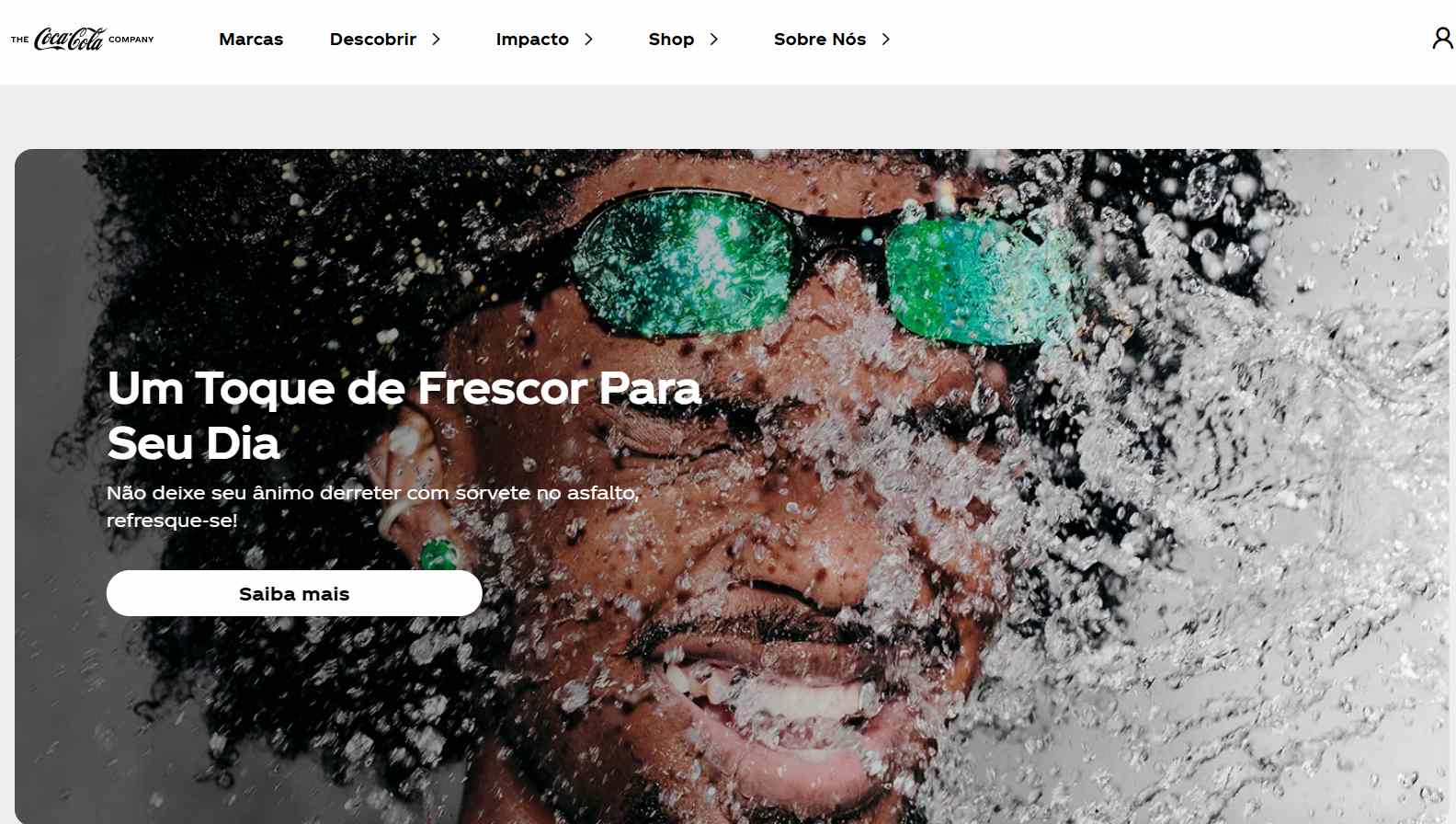
The institutional website is the ideal type of website for companies who want to mark online presence in a professional way, conveying trust and credibility. It gathers the most relevant information about business, such as mission, values, history, services and forms of contact.
Common features:
- Attractive homepage: must transmit the essence of the company right away, with clear and modern visual calls.
- Section “About Us”: tell the history of the company, its values and purposes in a human and inspiring way.
- Products and services: highlight what you offer with objective descriptions and competitive differentials.
- Contact page: include e-mail, phone, location and direct form to facilitate contact. In order to convey even more credibility, use a Professional email with the company domain (e.g. contact@yourcompany.com.br) instead of a generic address such as Gmail or Hotmail.
- Blog or news: Share up-to-date content, cases or industry news.
- Testimonials and cases: show real results with customers, reinforcing your reputation in the market.
When to create:
The institutional website is essential when the goal is consolidate the digital presence of the company in a solid and strategic way. Consider situations where he becomes indispensable:
- New company: to present the business to the market with professionalism from day one.
- Mark repositioning: ideal for communicating visual, strategic or public changes.
- Performance expansion: key when entering new markets or reaching new customer profiles.
Examples:
- Leiva Architecture: institutional site developed by WebSyd that presents the office, specializing in rural architecture projects, and its services.
- THR Landscape: also created by WebSyd, presents the landscaping and maintenance services of green areas of the company in a clear and direct way.
- Coke-Cola: It shows institutional values, history and social impact.
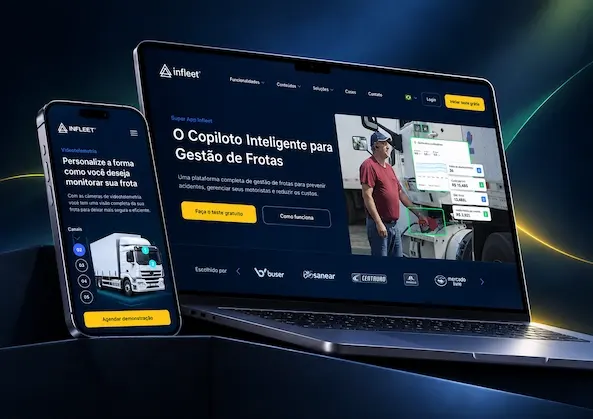
Another example is Infleet, a fleet management company. The new institutional website, made by WebSyd in WordPress, was designed to load fast, preserve the organic traffic of the previous site and serve customers in other languages, with lead capture integrated into RD Station.
What can't be missed:
To ensure good results, some elements are indispensable on any institutional website:
- Responsive Design: your website should work well on mobile phones, tablets and computers.
- SEO friendly: Optimizations that help the site appear on Google when someone searches for your service.
- Intuitive navigation: organized menus and information easy to access.
- Quality pictures: photos and visual elements that well represent your brand and product.
2. Blog
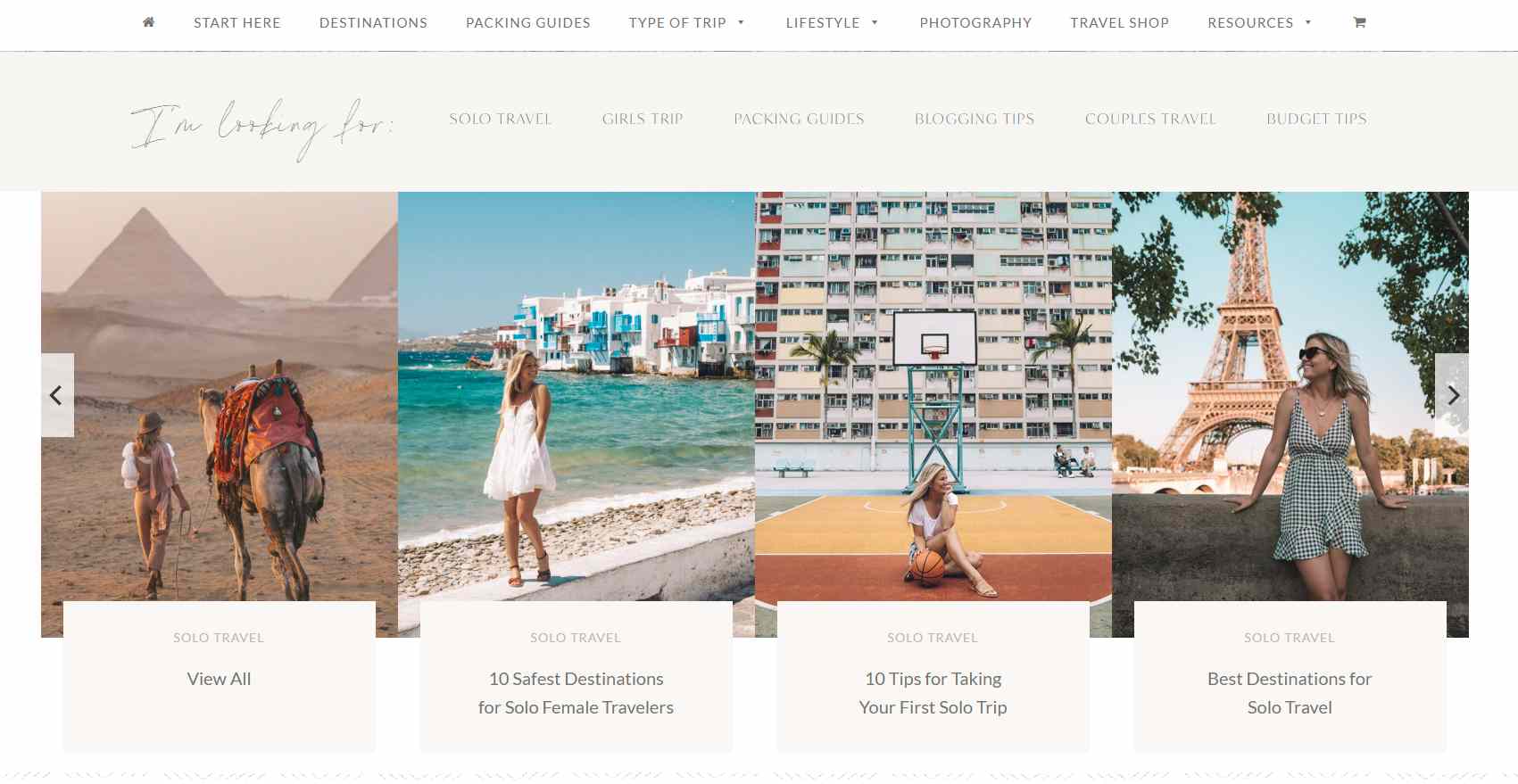
The blog is one of the most effective types of website for attract visitors through useful, educational or inspiring content. Create a blog allows companies or creators to share knowledge, gain authority and approach the public continuously.
Common features:
- Common Posts: an updated blog regularly keeps the public engaged and attracts new readers.
- Comments and interaction: space for readers to leave opinions, questions and experiences, generating community.
- Categories and tags: content organization by themes to facilitate browsing and increase time on the site.
- Responsive design: clean layout and compatible with mobile phones and tablets, improving the user experience.
When to create:
Creating a blog is a strategic choice for various purposes. Here are some of the most common:
- To share knowledge: ideal for professionals and experts who want to disclose relevant and useful content.
- To create a community: blogs are great for bringing together people with similar interests around a theme.
- To promote a business: excellent for generate traffic, nourish the public with information and attract new customers.
Examples:
- HuffPost: a blog-journal with content on politics, culture, well-being and lifestyle.
- TechCrunch: reference in technology and startups, with in-depth news and analysis.
- The Blonde Abroad: travel blog with practical guides and impacting visual content.
What can't be missed:
For your blog to achieve good results, some elements are indispensable:
- Quality Content: Content is the heart of a successful blog. Offer valuable, relevant and well researched information to your audience. Artificial intelligence can help with ideas and drafts, but review the facts, add to your experience and do not publish on a scale without revision: according to Google's guidance on AI-generated content, what counts is the quality and usefulness of the text, not the tool used to produce it.
- Interaction with readers: Responding to comments and stimulating participation creates lasting ties.
- Promotion of content: advertising posts on social networks and email marketing increases reach and traffic.
3. E-commerce
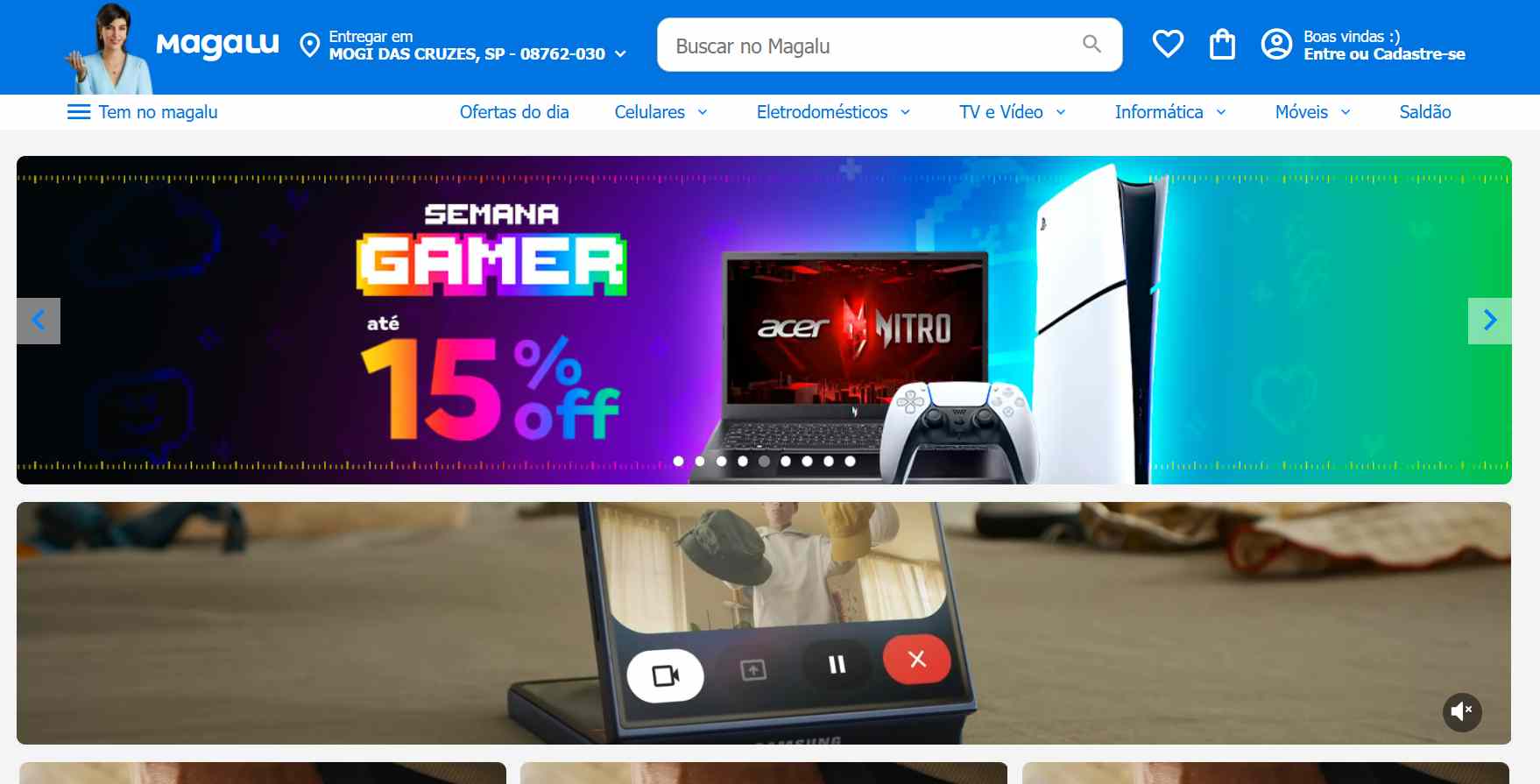
Among all types of sites, the e-commerce It's the most focused direct sale of products or services On the Internet. It works as a online store that operates 24 hours a day, offering consumer convenience and unlimited scope for business.
Common features:
- Product Catalogue: products organized by categories with pictures, descriptions, prices and specifications.
- Shopping cart: system to add items, review the order and finish the purchase easily.
- Secure payment: options such as credit card, Pix, billet and gateways with encryption and authentication.
- Stock management: Automatic availability update and low volume alerts in real time.
- Reviews and comments: feedback from customers that increase confidence in brand and products.
- Advanced search: search tools with filters by name, category, price range, among others.
When to create:
Companies selling physical, digital or recurring products find in e-commerce an excellent way to expand your operations. ♪ If your goal is ♪ reach more customers, operate at lower fixed cost and customize the purchase journey, this type of site is the ideal choice.
Examples:
- Americanas.com: digital showcase with millions of products and simple user interface.
- Magazine Luiza: reference in usability and omnichannel service in brazilian retail.
- Free Market: platform that connects small and large sellers with buyers across the country.
What can't be missed:
- Security: SSL Certificate, strong authentication and fraud tools are indispensable.
- Responsivity: layout adaptable to mobile phones and tablets to ensure good conversion rates.
- Customer support: Live chat, WhatsApp or fast service channels make a difference.
4. Website Portfolio
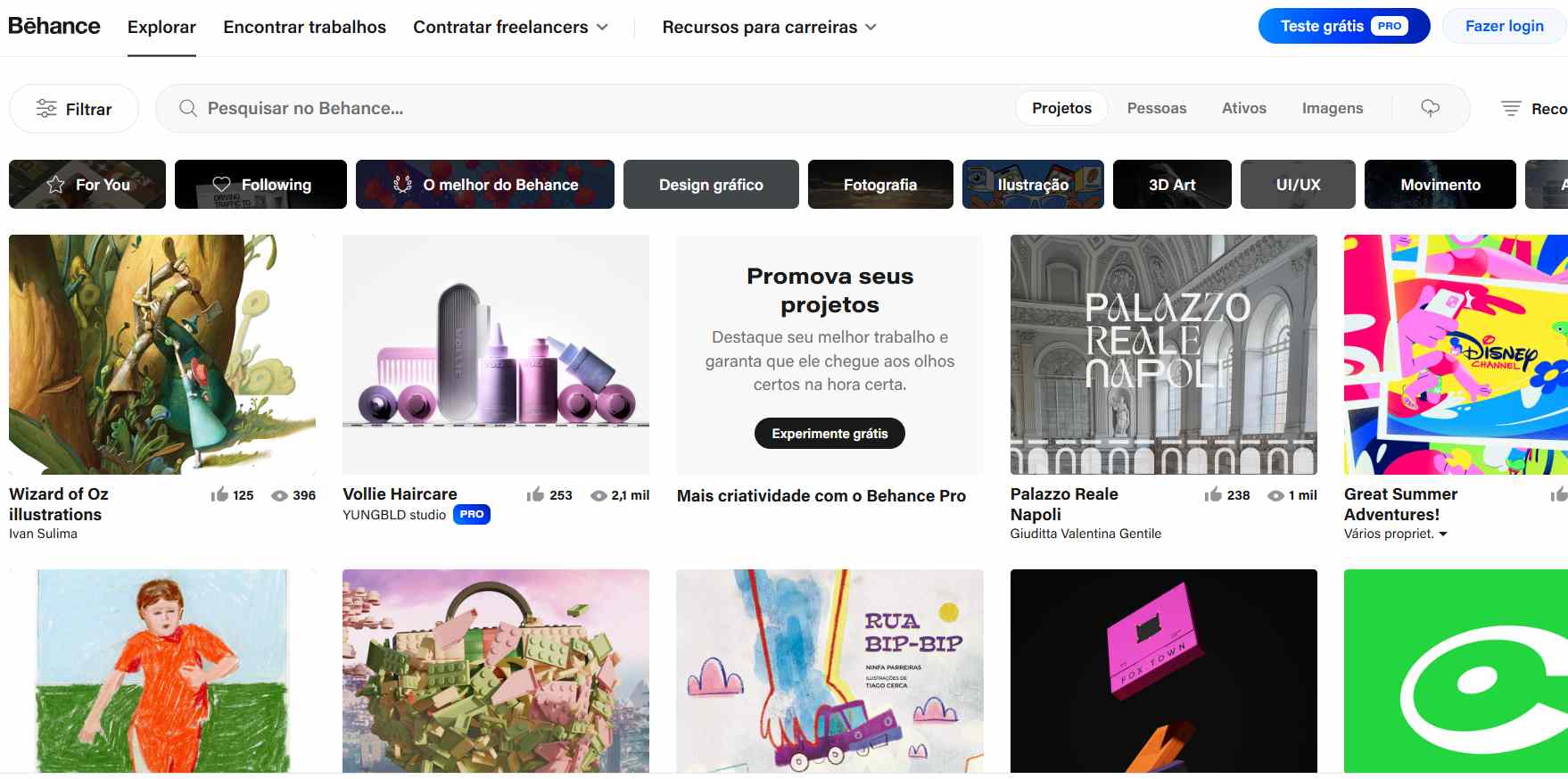
One portfolio site It's a online showcase where professionals and companies expose their projects, skills and achievements in a visual, clear and organized way. It is ideal to attract opportunities, show authority in a given area and facilitate contact with potential customers or employers.
Common features:
- Image and video galleries: impacting visual display of the works already performed.
- Project descriptions: context, challenges and solutions explained objectively.
- Page “About Me” or “About the Company”: history, experience and differentials of the professional or team.
- Simple contact form: facilitates the communication and sending of proposals or doubts.
- Responsive Layout: perfect viewing on any screen, mobile phone, tablet or desktop.
When to create:
If you are designer, photographer, architect, illustrator, visual artist, developer or acts in any creative area, a portfolio website is essential to position yourself in the market and generate new work opportunities, partnerships and networking.
Examples:
- Behance: platform with great visibility for creative show projects and gain followers.
- Dribble: community of graphic designers and UI/UX who share work and interact.
- Carbonmade: simple and visual tool to create portfolios focused on image and experience.
What can't be missed:
- Real work galleries: present projects with visual quality and good organization.
- Description of projects: briefly talk about goals, solutions and results.
- Quick contact: include e-mail, phone or form always visible.
- Responsive design: your portfolio should work well on any device.
- Customer statements: They reinforce their credibility and deliver social proof.

5. News Portal
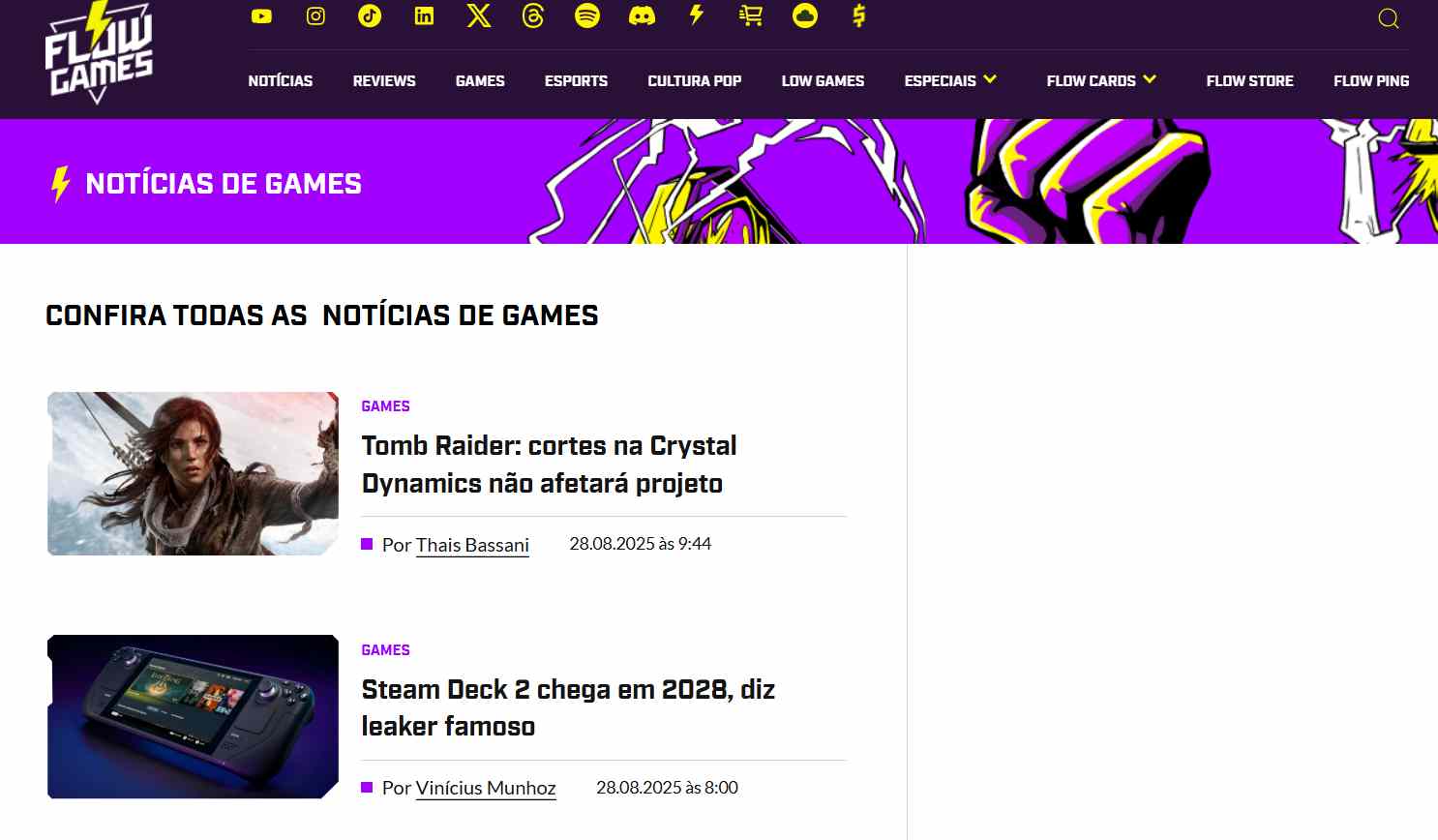
One news portal it's a site with informational and editorial focus that brings up-to-date content on various real-time topics. It is ideal for media organizations, independent journalists and companies that wish to inform, engage and strengthen their online authority with a high volume of content.
Common features:
- Real-time updates: constant publications on the most relevant facts of the moment.
- Multiformat content: articles, videos, podcasts, infographics and images in one place.
- Categories and sections: clear organization by topics such as politics, health, technology, culture, among others.
- Comment section and sharing: space for readers to give opinions and interact with the subjects.
- Advanced search: tool to locate specific content quickly and accurately.
When to create:
This type of site is indicated when there is a need to disclose frequent updates in various areas of interest. It is the ideal choice for media vehicles, journalists, YouTube channels with editorial focus and companies that want to keep their audience well informed with relevant and reliable content.
Examples:
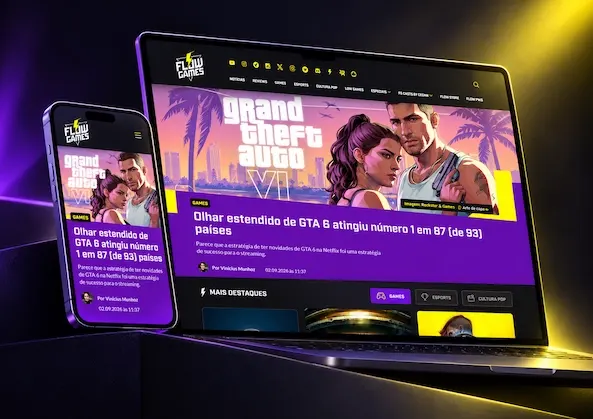
- Flow Games: developed by WebSyd, is the Flow channel content portal, focusing on games, pop culture and entertainment.
- KaBum Blog! (formerly TecMasters): KaBuM content portal developed by WebSyd, with analysis and technology news and a modern reading experience.
What can't be missed:
- Credibility and verified facts: reliable sources and rigorous review to maintain public confidence.
- Responsive and accessible layout: compatibility with mobile phones, tablets and desktops.
- Quick charging: Slow sites drive away readers, performance should be a priority.
- Intuitive design: clear interface, with good information hierarchy and ease of navigation.
At WebSyd, Flow Games is an example of this type of website: a gamer news portal created from scratch in WordPress, with SEO structure, programmatic media for monetization, Google Web Stories and capture of leads by email marketing.
6. Social Network
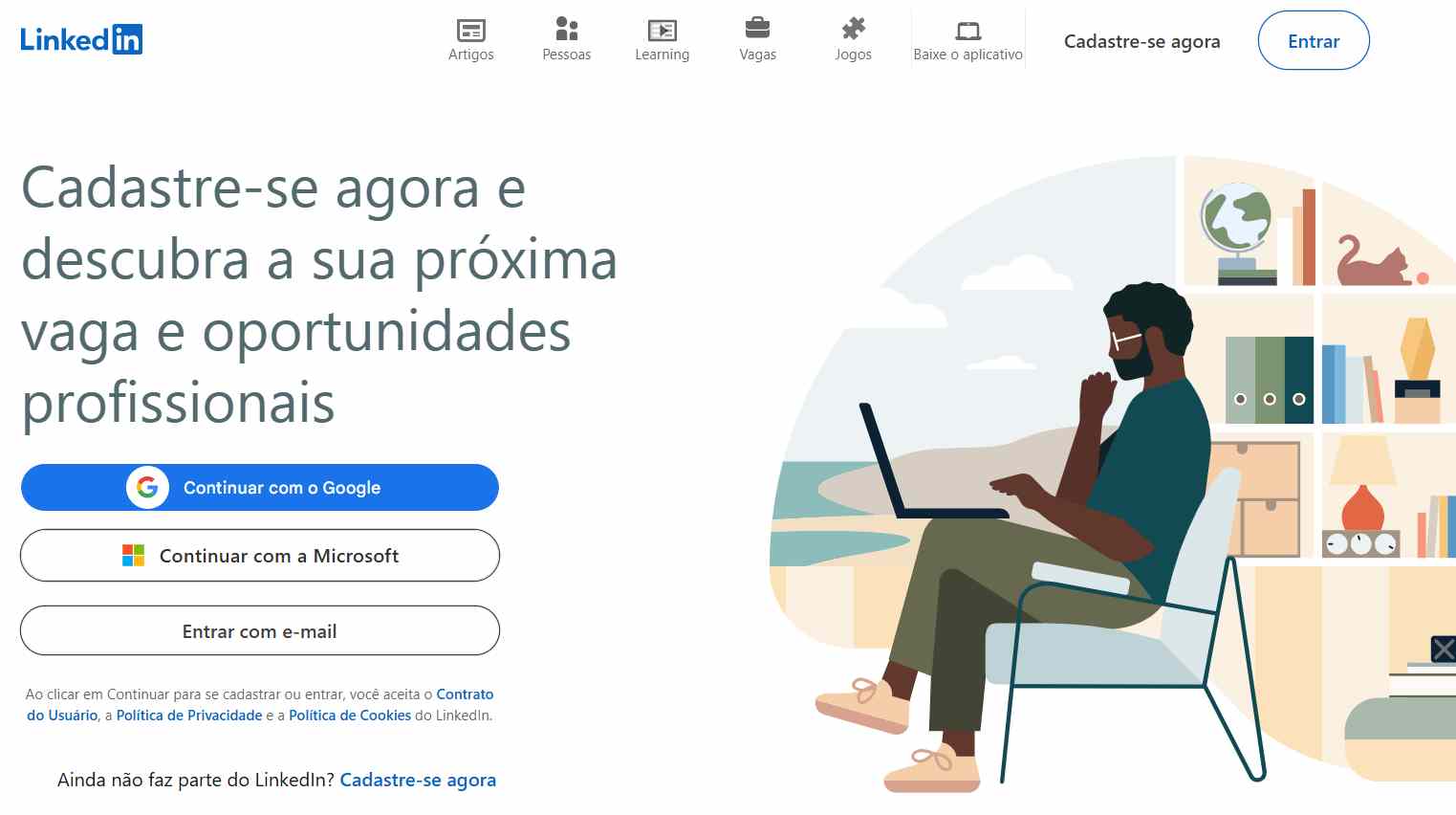
A social network is a digital platform connecting people and companies, allowing you to create profiles, share content and interact in real time. It is ideal for building communities, promoting engagement and expanding digital presence based on shared interests.
Common features:
- Custom profiles: with photo, bio, public or private interests and information.
- Update Feed: shows what friends, pages and groups are publishing in real time.
- Content Sharing: texts, photos, videos, links and reels.
- Social interactions: likes, comments, shares and reactions.
- Groups and communities: thematic spaces for discussions and connections between members.
- Direct messages: Private communication between users.
- Metric panel: insights and performance reports for commercial accounts.
When to create:
A social network is indicated when there is an intention to gather a community with common interests, promote continuous engagement or fill gaps that large platforms do not meet. It can be focused on specific niches, causes, professional sectors or exclusive experiences.
Examples:
- Facebook: the largest platform in the world, with diverse resources for personal and business profiles.
- Instagram: Network focused on image and video, widely used for brands and content creators.
- LinkedIn: Specialized in professional connections, employability and career content.
What can't be missed:
- Intuitive interface: clear design and easy to navigate.
- Privacy and security: data protection and control over who sees what.
- Content moderation: tools against spam, hate speech and fake news.
- Common Updates: constant improvements in usability and new features.
- Responsive design: Access facilitated by mobile devices.
7. Forum
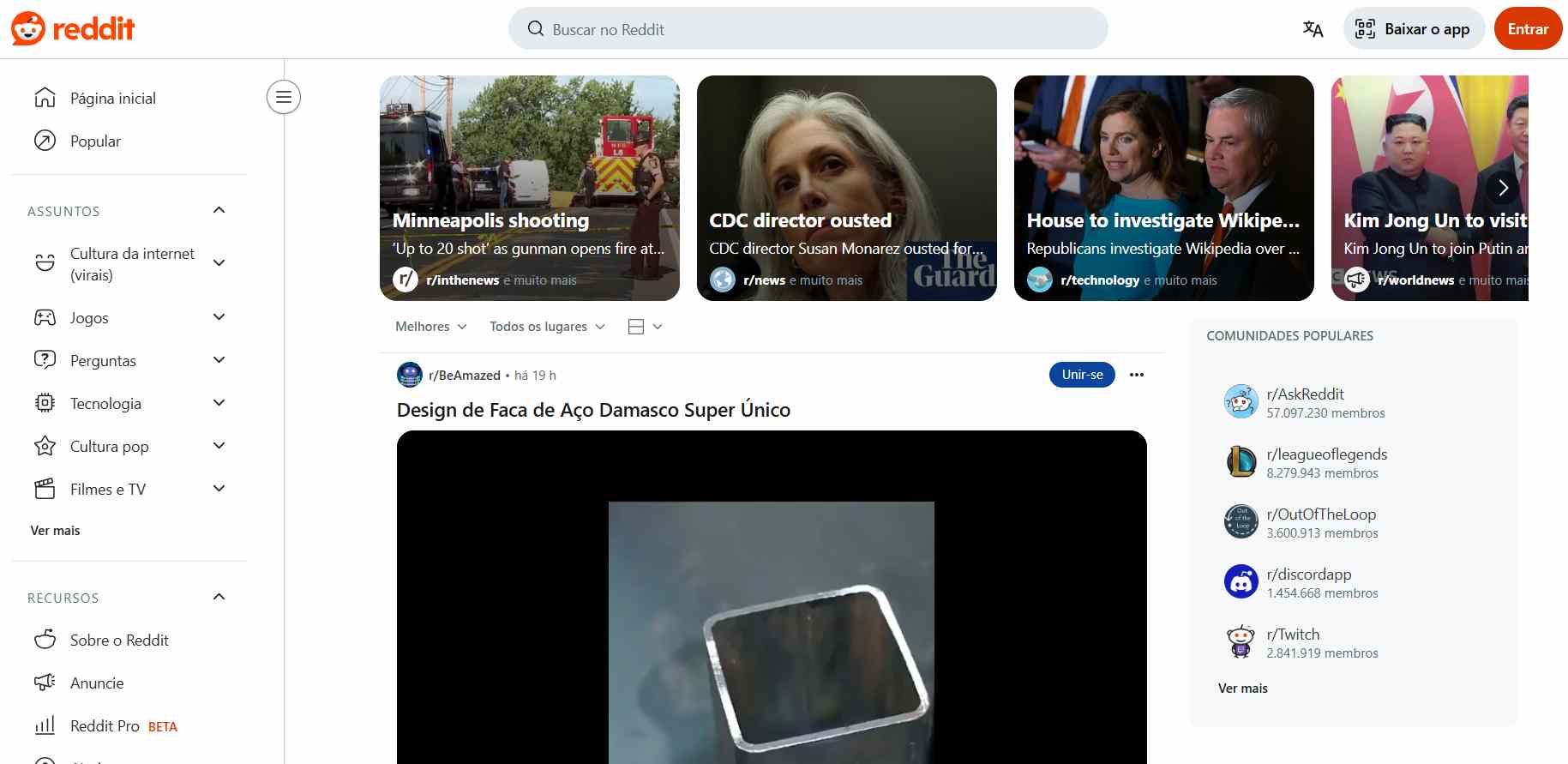
A forum is a site focused on discussions between users with common interests. . It functions as an online community, where participants share experiences, solve doubts and interact collaboratively through organized topics.
Common features:
- Topics and subtopics: categories organized to facilitate navigation and search for information.
- User Profiles: each member can create a profile with photo, bio and history of participation.
- Messages and replies: system to initiate topics, respond and interact with other members.
- Content moderation: tools that ensure a safe and relevant environment for everyone.
- Advanced search: efficient research to find specific discussions or popular themes.
- Notifications: alerts on responses, mentions and updates to topics monitored.
When to create:
A forum site is ideal for companies that want to strengthen their relationship with their audiences, provide collective support, encourage the exchange of ideas and create an active user base around a specific theme or product.
Examples:
- Reddit: one of the largest online communities, with thousands of forums on different subjects.
- Stack Overflow: space of questions and answers focused on programming and development.
- Forum WordPress.org: official channel for support and discussion about CMS WordPress.
What can't be missed:
- Efficient moderation: to maintain relevant content and healthy environment.
- Engagement resources: likes, answers and mentions help increase interaction.
- Privacy and security: protection of user data and improper content control.
8. Intranet and Extranet
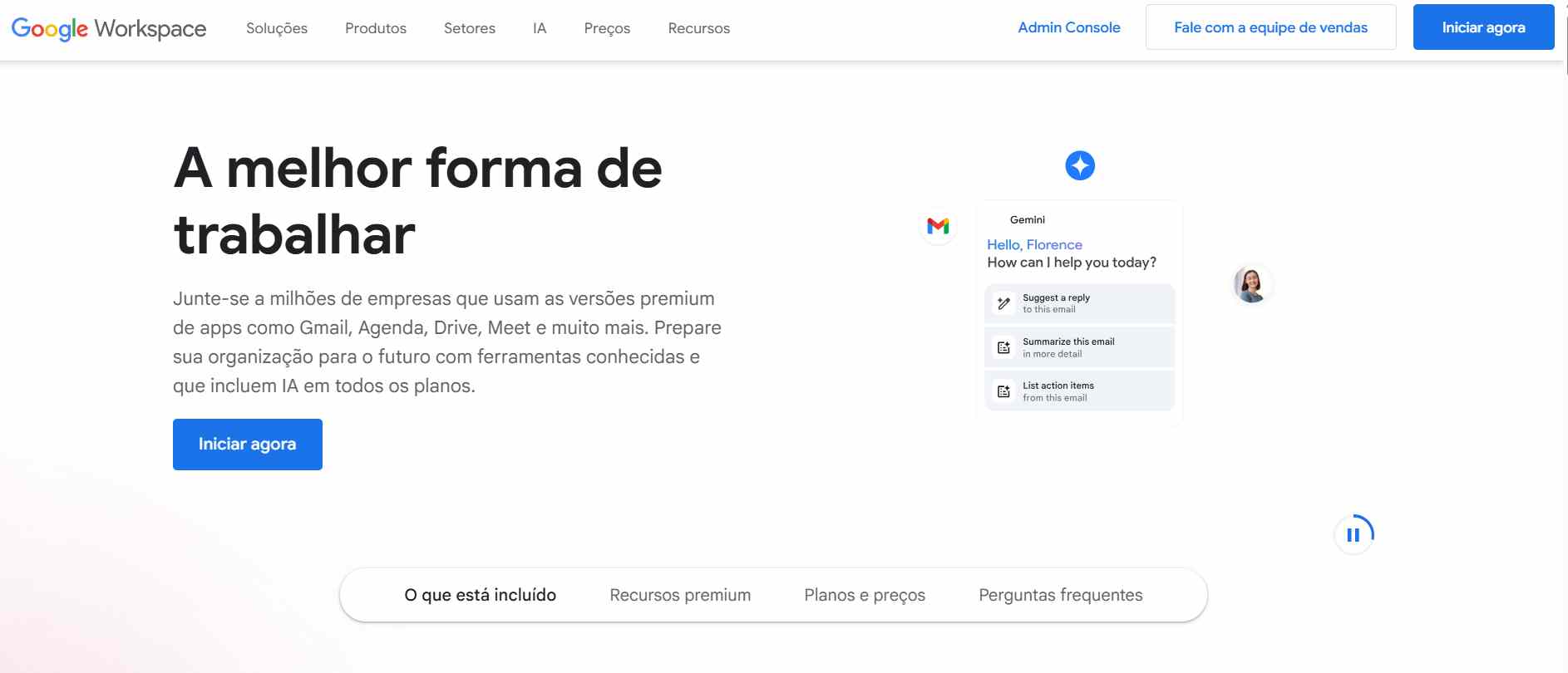
Intranets they are internal networks for exclusive use of employees of a company. The Extranets extend this access to external partners, such as suppliers or customers, maintaining control and security of information.
Common features:
- Secure access: login with authentication to ensure restricted use.
- Document Sharing: organization of files, manuals, policies and corporate data.
- Team collaboration: tasks, schedules, calendars and shared projects in real time.
- Internal communication: chats, forums and messages to integrate the teams.
- Content management: efficient structure to archive and find information easily.
When to create:
It is recommended to create an Intranet or Extranet when there is need to centralize internal processes, better organize communication between teams or open secure channels of relationship with strategic external audiences.
Examples:
- Microsoft SharePoint: robust solution for corporate environments, with high customisation capacity.
- Google Workspace: collaborative tools that can be adapted for internal management.
What can't be missed:
- Enhanced security: access control and encryption for protection of company data.
- Intuitive interface: simple navigation, which reduces the learning time of employees.
- Customization: flexibility to adapt the structure to the needs of the business.
9. Hotsites
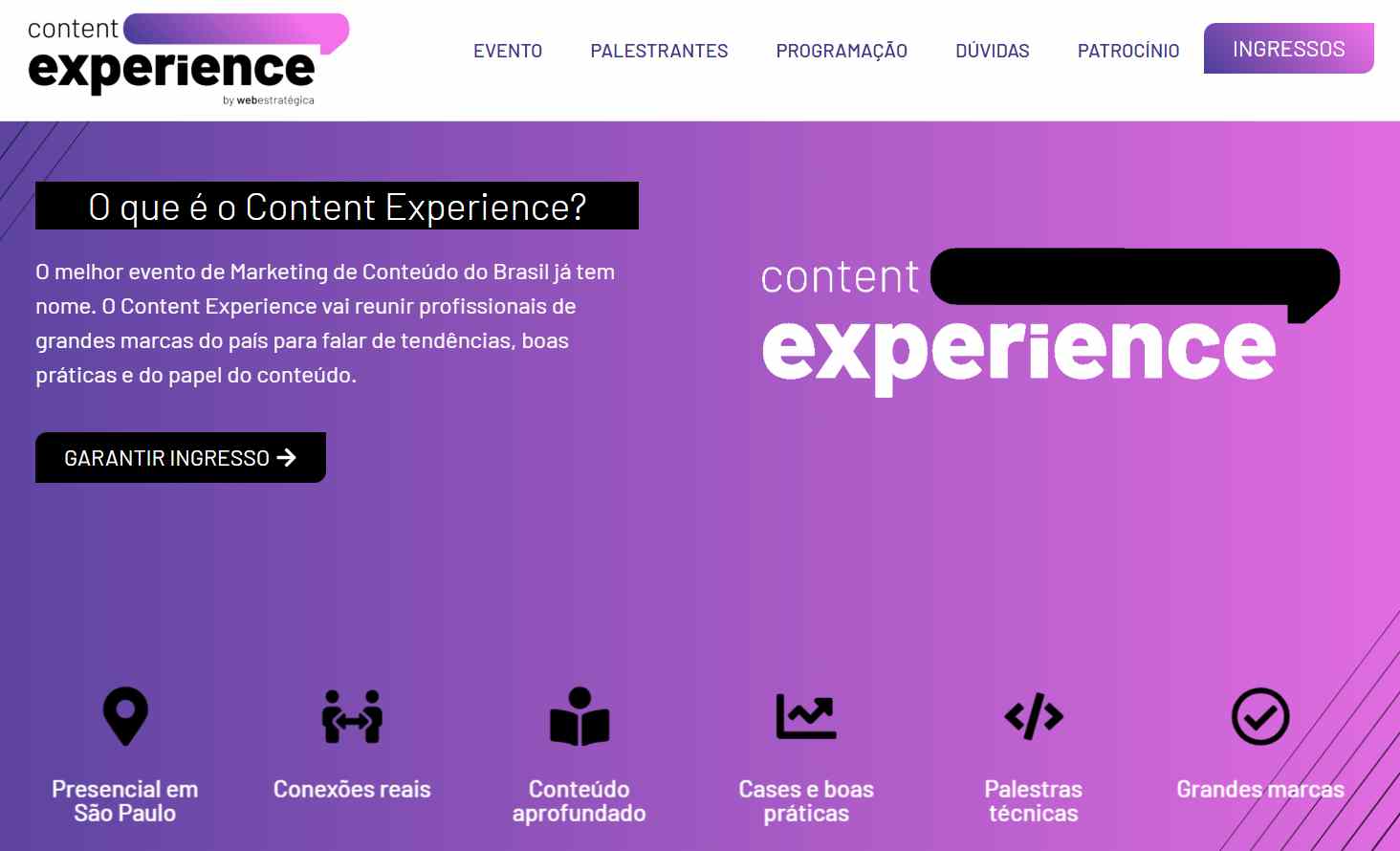
Hotsites are temporary pages created with full focus on a specific campaign, product, promotion or event. They have well-defined beginning, middle and end, and exist to capture attention and generate immediate action.
Common features:
- Impacting design: flashy visual, with colors, animations and graphic elements that hold the look.
- Targeted content: all communication is objective and focused on a single purpose.
- Quick forms: capture of leads, registrations or simplified contact requests.
- Integration with social networks: sharing buttons and feeds that extend the range.
- Responsivity and website navigability: Perfect adaptation to all screen sizes and devices.
When to create:
It is worth creating a Hotsite when your company is:
- By promoting a short-term action that requires full focus (launches, events, light offers).
- Needing a separate digital presence from the main site.
- Seeking high visual impact and rapid conversion.
Examples:
- Product Introductions: specific pages with videos, benefits and social proofs.
- Special events: programming, location, registration and calls for participation.
- Promotional campaigns: Black Friday, seasonal settlements and offers with clear CTAs.
What can't be missed:
- Clear and direct message: The visitor needs to understand everything in a few seconds.
- Attractive look: use images, videos and graphics to value the proposal.
- CTAs well positioned: visible and flashy buttons that encourage immediate action.
10. Landing Page
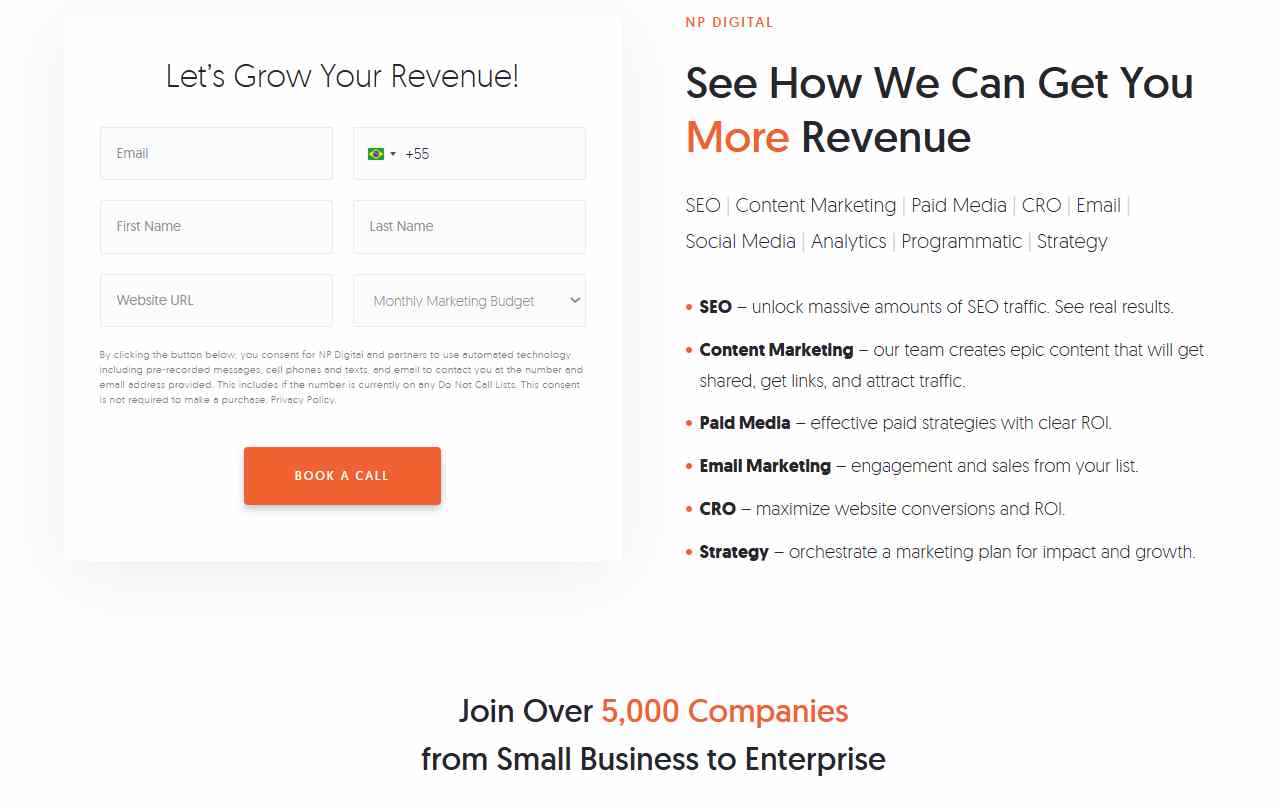
Landing pages are single pages created for the specific purpose of conversion. Each element in it is focused on a single action: capture a lead, close a sale or deliver a content.
Common features:
- Clean and objective design: direct layout, with visual hierarchy and fluid reading.
- Optimized forms: essential fields, easy to fill and with good prominence.
- CTAs visible: Action calls positioned in strategic locations.
- Persuasive content: short texts, strong arguments and outstanding benefits.
- Social evidence: testimonials, reviews or logos of customers that reinforce trust.
When to create:
A Landing Page is recommended when you:
- You've been promoting a product, service or punctual offer.
- Need a destination page for paid ads campaigns.
- I wanted to test a commercial proposal before climbing.
Examples:
- Register to receive a free e-book.
- Online course sales page.
- Collection of leads for product launch.
- Limited offer with discount coupon.
- Pre-release page with waiting list.
- Page for online event (webinar, live, etc).
- Campaign with influencers directing to the offer.
- Registration page for free trial.
- Request for budget.
- Launch of new software functionality.
What can't be missed:
- Consistency with the campaign: visual and textual communication must correspond to what was promised in the announcement.
- Technical performance: fast charging and compatibility with all devices.
- Test culture: A/B tests help improve conversion based on real data.
11. Release Pages (InfoProducts)
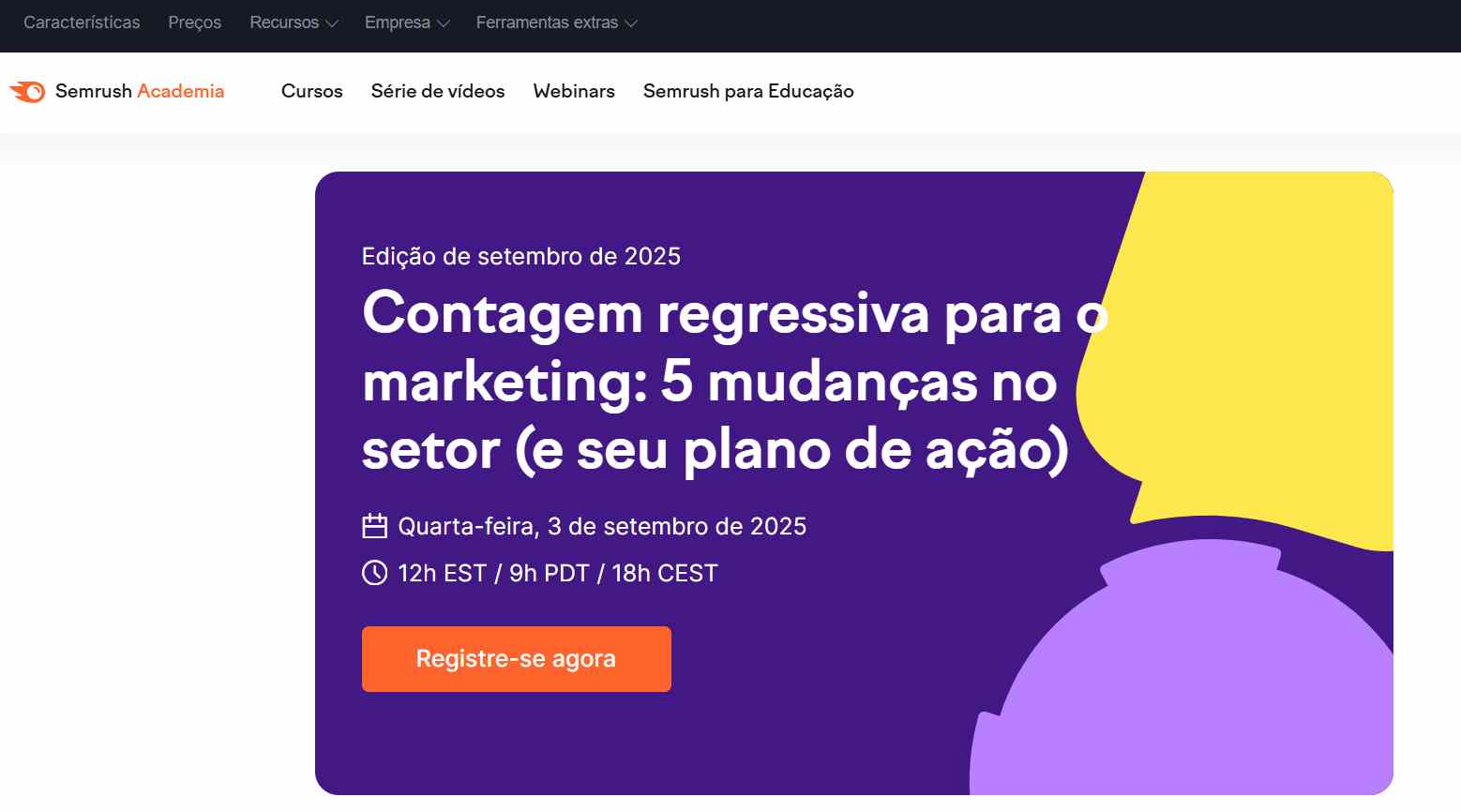
Launch pages are strategic versions of landing pages created for promote infoproducts on specific dates, such as online courses, e-books or mentoring. Unlike a generic landing, these pages have well-defined beginning, middle and end, and total focus on fast conversion during the promotional period. They're great to apply conversion techniques on sales on your website.
Common features:
- Presentation videos: show the product in action, explain the benefits and emotionally connect with the public.
- Real statements: increase confidence with feedback from students or customers who have already used the solution.
- Countdown: generates urgency by clearly showing the remaining time of supply.
- Offers and bonuses: add value with extra benefits to those who buy during the launch.
- Strong CTAs: flashy and well positioned buttons to guide the visitor until purchase.
When to create:
You must create a launch page when you are:
- Preparing for the entry of a new digital product into the market.
- Reopening classes of a course or providing a new edition of an e-book.
- Using strategies such as seed, internal or perpetual release.
Examples:
- Online English course page with exclusive bonuses for the first subscribers.
- Page launching a mentoring with limited vacancies.
- Technical e-book campaign with discount countdown.
- Reopening of coaching program class with content upgrade.
- Launch of digital platform with bonuses and support for limited time.
What can't be missed:
- Enveloping narrative: the story behind the product needs to thrill and convince.
- Professional visual: high quality videos and images generate authority.
- Irresistible offer: something that's impossible to ignore, bonuses, discounts, exclusivity.
- Social evidence: testimonies, warranty stamps and cases help to break objections.
- Real emergency: deadlines, limited stocks or bonuses with time to finish.
How to choose the type of site ideal for your goal?
The choice of the type of site should start from yours main objectives, whether to sell, educate, present, engage or consolidate the digital presence. A decision aligned with its purpose avoids waste of resources and brings more expressive results.
Check out a practical guide to help you decide in each situation:
| Objective or Situation | Recommended Site Type |
| Present your company and convey trust | Institutional Site |
| Share content and conquer followers | Blog |
| Sell products or services online | E-commerce |
| Show your work in a visual and creative way | Portfolio |
| Disclosure of journalistic or informative content | News Portal |
| Create a community or network of users | Social Network or Forum |
| Promote an event, product or punctual campaign | Hotsite or Launch Page (Info Product) |
| Convert visitors to specific leads or sales | Landing Page |
| Provide exclusive content internally | Intranet or Extranet |
In addition to choosing the right type, consider also how to manage the site. If you seek autonomy and ease, platforms like WordPress or intuitive builders help. For more complex projects, such as e-commerce or custom portfolios, a development team or specialised platform can be ideal.
Institutional site, landing page or e-commerce: how to decide?
These are the three most common doubts. Four questions help you decide:
- What's the main objective? Selling online calls for an e-commerce. Introducing the company and receiving contacts requires an institutional website. A punctual campaign calls for a landing page.
- How does your business work? Service providers usually need an institutional website. Those who sell physical or digital products tend to benefit from an e-commerce, and infoproducers use landing pages to capture leads or sell.
- Where does the visitor come from? Who searches and compares before buying needs information from an institutional website. Anyone who arrives from an ad, ready to take action, converts it better into a landing page.
- How many products or services do you offer? A catalogue with categories, variations and means of payment requires an e-commerce. A single service fits a landing page. Several services, without online sale, require an institutional website with clear navigation.
The time of the company also counts: many start with a landing page to validate the offer and then move on to an institutional website or an e-commerce. Service companies with regional activities usually keep the institutional website: a website for internet provider shows plans and coverage areas, and that of bus company organizes routes, schedules and chartering.
Where to start?
Choosing the right type of website is the first step in building a solid digital presence and achieving its goals efficiently. Whether to sell, attract customers, educate or connect with your audience, a well-structured site makes all the difference.
In WebSyd, we develop custom sites with a focus on performance, user experience and real results. If you are still in doubt about the type of site, tell your goal to our team: Get a quote.
FREQUENTLY ASKED QUESTIONS
What is an institutional website and what are its main features?
An institutional website is an online platform used by companies to represent their corporate identity and communicate essential information about products and services. This type of site is fundamental to establish credibility, presenting sections such as “About Us”, “Products and Services” and “Contact”.
What is the function of a corporate blog and why consider creating one?
Blogs are dynamic platforms used to publish articles, insights and updates regularly. For companies, they are valuable to establish authority in a sector, improve SEO and engage potential customers through relevant and up-to-date content.
How does an e-commerce differ from other types of sites and what are their advantages?
An e-commerce is a website specifically designed for the sale of online products or services, including features such as product catalogs, shopping carts and a secure payment process. It is ideal for businesses that want to expand their market reach and offer consumers convenience.
What is a portfolio site and who should use it?
Portfolio sites are mainly used by creative professionals to display works and projects in an organized and visually attractive way. They are essential for artists, designers and photographers who want to show off their skills and attract opportunities for work or collaboration.

Caio Nogueira is a SEO, GEO, link building and Digital PR expert and co-founder of WebSyd, website creation agency and SEO consulting founded in 2016. It acts with organic search strategies, digital authority construction and brand optimisation for search engines and artificial intelligence platforms. Throughout his trajectory, he participated in more than 1000 projects involving SEO, website development, content marketing and authority acquisition through backlinks and Digital PR. At WebSyd, it participates in the planning of strategies to increase organic visibility, lead generation and presence of companies on Google and AI-based search engines. As an author, it publishes content on SEO, GEO, website creation, link building and digital authority, sharing analyses, strategies and practical experiences related to organic growth of companies. Its contents and contributions have also been published in companies and vehicles of technology and marketing such as Wix, HostGator, Duda, Neil Patel, Locaweb and E-Commerce Brasil.
View all posts


 Estimate the cost

