
SEO for images: how to nominate images for SEO
Summary (TL;DR)
The SEO for images is an important technique to improve the visibility of your site in search engines like Google. By optimizing images, you can increase traffic on your site as they are easier to find in image search. For this, it is essential to use relevant images, name files with appropriate keywords, reduce the size of files for faster loading and ensure that images are responsive, i.e. adjust well to different devices.
In addition, it is important to use ALT tags and descriptive captions to help search engines better understand images and improve their ranking. Taking care of copyrights and ensuring that images are new and unique are also important aspects. Thus, by following these optimisation practices, your website can achieve better performance in search results, resulting in more visitors and a better user experience.

An image is worth a thousand words. This saying is in everyone's mouth and is also relevant in digital marketing. SEO for images is part of on-page optimisation, but the quality of images and incorporation on the site also contribute to Google ranking.
SEO-optimised images not only allow you to rank better in image search, but also ensure better overall visibility of your site. In addition to the text, images are one of the most important components of your site as they are visible to users.
If an image is well positioned in Google's image search, it can bring additional traffic from visitors to the site. To do this, however, it should also be recognized and found on Google. You can figure out how to optimise your images for search engines in the following article!
What is SEO for images?
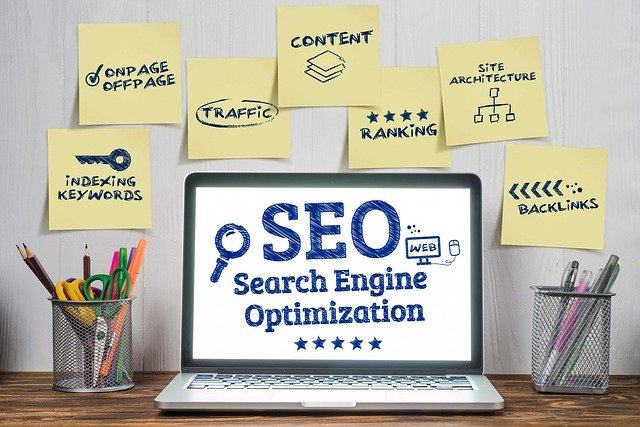
SEO (search engine optimisation) refers to all measures that are taken to get a better ranking, especially on Google, when a user does a search query.
Image SEO is, in particular, the optimisation of image search. . Google “likes” the general results of research with universal elements of research. Images, videos or Google Maps results that match the search query.
For this reason, we want to examine briefly all areas relevant for images on the Internet and present the most important measures for optimised images. They range from real images, their quality, format, etc. to optimisation on the page (image attributes, text around).
Image optimisation helps in SEO
Image optimisation is a time-consuming process that can take a long time when you have a large number of files. However, the benefits of this hard work will be noticeable in the form of increased traffic to your site, resulting in increased conversions.
Following the above tips, it should increase the visibility of images in the searcher, and at the same time decrease the page loading speed, as well as improve the search results not only by photos but also by key phrases in general.
Unfortunately, in the context of image optimisation, many people simply fill in only ALT tags, which can bring satisfactory results, but with competitive phrases just isn't enough. It's important to understand how images work so you can optimise them properly for Google.
How does SEO work for images?
The images are captured with particular ease by the human brain. They are therefore very suitable to draw the attention of a person with limited time.
The images are considered to be verosymetic and perfect for awakening emotions. . If a user encounters a result that pleases him, in the form of an image, he can hardly defend himself from his intuition and click on it.
Optimization before uploading the image
Before including your photos on the site, you should first consider some editorial and technical aspects:
Use appropriate images
If you use photos or illustrations on your website, they should really suit the content. Of course, you'd better take your own pictures. Because they'll be really unique.
Alternatively, you can also buy photos from photo agencies or use photo providers on the Internet.
Choose a significant filename
Before including the image on the page, you should definitely check the filename. Because the filenames usually don't make sense when you take pictures yourself. File nomenclature usually looks like this: IMG_12345.jpg
Unfortunately, that doesn't say anything about the photo. Therefore, you must choose a significant filename. Why? The search engines can understand the image better. Of course, the relevant keywords should also appear in it. But please don't push it!
Google indexes images in BMP, GIF, JPEG, PNG, WebP, SVG and AVIF formats according to best practices for Google Images. . For photos, WebP and AVIF usually generate smaller files with the same quality.
Keywords always belong to the filename
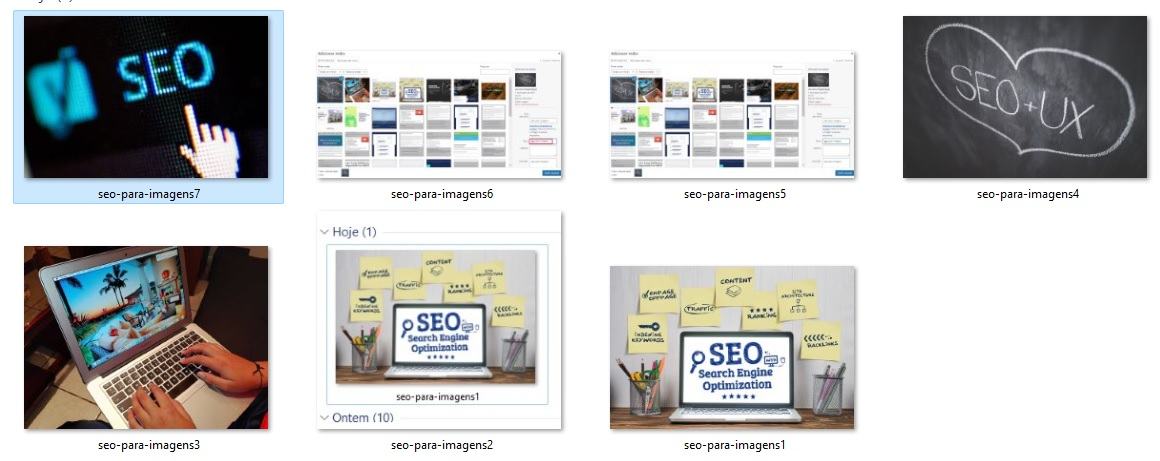
To optimise images, always name your images with the appropriate keyword. One keyword, which describes the image and intention of the researcher in a concise and selective way, requires the same effort as a keyword selection for textual content. In most cases, the keywords are identical, so that the names of the images are based on the page's own keyword.
For example, if you have a portal where you sell clothes, name the image accordingly. At best, indicate the type, brand name and color in the filename. In addition, the following general tips are recommended:
- Separate each word into the file name with strokes instead of underlined. This is easier to interpret for most programs.
- Always write in tiny letters. This does not directly promote SEO, but reduces the potential for errors during typing.
Image size for more page speed
If you want to optimise your images for Google, you should also pay attention to the file size. Because “heavy” images make the site slower. This bothers not only the search engines, but also the user. In addition, slow websites lead to bad rankings in search results.
It is best to use an image editing program to save the photo in the correct dimensions. This avoids unnecessary amounts of data. And the image doesn't need to be resized when the page loads.
Image ratio
We recommend that you use the image format 4: 3. . Image formats can also be increased up to 16:10. However, you should not upload extreme deviations from these formats. Google will not consider them significantly or reduce them in the search result, which may lead to a below ideal display.
Portrait or landscape?
Prefer landscape mode for Google image searches. The images in these representations They fit exactly in the layout Google and are displayed in an ideal way.
Pictures in portrait format are quickly lost between the widths of the images and are not perceived as well. This applies only to Google images.
In Pinterest, for example, pictures in portrait format have a clear advantage because they are particularly noticeable in the Pinterest layout and occupy a larger visible space. Therefore, pay attention to the platform on which your photos should present their effects.
Make your photos mobile compatible
Worst-case scenario, an uncompatible image for mobile devices can provide a high rejection rate and low conversions. But at best, it can give you more ranking power and greater user involvement.
To optimise your photos for the mobile device create responsive images. This means that the image will be sized according to the site size, regardless of whether the user is using a computer or a mobile phone.
SEO for images on site and blog

If you incorporate your images to the content, you can now enrich them with appropriate context keywords. But you shouldn't just keep the research mechanisms in mind. First of all, we must always think about the site visitor.
Use alt attribute correctly
The call alt tag for images represents an alternative text. This is displayed if the image cannot be displayed. . Or also for visually impaired users.
The Alt attribute also helps search engines to better understand the image. Therefore, you should try to describe the image as accurately as possible. And by the way, you allow the most important keywords to flow. Of course, you should also avoid the excess of keywords here.
Use subtitles
Subtitles are a brief description directly below the image. This text is not really relevant for pure image search. But it usually is. very useful to the reader. Studies have found that the caption text is read more often than the actual content of the page.
The caption is one of the texts that the reader most notices when scrolling the page, and Google uses the text next to the image, including subtitles, to understand her subject (Google).
neilpatel.com
Include keywords in caption
A suitable caption can increase page visitation. The keyword should also appear here. The caption also provides additional space for copyright notices if the image was not created by you.
In addition to the caption, the text around the image is also important from the SEO point of view of images. This is also used by Google to determine the relevance of the image.
Media URLs and attachments
By default, WordPress creates a separate page for each image sent. However, these attached pages contain only the image and title. This is not recommended from the SEO point of view. Because in time you will have many pages containing the so-called “fine content”. Therefore, you will have pages without relevant content.
Text around the image
Google Bot also includes the text that is in the vicinity of your image in your analysis. This is why it is important that your images be placed in places that also address the relevant keywords of the image.
Try to include a subtitle with this and the keywords that are important to you in this context near the image. The content of the written text related to the image is also analyzed and should be linked in some way to what is portrayed. As exactly the bot reads this and with what relevance the search engine includes these data in the ranking, unfortunately it is not yet known.
Is it worth repeating the same image on the site?
Only when it makes sense for the reader, as a logo or diagram that applies to several articles. There is no Google indication that repeating an image improves the rating. For Google Images, what weighs is the page where the image appears to be relevant and of quality.
Name image title
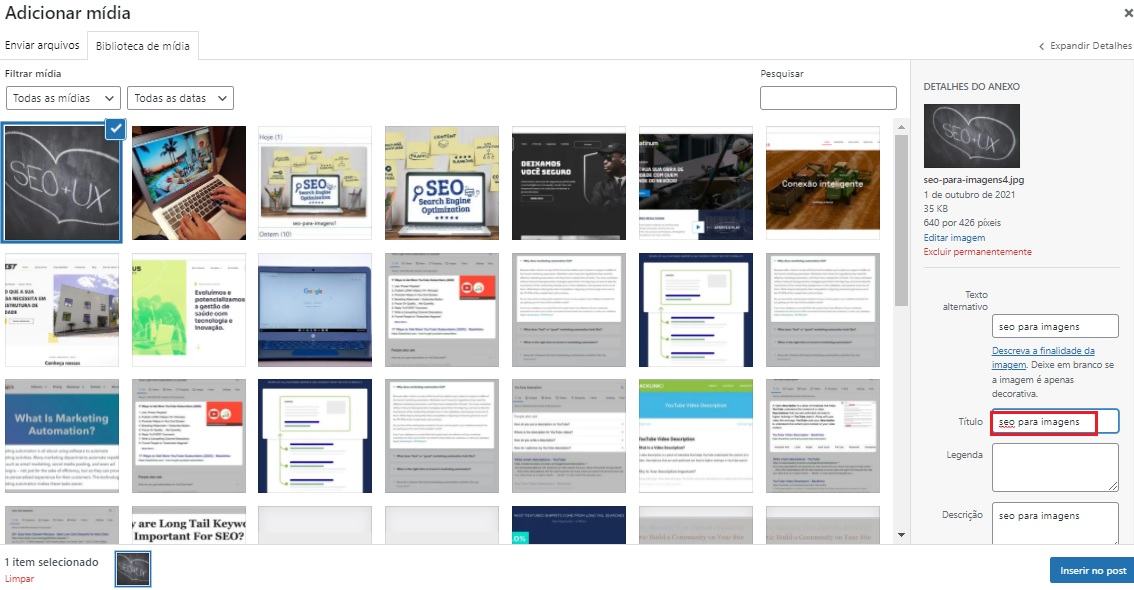
The text Google uses to understand the image is alt, along with the file name, caption and text of the page. The title attribute is optional and does not replace alt. Avoid repeating the same keyword in both.
The title is not only useful for the search engine, but also for the user. When you move the mouse over an image, a text field usually appears, displaying more information. The title tag is displayed to the user.
By the way: Google can now recognize parts of what can be seen in images. You can easily test how this works with image search by dragging any image into the search. The search engine can even interpret complex images.
Consider the age of the image
Since Google can (not yet fully) interpret the image, the search engine recognizes it using various parameters. This also includes the age of the image.
Google concludes: the younger, more original and therefore more interesting the contemporary content, more value has. Of course, that only makes sense if the photo was never published on the web, otherwise Google will already know the correct date.
Beware of Copyrights
Regardless of the image files you choose, make sure there is no copyright conflict. If you do not have the copyright and the photo provider has the image that you are using and you do not have a license to use it, you run the risk of expensive litigation.
Thus, you may receive a notification if you infringe any copyright issues. If the content owner sees your content on your website, it may issue a removal notice that you must comply with.
SEO for images is worth it?
Bloggers, in particular, spend a lot of time preparing and doing SEO on their articles page. The images are often forgotten. Although this may provide more traffic through image search.
Yeah. Light images make the page faster, which helps the user experience and Core Web Vitals, and well-described images can bring visitors through Google Images. Start with the most visited pages: descriptive file name, alt and compression.
FREQUENTLY ASKED QUESTIONS
What is SEO for images?
SEO for images is the practice of optimizing images to improve their visibility in search results, especially in Google image search. This includes using descriptive file names, adding ALT tags, reducing the size of files and ensuring that images are responsive to all devices.
Why is it important to optimise images for SEO?
Image optimisation for SEO is fundamental because it helps improve site ranking in search engines, attracts more traffic and provides a better user experience. Optimized images load faster and are more easily found by users in visual searches.
How to choose the best images for SEO?
Choose relevant and high-quality images that fit the contents of your page. Whenever possible, use your own photos to ensure originality. If you use database images, make sure that you have the rights to use them.
What is the importance of ALT tags in images?
The alternative text (alt) describes the image for those who use screen reader and helps Google understand content. Describe the image in the context of the page, naturally, without filling with keywords.
How to nominate images files for SEO?
Name your image files with clear descriptions and relevant keywords separated by hyphens. Avoid using generic names like “IMG_1234.jpg”. A good example would be “green shirt-something.jpg” to describe an image of a green cotton t-shirt.
Which image formats are best for SEO?
Google accepts BMP, GIF, JPEG, PNG, WebP, SVG and AVIF. For photos, WebP and AVIF usually generate smaller files; for logos and icons, SVG.
How does image compaction affect SEO?
Compacting images reduces the file size, which speeds up page loading time. Pages that load faster provide a better user experience and are favored by search engines, improving the overall SEO of the site.
How does text around the image affect SEO?
The text around the image helps search engines to understand the context of the image. It is important that the content close to the image is relevant and includes associated keywords, contributing to overall optimisation.

Caio Nogueira is a SEO, GEO, link building and Digital PR expert and co-founder of WebSyd, website creation agency and SEO consulting founded in 2016. It acts with organic search strategies, digital authority construction and brand optimisation for search engines and artificial intelligence platforms. Throughout his trajectory, he participated in more than 1000 projects involving SEO, website development, content marketing and authority acquisition through backlinks and Digital PR. At WebSyd, it participates in the planning of strategies to increase organic visibility, lead generation and presence of companies on Google and AI-based search engines. As an author, it publishes content on SEO, GEO, website creation, link building and digital authority, sharing analyses, strategies and practical experiences related to organic growth of companies. Its contents and contributions have also been published in companies and vehicles of technology and marketing such as Wix, HostGator, Duda, Neil Patel, Locaweb and E-Commerce Brasil.
View all posts


 Estimate the cost

