
Full technical SEO guide for 2026
Summary (TL;DR)
Technical SEO ensures that Google can track, index and correctly interpret the pages of a website.
Optimization involves from robot.txt, sitemap and indexing tags to Core Web Vitals, mobile-first indexing, URLs, redirects and structured data. Tools like Google Search Console, PageSpeed Insights and Screaming Frog help identify problems and prioritize improvements.
More than a point adjustment, technical SEO should be part of the continued maintenance of the site.

We have designed this technical SEO guide not only to teach you how to run it, but also to show that it is the infrastructure layer that decides whether or not the content of the site will reach the search results. A blog can have the best niche articles, well-worked keywords and relevant backlinks.
If Google cannot track, index or render pages with quality, none of this results in organic traffic. With the Vitals Core Web used by Google as signs of experience on the page and indexing mobile-first for all sites, the technical discipline is no longer expert detail and became basic design requirement.
This guide runs through the three blocks that support a solid technical optimisation: tracking and indexing, performance and experience, and architecture and structure. Each section brings the settings that most impact organic performance, the common errors that cross sites of small and medium-sized enterprises, and the free tools to diagnose what needs adjustment.
Tracking and indexing: what Google sees from your site
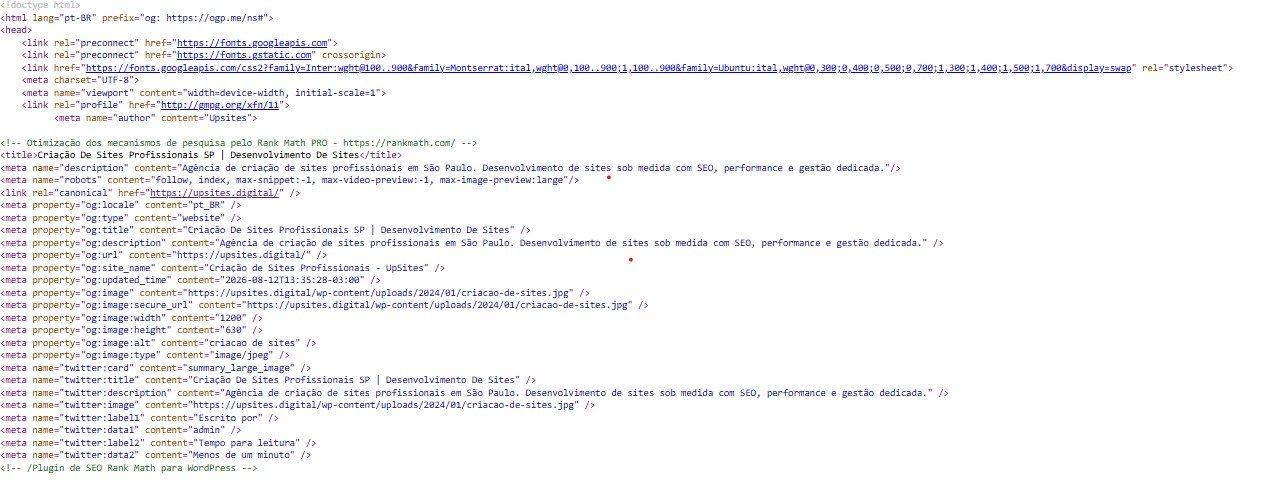
Before ranking any page, Google needs to fulfill two steps: track (visit the URL with Googlebot) and index (add to search index). If any of these steps fails, the page simply does not appear in the results, however good it is. Three files and commands control this flow.
Robots.txt: the tracking doorman
The robots.txt is a text file at the root of the domain (e.g. seusite.com.br/robots.txt) that tells robots which areas of the site they may or may not visit. The syntax is simple, based on User-agent (which robot), Dysallow (what to block) and Allow (which to release inside a blocked folder).
The classic error is blocking directories that host CSS and JavaScript files. When this happens, Googlebot renders the page without style or functionality, evaluates the experience as bad, and ranking falls. Another common trap: use Dysallow in place of noindex. . O robots.txt prevents tracking, but if the URL is already known as external links, it can still appear indexed without description. To remove a page from the index, the correct command is noindex On the page itself, not block on robots.
XML Sitemap: the map of the pages that matter
The XML sitemap lists the URLs you want the searcher to know and prioritize. It does not guarantee indexation, but makes it very easy for the tracker to work on large sites or with weak internal links structure.
Practical rules for a useful sitemap in 2026:
- Include only canonical URLs, no duplicate versions, pages with filter parameters or URLs that return 404 and 301.
- Keep the file updated automatically (Most CMS, including WordPress with plugins like Rank Math or Yoast, do this).
- Submit the sitemap to Google Search Console and monitor the “Pages” tab to identify which URLs were indexed and which ones were discarded with specific reason.
indexing tags: noindex and nofollow in the right place
The tag noindex (inserted in <head> from the HTTP page or header X-Robots-Tag) instructs Google to track the page, but not include it in the results. It's the right tool for privacy policy pages, internal search results, post-form thank you pages, duplicate versions by filter and administrative areas.
The nofollow in specific links signals that that link should not transmit authority, useful in paid links, user comments and low-confidence areas.
Performance and experience: speed has become ranking requirement
Since the Page Experience update and consolidation of Core Web Vitals, the speed and visual stability officially entered as signs of ranking. Slow sites lose position to fast competitors, even with equivalent content.
Core Web Vitals: the three metrics Google measures
There are three indicators measured in real users (via Chrome UX Report) and simulated (via PageSpeed Insights):
| Metric | What's the measure? | Target in 2026 |
| LCP (Largest Contentful Paint) | Time until the largest visible element loads | Less than 2.5 seconds |
| CLS (Cumulative Layout Shift) | Visual stability during loading | Less than 0,1 |
| INP (Interaction to Next Paint) | Time to respond to user interactions | Less than 200 ms |
The INP replaced the FID (First Input Delay) in March 2024 and measures the latency of all session interactions, not only the first. Sites with heavy JavaScript, animated sliders and poorly optimised third party scripts tend to burst that metric.
The starting point for diagnosis is Google PageSpeed Insights, which gives both field data (real users) and laboratory data (controlled simulation). Search Console also has a report dedicated to Core Web Vitals that groups pages with problems by default URL, facilitating prioritization.
Mobile-first indexing: Google sees first by mobile phone
Since July 2024, Google has tracked and indexed virtually all sites by mobile version (indexing mobile-first). This means that any content, link or structured data present only in the desktop version simply does not exist for the searcher.
Some practical consequences: hidden menus in mobile versions need to display the same desktop links; images with attributes srcset need to serve versions suitable for screen size; and content within collapsable tabs counts with weight equal to visible content immediately. Test in search.google.com/test/mobile-friendly It remains the first step before any publication.
HTTPS: basic security that impacts CTR
Pure HTTP sites are marked as “Not Secure” in Chrome’s address bar, which reduces SERP clicks and breaks confidence. Installing an SSL/TLS certificate is free via Let’s Encrypt and enabled by panel at most of the accommodation. What still causes problems in migrations is mixed content: HTTPS page that loads images, scripts or CSS via HTTP trigger alerts in the browser and should be fixed with relative URLs or rewritten to HTTPS.
Architecture and structure: how to organize URLs, redirects and schema
The third layer deals with how the pages connect with each other and how they communicate with the seeker in terms of meaning. You can from here apply OnPage SEO techniques that help the technical part.
Clean URLs: short, clear and semantic
A well-built URL describes the content in a few words and uses hyphens to separate terms. /servicos/consultia-seo/ is infinitely better than /index.php?p=123&cat=5&session=abc. . Clean URLs help Google understand context, improve click rate in SERP (the address itself appears under the title) and become more shareable.
Guidelines that work well in 2026:
- Use relevant lowercase letters, hyphens and keywords.
- Avoid tracking parameters in the canonical URL (use utm_* only in campaign links and configure Search Console to ignore them).
- Keep the folder structure shallow, three levels are usually sufficient.
- Never change consolidated URLs without a redirect plan.
Redirection 301: preserving authority in migrations
The 301 is an HTTP code which signals “this page has been permanently moved to another address”. It transfers the accumulated authority (link equity) from the old URL to the new one, which is critical in three scenarios: domain change, HTTP migration to HTTPS and URL restructuring.
Two errors knock down projects: use 302 (temporary redirect) in permanent situations, which does not transfer authority in the same way; and create long redirection chains (URL A → B → C → D). Each jump adds latency and decreases the authority transmitted. The rule is to always redirect directly from the old URL to the final version.
Structured data: schema for rich results
Structured data is code added to HTML (JSON-LD format is recommended by Google) which explain to the searcher the meaning of the content, if it is an article, a product, a local company, a frequent question. Well implemented, they enable the so-called rich results: rating stars, price ranges, revenue images, FAQ blocks directly on SERP.
The most useful types for small and medium-sized enterprises:
- Organization: identifies the company, logo, social networks and contact channels.
- LocalBusiness: essential for business with physical care, it crosses with Google Business Profile data.
- BreadcrumbList: shows the navigation path in SERP and improves hierarchy understanding.
- FAQPage and Article: enable formats rich in content pages and blogging.
After entering schema, always validate on Rich Results Test (search.google.com/test/rich-results) to confirm that Google has interpreted the data correctly. Syntax errors can go unnoticed in HTML and invalidate the entire markup.
Free tools to put into practice

Three tools solve 80% of the technical diagnosis at no cost:
- Google Search Console: monitor indexing, Core Web Vitals, tracking errors and performance in SERP.
- Pagespeed Insights: analyzes performance with field and laboratory data, generating specific recommendations.
- Screaming Frog SEO Spider: Tracks the entire site as Googlebot, identifying 404, chain redirects, duplicate titles and canonless pages. The free version covers up to 500 URLs, which caters to most SME sites.
If the audit also needs to consider preparation for AI mechanisms, the Free AIScore diagnostic works as a complementary layer: there are 37 technical checks added to a reading of the Quote Rate observed in AI responses.
For larger sites or more complex situations, such as platform migration, sudden drop in traffic or post-invasion sanitization, it is worth involving an expert. One Consultancy specializing in organic SEO manages to audit architecture, prioritize corrections by impact and follow metrics week by week, shortening the time between identified problem and traffic recovery. If you want to learn with details some more strategies, you can check our General SEO Guide.
Technical SEO Guide: Is it worth hiring a company?
If your site has never been through a technical review, we recommend hiring a SEO consulting. . But if you want to execute alone, the practical order is:
- first confirm that Search Console is configured and the sitemap submitted;
- then run PageSpeed Insights on the five most visited pages and list impact corrections in LCP and INP;
- then check the robots.txt and canonical tags to ensure that nothing important is blocked by mistake;
- and finally, implement basic schema (Organization and BreadcrumbList) and validate on Rich Results Test.
Technical SEO is not a closed month project. It is maintenance routine that runs in parallel with content production and authority building. Sites that treat this layer seriously collect traffic stability even when Google publishes algorithm updates because the base is solid before any change. If you need help, count on WebSyd by clicking on the button below and making a budget with us:
You want a website that manages contacts? Get a quote.
FREQUENTLY ASKED QUESTIONS
What is technical SEO?
Technical SEO is the set of optimizations that facilitates tracking, indexing and interpretation of a site by search engines. It involves aspects such as URL structure, speed, sitemap, robots.txt, redirects, responsiveness and structured data.
What is the difference between robots.txt, index and XML sitemap?
Robots.txt controls which areas of the site robots can track. The tag noindex determines that a page should not appear in the search results, while the sitemap XML presents to the searchers a list of important URLs that must be discovered and tracked.
What are Core Web Vitals and why are they important?
Core Web Vitals are metrics used to evaluate aspects of user experience, such as loading speed, visual stability and response time to interactions. Among the main metrics are LCP, CLS and INP.
Why are 301 redirects important for SEO?
Redirection 301 informs that a URL has been permanently moved to another address and helps preserve the authority conquered by the old page. It is especially important in domain migrations, URL changes and site structural changes.
Which free tools can be used to analyze a website's technical SEO?
Google Search Console, PageSpeed Insights and Screaming Frog SEO Spider are among the top options. They allow you to analyze indexing, performance, Core Web Vitals, error pages, redirections, duplicate titles, canonicals and other technical problems.

Caio Nogueira is a SEO, GEO, link building and Digital PR expert and co-founder of WebSyd, website creation agency and SEO consulting founded in 2016. It acts with organic search strategies, digital authority construction and brand optimisation for search engines and artificial intelligence platforms. Throughout his trajectory, he participated in more than 1000 projects involving SEO, website development, content marketing and authority acquisition through backlinks and Digital PR. At WebSyd, it participates in the planning of strategies to increase organic visibility, lead generation and presence of companies on Google and AI-based search engines. As an author, it publishes content on SEO, GEO, website creation, link building and digital authority, sharing analyses, strategies and practical experiences related to organic growth of companies. Its contents and contributions have also been published in companies and vehicles of technology and marketing such as Wix, HostGator, Duda, Neil Patel, Locaweb and E-Commerce Brasil.
View all posts


 Estimate the cost

