
How to make a site: full step by step
Summary (TL;DR)
In this post, let's talk about the importance of creating a website for new businesses and how essential it has become in the digital age.
We will explore the concept of websites, from what is a URL to the tools necessary to create a website for free. We will discuss how to choose a domain, the role of hosting, the use of CMS as WordPress, and how to use pagebuilders as Elementor to facilitate the design process.
In the end, you will have a complete understanding of how to create and manage a website for free, as well as understanding best practices to make it effective and professional.
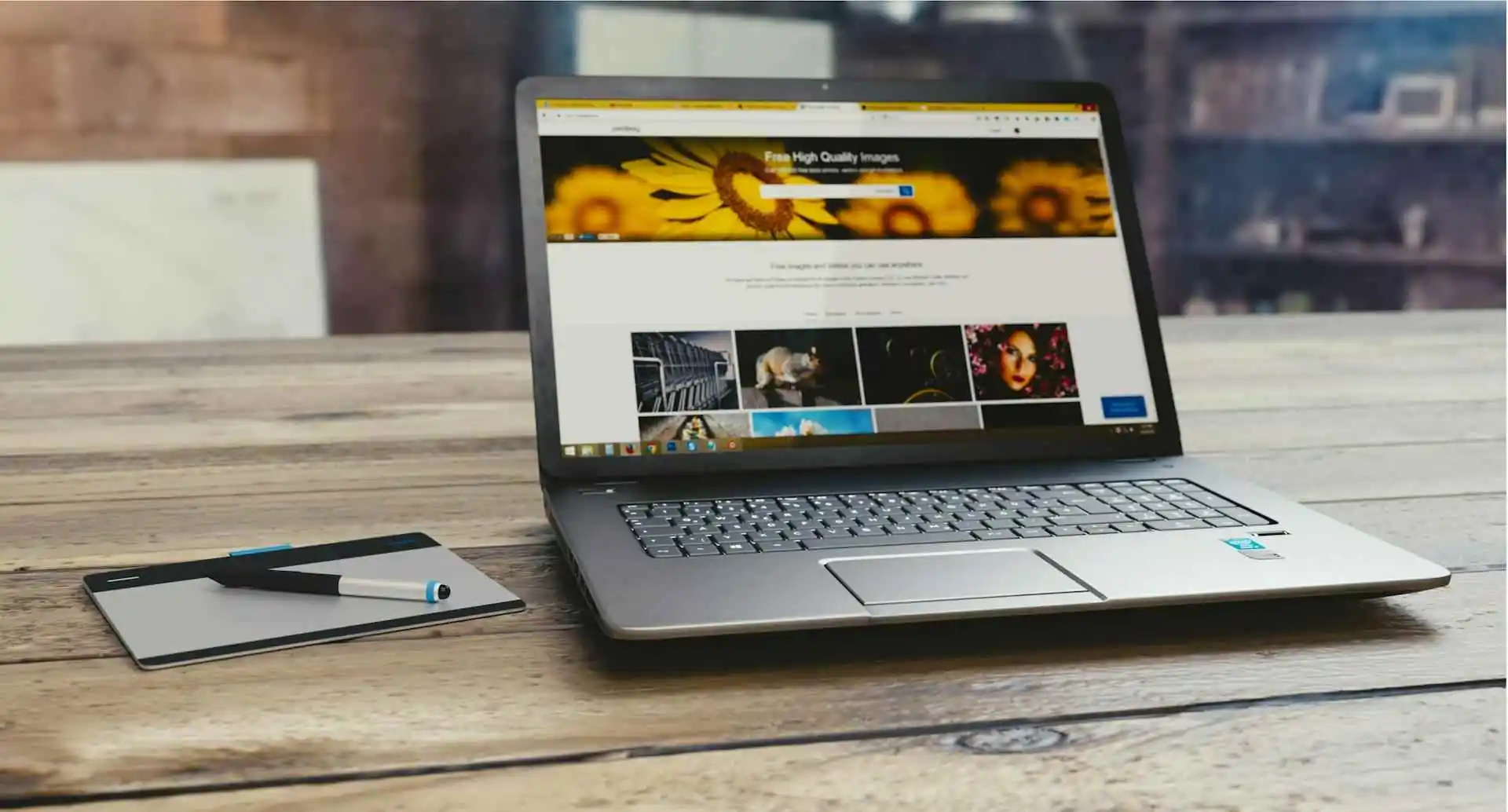
Quick answer: to make a website, register a domain, hire hosting, choose the platform (WordPress, a site creator or custom development), set up pages and content, apply design, configure basic SEO and security and publish. For a professional website, an agency does the design and development.
Making a website is the best idea if you recently opened up a new business. In fact, a website corresponds to what was once the business card. But do you know how to make a professional and optimised website?
Since technology has advanced a lot and we live in an ever-connected world, creating a website is practically a mandatory step for any company. You can do yours alone or hire an agency from creation of professional websites.
In this post we will show you how to make your website and the main tools that will allow you to create a site in the simplest possible way.
What's a website?
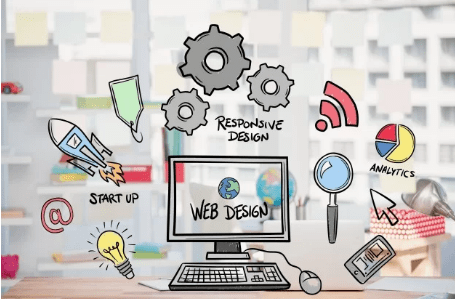
Before addressing the topic in web design, I want to clarify your ideas about what a site really is and what tools you can use to create one for free.
Simply put, a website is a set of web pages related to each other, as if it were a series of online documents located on a Web server.
In this context, therefore, the creation of a website goes through a Accommodation (which may be free or paid) that hosts the site on a server and requests your access when someone types in the URL through a navigator.
With this in mind, therefore, you can understand that to access a site, just enter the URL of the name of domain.
Generally, sites have a common set of structures: they are composed of a domain that can be customised. The sites are also characterized by a Home page, a main page that represents a kind of website business card and other secondary pages that can be visited from this Home Page.
Let's understand more deeply what each of these points is and figure out how to create a free site step by step!
What is domain?
In creating a free website, a domain name is the name of your site. A domain name is the address at which Internet users can access your website. It is used to locate and identify websites on the Internet.
Computers use IP addresses, which are a series of numbers. However, it is difficult for humans to remember sequences of numbers. For this reason, domain names were developed and used to identify entities on the Internet rather than using IP addresses.
A domain name can be any combination of letters and numbers and can be used in combination with multiple domain name extensions such as:
- .com
- .net
- .com.br and more.
When creating your free website, the domain name must be registered before you can use it. Each domain name is unique. Two sites cannot have the same domain name. If someone types www.seudominio.comIt will go to your site and nobody else's.
In creating a free website, to register a domain, it is necessary to use a Register, which is an organization accredited by the competent bodies to resell the assignment of domain names.
It is very important to choose the domain name carefully for your site, as this will greatly affect the success of the site, that is the key element for indexing the search engines.
How to create your free site with own domain?
So, can you create a website with your own domain name for free? Is it possible? Yes, you can do that!
Surely you can create a website with your own domain for free. The only restriction and the only thing you really need to pay for is your own domain name.
Usually, when you set up an account with a free website builder, you get a free subdomain that acts as the temporary address of your site while it is under construction.
After the site is set up, however, you can attach a new domain name (or previously purchased) to your free hosting account.
Remember that a custom domain name is a valuable asset for any company. . Give your company and your site a more professional look. . It shows customers that you are willing to pay this small fee to have a more professional presence on the internet.
With this in mind, it is not surprising that modern site creators usually allow you to connect your own custom domain name.
What is a website hosting?
The term Host derives from English and means hosting, in fact, hosting is a service that allows us to physically host all the files that make up the site on a server, making it accessible via the Internet.
Server and Hosting are exactly the same, so don't get confused and just focus on the difference between domain and hosting.
Host Meaning
Hosting is the home of the site where all the content of the website is hosted (files, folders, images, videos) and where it is offered the possibility to create personalised email addresses.
The hosting plan can also be compared to a folder inside a computer where it is possible to insert the desired files.
There are also different types of hosting that vary according to many factors, including price, assigned resources, server type and more.
What's CMS?
In creating a free website, a CMS (content management system) is a software installed inside a web server that allows you to manage a site in a simple way through a visual interface without therefore having to intervene in the source code of web pages.
For this reason, the CMS has been widely used in recent years as it allows anyone to manage a website without having specific technical skills.
By means of a CMS, it is therefore possible to create new pages, modify existing content and also add advanced features to your website.
All of this is possible by accessing a control panel through which the site owner will have access to various functions such as:
- Website settings management (name, slogan, URL etc.)
- The management of the graphical aspect of the site (choose between different models, colors, fonts, etc.)
- Website resource management (usually incorporated into plugins that can be activated with just a few clicks)
- Content management (pages, posts, multimedia content)
All these operations are usually possible through an intuitive interface that can be controlled by a few commonly used clicks and operations, such as filling out forms or dragging elements using simple procedures.
Which are the most popular CMS?
By creating your free site, there are several CMS in the market that differ according to the goals you want to achieve. The CMS more popular is definitely WordPress. . It's a CMS originally designed for blog management that over the years has evolved to become a real reference point, not only for bloggers, but also for those who wish to develop a classic website or e-commerce.
Other very popular CMS are:
- CMS for websites: Joomla, Drupal
- CMS for e-commerce: Magento, Prestashop, OpenCart
- Finally, it should be noted that there are some specific CMS for online learning (the most popular of them is Moodle).
Pros and Cons of the use of CMS
A content management system is the ideal choice for many site managers, but it may also have some negative aspects.
Here are the main pros and cons of using a CMS!
Pros
- The use of a content management system does not require any programming knowledge.
- You can easily install and update CMS and related themes, plugins and extensions.
- You have the opportunity to choose from hundreds of graphic themes.
- You can add extra features using plugins or extensions.
- The content management system is equipped with user management resources. You can quickly configure different user functions such as subscriber, author, editor, administrator.
- Most CMS is provided free of charge, so you just need to pay for domain and hosting on the web.
Against
- The CMS has less flexibility than “hand-written” websites. If you need an exclusive function, it may be necessary hire a programmer to implement it.
- Websites that use popular cms are most often attacked by hackers. However, safety risks can be significantly reduced using security plugins.
- The CMS may delay the upload of websites. Pages are usually not loaded quickly. In most cases, you will need to use additional plugins and extensions to improve page loading time.
How to make a site: step by step

1. Blogger
Blogger is one of the oldest platforms to make a free site, although its popularity has decreased in recent years. It is a solid solution for personal blogs, but it is not the best resource for more professional use.
Works exactly like the other platforms hosted:
- To use it, you must first create an account.
- After creating it, you should choose one of the themes and start to write your content.
This platform has an interface similar to that of a social profile and the editor looks like a Word page. Blogger offers a variety of themes to choose from, each with one design different, advanced color filtering and multiple widgets. But nothing too extravagant, nor any advanced design customisation.
Overall, Blogger is simple, so the focus remains on creating content. One good thing about this platform is that it comes with advertising spaces that you can insert into your content.
In addition, you can create images with professional design using some tools, the best known is Canvas, but also exist alternatives to CanvasLike PicMonkey.
2. How to create a free website step by step on Wix
With Wix it is possible to make a free site that can be managed entirely from the front end. The main feature of this platform is that it is equipped with drag and drop options, so you don't have to manage anything in the back end.
The design is very intuitive and modern, can be used by beginners and experts.
The best of Wix is that it includes free hosting, so you just need to set up the layouts, choose a template and ready. It provides a good collection of free and premium themes and models for various purposes, including blogs.
To start a Wix blog, just register and make a choice: you can allow Wix to create a website for you based on a questionnaire or create your own blog, which includes selecting a template and layout organization.
If you choose the second option, find a good template and start customizing everything on the front end in live view mode. You can add several elements to the pages, from multimedia widgets to backgrounds, menus, typography, forms and so on.
When you think your website is ready, click Publish and start blogging your stories. After publication, you can return at any time to edit the content blocks.
3. Medium
Medium is a multipurpose platform that addresses different topics, where anyone with an account can write.
Unlike most other free blog sites, the great advantage of Medium is that its articles will be exposed to a large audience because the platform is visited by 60 million readers per month (and the number increases every year).
It's very simple to use: just register and start writing. But the downside is that all its content is in Medium. That is, you are not really building your “space” as you would with WordPress.
4. How to create a free website step by step on Joomla
The Joomla is similar to WordPress.org, but it's not that simple if you consider platforms for creating free blogs and websites available on the web.
Just like WordPress, the software is free but needs hosting and domain.
In general, Joomla has a flexible interface that can be used not only for blogs but also for more complex websites (you can choose from a variety of templates and extensions to add custom features).
As for ease of use, the platform provides an old editor that looks a little like Microsoft Word. Allows you to choose font, color, size, emoticons, tables or background. The menu tools make you feel like you're in a Word window.
5. Create your free site with WordPress
Users who intend to create a WordPress site and have no specific needs, such as the need to purchase a proprietary domain, can rely on services that allow creating a WordPress site for free.In this way, web space (hosting) and domain can be obtained free of charge.
However, these services also have some disadvantages, such as the use of a third-level domain (e.g. www.nomedosite.wordpress.com) and in some cases a limited storage space and the inability to generate revenue with advertising banners.
WordPress.com is the first solution to be considered to make a free site using the famous CMS. This platform allows you to create your own site with a third-level domain (www.nomesito.wordpress.com), providing 3 GB of storage space for free.
At WebSyd, custom-made websites depart from R$5,000 and are ready in about 45 business days; online stores take about 60 days. Get a quote.

What is WordPress?

WordPress is a CMS (Content Management System) or a content management system that allows you to use it to make websites and blogs without knowing anything about programming.
The first version of WordPress was published on May 27, 2003 by Matt Mullenweg and distributed under the GNU General Public License. The WordPress name was suggested by Christine Selleck.
One of the winning features of WordPress is that it is an open source CMS, developed and followed by a huge community of programmers and developers. In March 2018, more than 30% of the sites created in the world were created with WordPress.
What's the difference from WordPress.com to WordPress.org?
WordPress is quite popular nowadays. However, when people talk about the platform, they may be referring to WordPress.com or WordPress.org. If you think you're both the same, know that you're wrong.
WordPress.org is the site that hosts the open source version of WordPress, the famous CMS (Content Management System). WordPress.org is your reference point for downloading WordPress installation files, as well as all kinds of themes and plugins to your site.
WordPress.org is self-hosted, which means you can do whatever you want with your website. This includes buying and using a custom domain name.
On the other hand, when people talk about WordPress.com, they are usually referring to the blogging service run by Automattic. With WordPress.com, you have a custom version of WordPress software. It is easy to use and does not need any installation.
WordPress.com is a commercial website where anyone can host when creating a free site. It's a hosted service, which means they take care to host your site and you don't need to download or install any software, it's all there on the website for you.
With a free WordPress.com account, you are stuck to an annoying WordPress extension in your URL. It may seem like a small price to pay for high quality free hosting, but it limits the potential of your site from the start.
What's pagebuilder?
In the unlimited world of WordPress, one of the growing trends is that of pagebuilder, which are plugins that allow you to create content-rich pages of different types such as sliders, texts, images and videos in a simple and fast way.
Generally, it is a plug-in or function present in some themes that allows you to design and create the layout of a page, usually dragging and dropping, even if you don't know anything about PHP, HTML or CSS.
Generally, pagebuilder works primarily at the page level, but can also be used to customize WordPress articles and posts.
The main advantage offered by these page builders is to allow the creation of complex layouts, even for people who do not master HTML, CSS, JavaScript, PHP and do not understand the structure of a WordPress theme.
But even more experienced developers or designers, as well as slightly more advanced WordPress users, can benefit greatly from these tools, just use them with caution.
The choice of WordPress page builder is quite broad. Your challenge is to find one that is easy to use, suitable for your level of experience and that allows you to get the desired result without wasting time.
That said, which pagebuilder is best for WordPress? Meet now the famous Elementary!
What is Elementary?
In creating a site Free, Elementor is a WordPress page builder with reputation to ensure excellent performance in terms of speed. Launched in 2016, it was immediately appreciated by the community for the free offer of generally premium resources.
On WordPress.org, he went installed more than 700,000 times and has excellent ratings, 5/5 stars. These statistics confirm the great popularity of this tool, which has its strengths in an interface based on “draw and drop”, really within reach of all and ready-to-use models.
The Elementor also offers a vast library of preset templates, which makes it even more attractive to many users. The templates you customize can also be saved and downloaded for use on other websites.
Don't forget the widgets. . Elementor offers a wide range of options, from simple blocks of text and images to sliders, guides and more.
The designs created with the Elementor are responsive and optimised for mobile devices. This means that all pages created with this visual composer will be displayed perfectly on any device.
If you don't know how to create or edit a theme or website design, this is the tool for you. This plugin allows you create custom designs without technical knowledge, thanks to an intuitive interface and real-time views that allow you to test your changes with just a few mouse clicks.
The Elementor provides several models that you can simply load to get the site look ready in a few minutes. As mentioned, this is a free tool, but there is also a Premium version available.
Now you know how to create your free website!
Creating your free site can be an acceptable solution to start getting online without spending, perhaps while waiting for the availability of a larger budget.
Although the solution of create free site It may be advantageous, in the long run it will not be a winning choice, much less a competitive option.
The factors on which to act to monetize the performance of a website are very much.
It takes a lot of effort and constancy to gain visibility through good positioning in search engines, capture users' attention, establish and maintain a lucrative dialogue with their target audience through continuous production of useful and original content to be published regularly on the company blog.
As in any other area, web effectiveness is synonymous with professionalism!
FREQUENTLY ASKED QUESTIONS
What is a domain and why is it important for a website?
A domain is the name of your website, such as “seudominio.com”. It is important because it serves as the address by which users access your site and influences your online visibility and professionalism.
What is the difference between WordPress.com and WordPress.org?
WordPress.com is a hosted blog platform that takes care of all the backend for you, ideal for beginners. WordPress.org, on the other hand, is a self-hosted version that offers more flexibility and control but requires you to set up your own hosting.
What is a pagebuilder and how does it help in creating websites?
A pagebuilder is a tool that allows you to create and customize the layout of a site without needing programming knowledge, using drag-and-drop features. It facilitates the design and structuring of pages intuitively.
Why is it important to choose a reliable hosting for my website?
Hosting is where your website files are stored. Reliable hosting ensures that your website is always accessible, performs well and is safe for users.

Caio Nogueira is a SEO, GEO, link building and Digital PR expert and co-founder of WebSyd, website creation agency and SEO consulting founded in 2016. It acts with organic search strategies, digital authority construction and brand optimisation for search engines and artificial intelligence platforms. Throughout his trajectory, he participated in more than 1000 projects involving SEO, website development, content marketing and authority acquisition through backlinks and Digital PR. At WebSyd, it participates in the planning of strategies to increase organic visibility, lead generation and presence of companies on Google and AI-based search engines. As an author, it publishes content on SEO, GEO, website creation, link building and digital authority, sharing analyses, strategies and practical experiences related to organic growth of companies. Its contents and contributions have also been published in companies and vehicles of technology and marketing such as Wix, HostGator, Duda, Neil Patel, Locaweb and E-Commerce Brasil.
View all posts


 Estimate the cost

