
Create free website: 11 best site creation platforms
Summary (TL;DR)
This article explores the growing popularity of website builders, highlighting how they allow the creation of professional websites without the need for technical knowledge.
With a broad overview of the most popular builders such as WordPress, SendPulse, Weebly, Hostinger, Webnode, Jimdo, Webflow, Shopify, SquareSpace, Duda and WIX, the text details its features, advantages and types (online and offline).
The article also compares these builders, helping readers choose the best tool according to their specific needs, whether for blogs, small businesses or online stores.
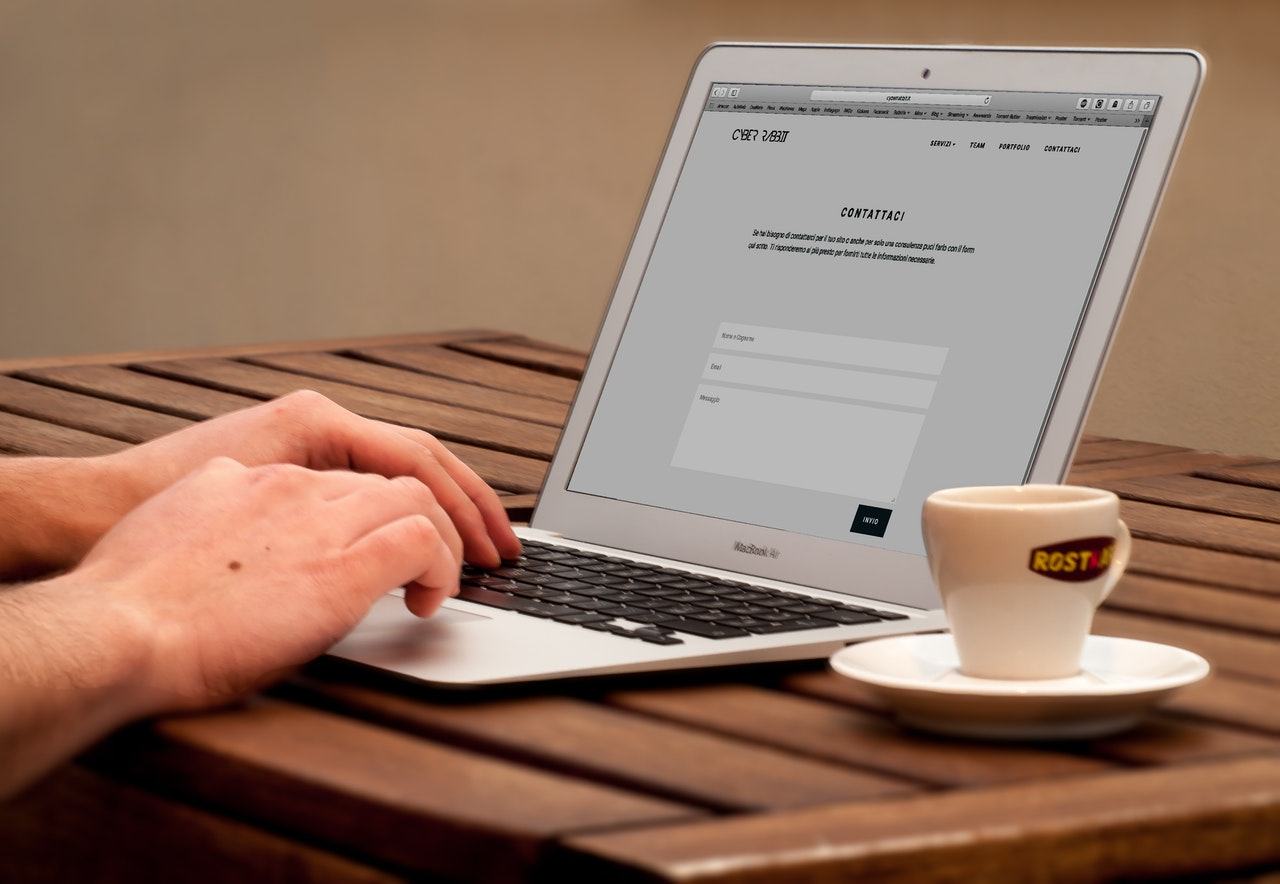
You can create a free site on WordPress.com, Wix, Weebly, Webnode, Jimdo, Webflow and SendPulse. These seven have a free, unlimited plan to end, but with limits: the site is in a subdomain of the platform (such as your site.wixsite.com), shows ads or tool branding, and resources such as own domain and online payments stay in paid plans. Hostinger, Shopify, Squarespace and Duda don't have a free plan, just a trial period.
The table summarizes what each platform offers for free. Data were checked on official websites in October 2026 and frequently change.
| Platform | Do you have a free plan? | Main Free Limits | Plan paid from |
|---|---|---|---|
| WordPress.com | Yes, no deadline | Wordpress.com subdomain, ads, 1 GB of storage, no plugins | US$ 4/month per year (WordPress.com) |
| Wix | Yes, no deadline | Wixsite.com subdomain, brand Wix, 500 MB, no online payments | R$ 15/month (Wix) |
| Weebly | Yes, no deadline | Weebly Subdomain and Square Ads | US$ 13/month per year (Weebly) |
| Wegnode | Yes, no deadline | Subdomain and brand Wegnode; own domain and store only paid us | See Wegnode |
| Jimdo | Yes, no deadline | Jimdo subdomain and limited resources | See Jimdo |
| Webflow | Yes (Starter) | Webflow.io address, 2 static pages, 50 items in CMS, 1 GB band | US$ 15/month per year (Webflow) |
| SendPulse | Yes, no deadline | 1 site, up to 50 pages, 10,000 views per month, without own domain | See SendPulse |
| Hostinger | No, I'm not. | 7-day trial of the creator with AI, without publishing the site | See Hostinger |
| Shopify | No, I'm not. | 3 days test without card | US$ 29/month per year (Shopify) |
| Squarespace | No, I'm not. | 14-day test without card | See Squarespace |
| Duda | No, I'm not. | 14-day test without card | US$ 19/month per year (Duda) |
On the other hand, for more complex projects or requiring a higher level of customisation, hire a software house It could be the best choice. These specialised companies offer the development of tailor-made solutions, meeting specific needs and integrating advanced features that are often not viable in common site builders. For the website of a company that needs this level of customisation, the way is usually the creation of professional websites.
Tools for creating free website
The main idea of website builders is to allow people without technical knowledge in layout, design and management of web resources to create professional websites. They aim to ensure that the creation of a website is as simple as posting a post on social networks: just edit text and media elements by dragging them into a friendly visual editor.
Modern site builders have reached the level at which they already look like mini CMSs that allow editing design and text separately. This means you don't need to worry about whether a part of the layout will slide or if a client wants to change the text, add a new slogan to the main page, or expand the customer comments section.
Types of tools
There are two main types of tools for web design: online site builders and website builder software.
Online site builders work directly on browsers and store all data on their own servers. Generally, these services operate in signature template, where the user pays for storage and can face limitations in relation to the data plans offered. However, these builders offer convenience, with solutions ready for simplified publication and maintenance.
On the other hand, the website builder software is installed locally on your computer, working in a similar way to a graphical editor. With these programs, you create the site pages and as a result get files that can be loaded into any hosting service of your choice. This offers more freedom and control, allowing you to choose your own server and domain for publication.
Most popular tools for creating free websites

Gradually, we come to the overview of the functionality of modern website builders. Below you will find general information about the most renowned website building software. These tools are not classified. We did this intentionally to allow you to choose the most suitable application on your own, based on your needs and not our ranking.
WordPress
WordPress is the most used content management system in the world: according to W3Techs, it is at 39.6% of all sites (October 2026). There are two different versions. O WordPress.org is free software, which you install on your own hosting. WordPress.com is the service that has already been hosted and has a free plan, and it is here we talk about.
Throughout the years of its existence, the WordPress brand has brought together a huge community of fans. As a result, your users can find many templates, themes and instructions on how to create a personal page, website or free access portfolio.
Do you want to connect an online store or transfer your feature to a stable CMS structure? No problem. If the forums or YouTube do not have the necessary tutorial, the support service will help you.
In WordPress.com's free plan, the site is in a subdomain (yoursite.wordpress.com), has 1 GB of storage and displays platform ads. Paid plans start at $4/month per year, take ads, release your own domain and allow you to install plugins.
Sendpulse
SendPulse offers the creation of landing pages, websites and online stores, everything is done within the platform, without needing the help of a designer or programmer, the whole process is quite simple, just drag and drop elements, change sizes and colors, without worrying about the technical part.
On this platform, you create a unique and responsive website design that adapts to any device, as well as it is possible to accept direct payments on the site, add product galleries, descriptions, shipping options and payment buttons. You can track the entire sales process using the platform's own CRM.
Additionally, at SendPulse you can also monitor your SEO performance and analysis, add multichannel subscription forms such as email, SMS or chatbots. That is, here you gather all marketing activities in one place.
SendPulse's free plan allows 1 site with up to 50 pages and 10,000 views per month, without own domain (SendPulse).
Weebly
Weebly belongs to Square and has a free SSL plan and Weebly subdomain, but the site displays Square ads. To connect a domain of its own, the plans start at US$ 13/month in the annual (Weebly).
Weebly's team positions their application as the best website builder for small businesses, because it has everything necessary to create a functional business page.
Weebly's model collection can be proud of a wide range of useful widgets, including an event planner. You can also set a timer for promotional offers, and the system will publish them automatically.
Weebly caters well to blogs, simple websites and small stores, with a drag-and-drop editor that dispenses code.
Weebly or WordPress: which one to choose?
Weebly and WordPress are the two options on this list that most generate doubt when choosing. The main difference is in who takes care of the platform: Weebly is fully hosted and manages the software for you, while WordPress (wordpress.org) is open source and gives full control over the site, with the responsibility to keep it.
- Flexibility: in Weebly, you can edit HTML and CSS, but the platform code is closed, so you are limited to the features it offers. In WordPress, themes and plugins allow you to add virtually any functionality.
- Ease of use: Weebly drag and drop editor works without any code knowledge.
- Support: Weebly has his own support team. In WordPress, free support comes from the community forum, and a dedicated service depends on premium plugins or hiring a developer or agency.
- Maintainer: on Weebly, performance and security updates are on the platform. In WordPress, you need to follow the system updates and plugins and back up.
- Choice of plugins: not every WordPress plugin is well developed. A bad plugin can open security glitches or conflict with others, so it is worth testing before installing on the site in the air.
In short, Weebly best serves those who want to publish a simple site quickly without dealing with the technical part. WordPress is the choice for those who need a site that grows, with tailored resources, and has time to learn or support from a professional.
Hostinger
This other tool to create websites offers everything a website creator needs, from help building your site to options for high-quality hosting, thus ensuring enough balance on your page.
Some highlights of this tool:
- Good hosting along with the registration of your domain
- Several responsive and very professional templates, and the best already optimised for mobile
- AI to help create your website
Hostinger doesn't have a free plan. You can test the website creator with AI for 7 days, but the site cannot be published during the test (Hostinger).
Wegnode
Users would like to build websites as easily as they create documents in Word. This probably inspired the Webnode team to make the interface of their website builder similar to that of Microsoft Office.
In addition to a friendly panel, there are several other features and functions that deserve highlight, including the automatic creation of a mobile version. A user creates a desktop version and the system simultaneously generates the mobile version.
Wegnode's free plan is not due, but it uses a subdomain and displays the platform brand; own domain and online store stay in paid plans (Wegnode). Another favor point: the family toolbar is complemented with a drag and drop editor with full features. If you have basic programming skills, you can switch the free website builder to HTML code mode. This makes sense, because excessive minimalism and the standard appearance of basic website builder models are one of the disadvantages of Webnode.
Jimdo
Jimdo is a web site builder with a free, timeless plan. On free, the site is in a Jimdo subdomain and with limited resources; self-control requires a paid plan (Jimdo).
It's absolutely simple and clear. Each main step is described on the main page. If you want to evaluate the ease of use of the tool, you can try a free version. Even in this partially limited option, you can choose between the Creator (the Lego-Like principle, a site is created from separate blocks) or Dolphin modes (the WYSIWYG interface).
Newbies have the help of AI: just fill out the form and get the perfect website options for your business. As a result, the client receives an editable website that is optimised for search engines by default.
The app has a mobile site builder that allows you to manage and edit content anywhere, directly from your smartphone.
Webflow
Webflow is indicated for those who want fine design control without programming.
The free plan (Starter) publishes the site in a webflow.io address, with 2 static pages, 50 items in CMS and 1 GB of band. To use self - control, plans start at $15/month in the annual (Webflow).
In this drag-and-drop site builder, you can customize the appearance and content of a page with some simple actions.
In addition, Webflow offers:
- A convenient design grid that preserves the model when you add new elements;
- Fully visual customisation, even without the use of access codes;
- An extensive animation library;
Shopify
If you are looking for an online website builder for a web store, Shopify is exactly what you need. Shopify is one of the best known online store platforms and has all the extensions and widgets needed for e-commerce. Using the application with drag and drop technology, you can customize the appearance of a site and quickly connect the required features in one day. Integrated SEO tools make site promotion really convenient.
For those who will set up a store with online builder, Shopify has ready themes that fit any screen and can be edited visually. Shopify has no free plan: in Brazil, the test is 3 days without a card and after it, some plans leave for $1/month in the first 3 months. The Basic Plan costs US$ 29/month per year, plus the fees per sale (Shopify).
SquareSpace
Squarespace strengths:
- the most beautiful and convenient integrated models;
- Intuitive browsing on created websites;
- Advanced tools for uploading images and photos;
- Easy site transfer to your own host.
However, nothing can be perfect, so the service also has some flaws:
Drag and drop failures. Sometimes it's easier to fix a layout manually than to waste time trying to fix the bugs in the visual editor.
The application has difficulty translating to other languages.
Squarespace has no free plan: every site starts with a 14-day test, no credit card (Squarespace).
Duda
Duda is a paid website creator, with visual editor, focused mainly on agencies and freelancers who create websites for customers. It also serves small companies and projects in more than one language, because it has native multilingual resource.
The editor is drag and drop and does not require code. Hosting, SSL certificate and basic SEO tools and statistics are included in the plan, which reduces technical maintenance.
On the other hand, the platform is closed: the site stays in Duda itself and the freedom of integration is less than on a tailored WordPress site.
To learn how to use, Duda maintains help centre and English courses on its own platform.
The Duda has no free plan: the free trial lasts 14 days, without credit card, and paid plans start at US$ 19/month in the annual (Duda).
Wix
Among the online services for creating independent websites, WIX is one of the leaders. The tool was developed in 2006 and is mainly chosen to build online stores, blogs and portfolios.
In the application, users can choose a design with ready functionality from thousands of models. The website builder works based on drag and drop technology.
Your basic website models automatically adapt to the size of a screen on different types of devices, including desktops, tablets and smartphones. For deeper customisation of the mobile version of a Web site, WIX has some integrated automated features. One of them is playing to call: users only need to touch a phone number on the screen to make a call.
In addition, there is a large selection of marketing options. As in Google Analytics, you can follow what type of device a visitor browses on your site, which pages are popular and which ones need improvements.
Wix's free plan publishes the site in an address such as yoursite.wixsite.com, with the brand Wix, 500 MB of storage and no online payments. The paid plans start at R $ 15/month, according to the Wix itself.
When is it worth leaving the free site?
The free plan serves to test an idea, build a personal portfolio or release an event. It gets in the way when the company needs its own domain, a site without third party ads, integration with CRM or more than one language.
It was the case of Hacker Rangers, cybersecurity company. The new institutional site, made by WebSyd in WordPress, has a multi-language version, HubSpot-linked forms and a calculator that estimates the value of the product from the visitor's responses.

The benefits of tools to create free website for small businesses

When entrepreneurs, ready to invest in a large portal from the start, decide to develop a website, they seek professional web agencies. For those who want to create an online page on their own, website builders are the perfect solution. The main advantage of such applications is that initially you will spend much less than in case you hire a team of developers. To begin with, you just need to create an appealing and informative web page for your company.
Overview of free site building tools for blogs
Since blogs have ceased to limit themselves to text notes and photo sharing, bloggers have started looking for a convenient platform for their resources. They needed a system that had two mutually exclusive parameters: it should be simple and functional at the same time.
Website builders deal efficiently with such a complex task. Most services even intentionally select a particular niche. For example, they build a convenient platform for blogging and continue to perfect it. The reason is that a blog is a site with a very simple structure. The main requirements are the easy publication of news, the ability to define the timing of publications and the monetization of the resource created.
To choose, start with the use: a personal blog asks for a good post editor, a store asks for payments and freight, and a company's website requests own domain and contact form.
If your company needs a professional website, with its own domain and no ads, ask for a budget.

FREQUENTLY ASKED QUESTIONS
What are website builders and how do they work?
Website builders are tools that allow the creation of websites without the need for technical knowledge in programming. They use visual editors based on dragable models and elements, facilitating customisation and page design. Users can choose from various layout options, add text, images and other media elements intuitively, creating professional websites in a simple and fast way.
What types of website builders are available?
There are two main types of website builders: online and offline. Online builders work directly on browsers and store data on their own servers, generally offering hosting plans and domains. On the other hand, offline builders are installed on computers and function as graphical programs, allowing the creation of websites that can be later uploaded to any server.
What are the main advantages of using a website builder?
The main advantages include ease of use, allowing people without technical knowledge to create professional websites; saving time and money, since it is not necessary to hire developers; and a wide variety of templates and plugins that can be customised to meet the user's specific needs. In addition, many builders offer advanced features such as SEO optimisation and integration with marketing tools.
Which is the best website builder for small businesses?
Depends on the use. To start without paying, Wix, Weebly, Webnode and WordPress.com have free plan, with platform subdomain and ads or tool brand. For own domain, online payments and more resources, all require paid plan. Squarespace doesn't have a free plan, just a 14-day test.
Can you create a free site with your own domain?
Not usually. In free Wix, WordPress.com, Webflow, Weebly and Webnode plans, the site is located in a subdomain of the platform, such as yourite.wixsite.com. To use an address as your company.com.br, you need to sign a paid plan and register the domain in Registro.br.

Caio Nogueira is a SEO, GEO, link building and Digital PR expert and co-founder of WebSyd, website creation agency and SEO consulting founded in 2016. It acts with organic search strategies, digital authority construction and brand optimisation for search engines and artificial intelligence platforms. Throughout his trajectory, he participated in more than 1000 projects involving SEO, website development, content marketing and authority acquisition through backlinks and Digital PR. At WebSyd, it participates in the planning of strategies to increase organic visibility, lead generation and presence of companies on Google and AI-based search engines. As an author, it publishes content on SEO, GEO, website creation, link building and digital authority, sharing analyses, strategies and practical experiences related to organic growth of companies. Its contents and contributions have also been published in companies and vehicles of technology and marketing such as Wix, HostGator, Duda, Neil Patel, Locaweb and E-Commerce Brasil.
View all posts


 Estimate the cost

