
Why doesn't my website google?
Summary (TL;DR)
Today we dive deep into the question of why your site does not appear on Google. We explore from technical problems such as tracking errors to the importance of quality backlinks and SEO strategies to improve online visibility.
As experts in site creation and SEO at WebSyd, we understand the headaches that can arise when your website is not easily found online. That's why we offer specialised solutions to help ensure that your site is indexed correctly and optimised to get the best results on search engines.
Remember, with the right strategies and our specialised guidance, you can overcome these obstacles and increase your online presence significantly.
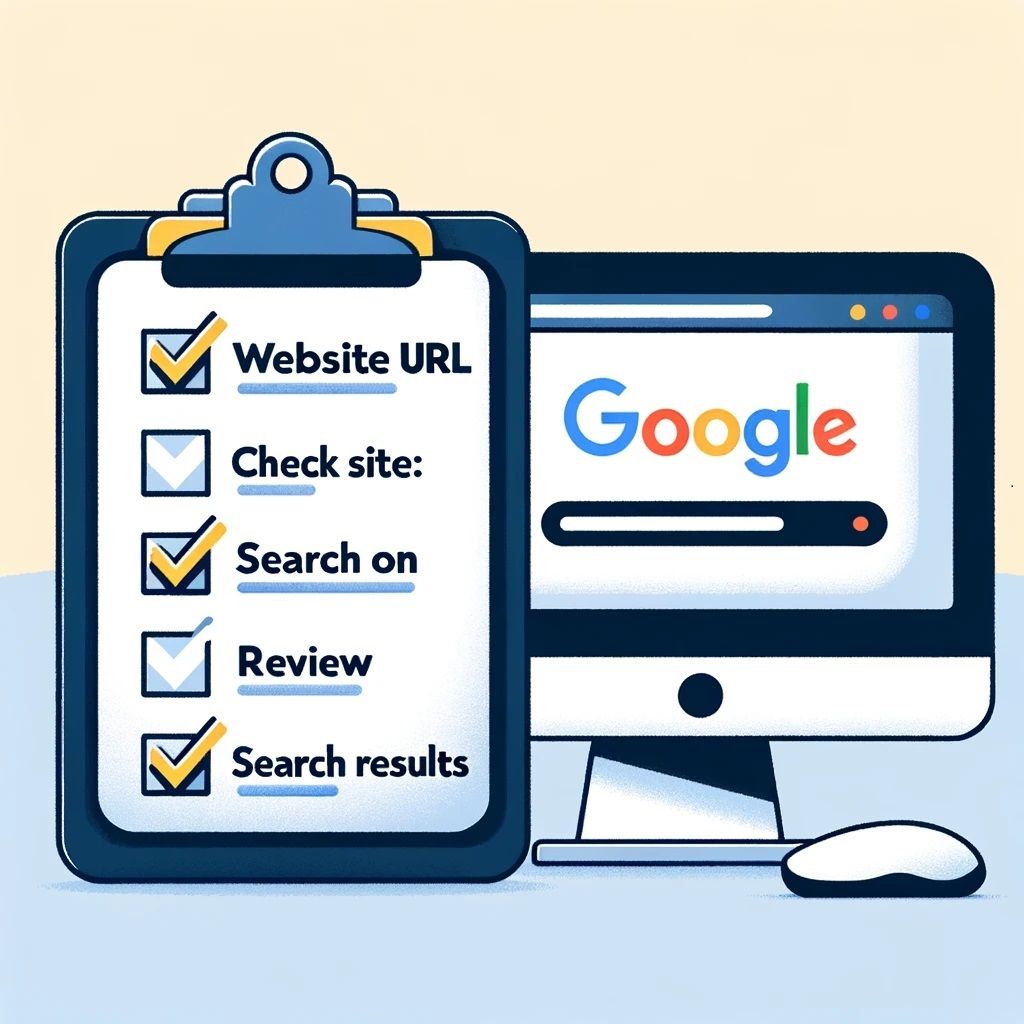
Quick answer: when the site does not appear on Google, the most common cause is the page not be indexed (new site, lock in robots.txt, tag noindex or redirect wrong). Search the site:seudominio.com.br and use the Search Console URL Inspection. If the page is indexed and still does not appear, the problem is usually weak or repeated content, low authority or technical flaws.
Today we're going to talk about missing sites in search results from Google.
As a company specializing in web design and optimisation for search engines, WebSyd understands the vital importance of having a solid online presence. And if your site doesn't google, we have the right solution.
Being visible on Google is like having a brilliant neon board announcing your company to the world. However, we also know that sometimes even the best websites can face difficulties for appear in search results.
This frustration is something that many of our clients face, and that is why we have decided to address this issue today.
Let's explore some of the reasons why your site may not be appearing on Google and provide some practical tips to solve this problem.
Indexation problems:
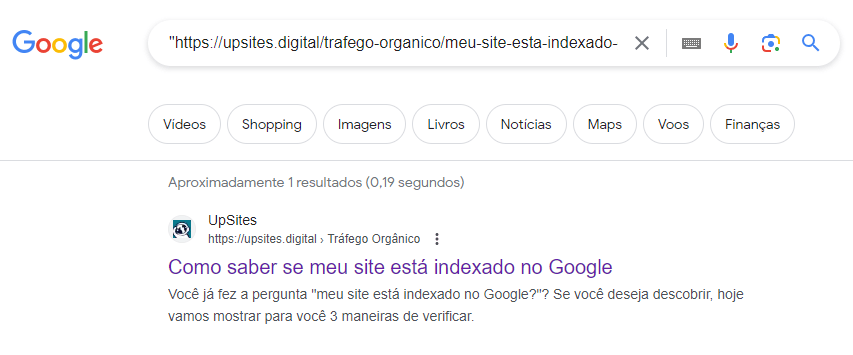
Indexing is the process by which search engines, such as Google, collect and store information about web pages. In simple terms, it's like Google is creating a giant internet catalogue.
When you do a Google search, it is not searching the internet in real time.
Instead, he is searching his own index, which is an organized collection of web pages that he has previously tracked and indexed.
Now, why is this important? Well, it's simple: if Google doesn't index your site, it won't be displayed in the search results.
Imagine having an amazing store full of fantastic products, but with no one to open it. That's kind of what it's like when your site isn't indexed by Google.
You may know if yours site is indexed on Google searching site: yoursite.com.br. If pages appear, the domain is indexed.
The home page may be indexed and others may not. To check a specific page, use the Search Console URL Inspection, which is more accurate than the search.
But now, what are the possible indexing problems that may be sabotaging your site?
- Blocks in the robot.txt file: The robot.txt file tells search engines which pages of your site they may or may not track. If there are incorrect instructions in this file, such as preventing access to important pages, your site may not be indexed correctly.
- Meta robots tags in HTML code: Meta Robot tags can also instruct search engines on indexing a specific page. If these tags are configured incorrectly, your site may be telling Google not to index your pages.
- Redirection problems: Misconfigured redirections can confuse search engines and prevent them from tracking your site properly. Make sure that your redirects are properly configured and that they are not hindering Google's access to your pages.
Now, how can you check that your site is being indexed correctly by Google? Here are some tips:
- Use the Google Search Console URL inspection tool: Google Search Console is a powerful tool that allows you to monitor your website's performance in search results. The URL Inspection tool can help you check if a specific page of your website is indexed by Google.
- Direct Google Search: You can also do a direct Google search using the “site:” operator followed by your website URL. For example, “site:yoursite.com”. This shows a sample of indexed pages.
- Check the status of robot.txt file: Make sure that your website's robot.txt file is set up correctly and does not block Google's access to your pages.
In short, indexing problems can be a significant obstacle to the visibility of your site in Google search results.
Make sure you solve these problems as soon as possible to ensure that your site is correctly indexed and thus reach your target audience.
Efficient solution when site does not appear on Google: SCP Turbo
If you are looking for an effective and fast way to index your web pages, we present a practical and direct option that you can start using immediately.
SCP Turbo is a paid tool that sends pages for tracking. It can speed up the discovery, but no tool guarantees indexing: Google decides, based on the quality and accessibility of the page.
After registration, just add the site to the platform. Rather, check if the problem is not technical (robots.txt, noindex or redirect), because in these cases no tool solves.
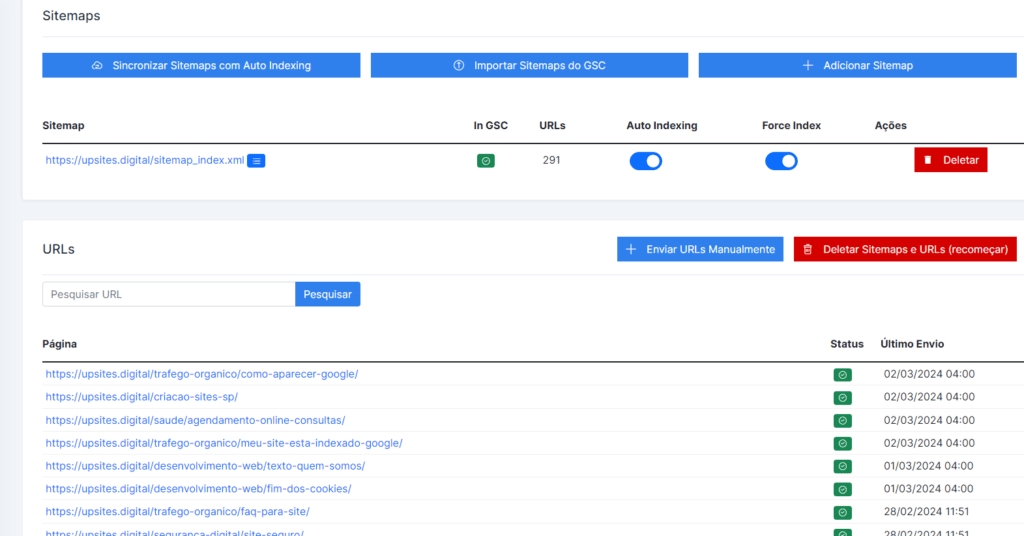
Were you curious? Click the button below and try SCP Turbo right now!
Low quality or duplicate content:
When it comes to visibility in Google search results, the content is king. However, not all content is created equally. Low quality or duplicate content can have a significant impact on your site's search rankings.
So, what is the impact of this type of content on research results?
Impact on Rankings: Google values the relevance and originality of content. Low-quality content, such as superficial articles, poorly written or full of errors, can harm your site's reputation in Google's eyes, leading to a drop in search rankings.
Google penalties: Common duplicate content (such as versions of the same page) does not generate a penalty, but Google chooses only one version to show. Already copied content from other sites or mass generated without value violates the spam policies And you can take the site from the results.
So, how can you identify and correct problems related to your website's content?
- Content audit: Do a complete audit of your website content to identify pages with low quality or duplicate content. This may include checking pages with little text, copied content from other websites or pages that do not offer real value to users.
- Rewrite or remove low-quality content: If you identify pages with low-quality content, rewrite them to make them more useful and relevant to your website visitors. If the content cannot be improved, consider removing it completely from your site.
- Produce original and relevant content: The production of original and relevant content is fundamental to improve visibility in research results. Focus on creating content that is useful, informative and interesting for your target audience. This not only helps attract more traffic to your site, but also improves your reputation in Google's eyes.
- Avoid duplication: Avoid duplicating content from other websites and make sure that each page on your site has unique and original content. This prevents Google from choosing another page instead of yours and improves its chances of ranking in the search results.
In short, low quality or duplicate content may have a negative impact on your site's search rankings.
Identifying and correcting these problems is essential to improve visibility in search results and ensure the long-term success of your website on Google.
SEO Problems (Search Engine Optimization):

SEO, or Search Engine Optimization, is the set of strategies and techniques used to optimise a site and improve its visibility in search engine search results such as Google.
In essence, the goal of SEO is to make your site more easily found by users who are looking for information related to their content or services. Now, let's address some key points about SEO:
Relevance and positioning in search results:
SEO is key to positioning your site in search results. The more optimised your site is for Google's relevance criteria, the greater the chances it will appear in the first positions of search results.
Relevancy is determined by a number of factors, including content quality, site authority and user experience. By applying SEO techniques, you are working to improve these aspects and consequently improve your site's positioning in search results.
Common SEO Errors:
- Keyword stuffing: Filling the content with keywords in an excessive and non-natural way can be interpreted as an attempt to manipulate the search engines.
- Ignore user experience: Sites that are difficult to navigate or load slowly tend to have a lower ranking in search results.
- Neglect the use of meta tags: Meta tags, such as title and description, play a crucial role in how your site is displayed in search results. To ignore these tags or not to optimise them properly can harm the visibility of your site.
Recommended SEO Practices:
Keywords search: Identify the relevant keywords for your niche and integrate them naturally into the content of your website.
Optimization of content: Produce high-quality and relevant content for your target audience. This includes texts, images, videos and other media formats.
Link construction: Build a network of quality links that points to your website. This helps to increase the authority of your site in the eyes of search engines.
Improvement of user experience: Make sure your website is easy to navigate and provides a positive experience for users regardless of the device they are using.
By implementing these SEO recommended practices and avoiding common errors, you will be working to improve your site's ranking in search results and increase your online visibility.
Remember that SEO is a continuous process and requires constant monitoring to ensure consistent long-term results.
Technical problems:
When it comes to ensuring that your site is easily tracked and indexed by Google, it is crucial to deal with technical problems that may be damaging this process. Here is a discussion about some of these problems and how to solve them:
Technical issues and Google tracking:
Google uses tracking bots to browse the web and index website content. However, certain technical problems may hinder or even impede this process.
If Google fails to track your site properly, your pages will not be indexed in the search results, which will result in reduced visibility.
Examples of common technical problems:
- Tracking errors: This may occur due to problems in the robot.txt file, which instructs search bots on which pages to track or not. If there are incorrect locks on this file, important parts of your site may not be tracked.
- Incorrect redirections: Misconfigured redirections can confuse tracking bots, leading to indexing problems. For example, loop redirects or long redirecting chains may impair Google's ability to track your site.
- Broken pages: Pages that return 404 errors (page not found) may indicate to Google that your site is outdated or poorly maintained, which may impair your ranking in the search results.
Recommendations for solving technical problems:
- Check the robot.txt file: Make sure there are no unnecessary locks that prevent Google from tracking important parts of your site. Use Google Search Console's robot.txt report (the old test tool has been retired) to check for problems.
- Correct redirections: Check that all redirects are configured correctly and are not causing tracking problems. Use tools like Google Search Console to identify and correct incorrect redirects.
- Correct broken pages: Regularly monitor your site for pages that return 404 errors and correct them quickly. Redirect these pages to relevant URLs or remove broken links from your website.
By solving these technical problems, you will be ensuring that your site is easily tracked and indexed by Google, which may result in a significant improvement in visibility in search results.
Remember that regular maintenance of your website is essential to avoid technical problems and ensure a good ranking in search engines.
Lack of quality backlinks:
The lack of quality backlinks can have a significant impact on the visibility and authority of your site in Google's search results.
Backlinks are essential because they function as trust votes from other sites, indicating to Google that your site is a reliable and relevant source of information.
Here is a deeper discussion about the importance of quality backlinks and strategies to get them:
Importance of quality backlinks:
Quality backlinks are one of the main metrics used by Google to determine the authority and relevance of a site in relation to a particular subject.
The more quality backlinks a site has, the more credibility it will be in Google's eyes and, consequently, the better its positioning in search results.
Strategies to get quality backlinks:
- Create relevant and valuable content: Produce high-quality content that is useful and interesting for your target audience. Relevant content tends to be naturally linked by other websites.
- Search for partnerships with relevant websites: Establish relationships with other sites and blogs in your niche and seek opportunities for collaboration, such as guest posts and content in partnership (if there is payment or exchange, the link must have rel="sponsored").
- Use social networks: Share your content on social networks to increase visibility and attract natural links from users interested in your content.
- Participate in online forums and communities: Contribute with useful answers. Links in forums are usually nofollow and do not replace content that deserves to be cited.
Impact of the lack of quality backlinks on your website visibility:
The lack of quality backlinks can result in a lower rating in Google's search results. Sites with few or no relevant backlink tend to have a lower authority and therefore less visibility.
Still, the lack of backlinks can be interpreted by Google as a lack of credibility and trust, which may further impair the visibility of your site.
To improve this situation and increase the quantity and quality of backlinks to your site, it is essential to invest in ethical and effective link building strategies. Concentrate on creating valuable content, partnering with other relevant websites and actively promoting your content on social networks and online communities. In time, you will see an improvement in the visibility and authority of your site in Google's search results.
Conclusion:
On our journey to understand why your website is not appearing in Google's search results, we have explored a number of factors that may be affecting your online visibility. It is important to remember that the time it takes for a site to be indexed can vary according to several factors.
It is important to remember that visibility in research results is fundamental to the online success of any company or project.
As experts in site creation and SEO at WebSyd, we understand the importance of a solid presence in search engines.
Our commitment is to help our customers overcome the challenges they can face in the digital world.
If you are facing difficulties with indexing your website, remember that WebSyd offers specialised solutions to help you ensure that your site is correctly tracked and indexed by Google.
We're here to provide guidance, indexing techniques and technical support to optimise your online presence.
Therefore, we encourage all site owners to evaluate and resolve any problems that may be impacting their visibility in the search results. Keep up-to-date with SEO best practices and regularly monitor your site's performance in search results. With the right efforts and strategies, you can achieve success and increase your online presence.
At WebSyd, we are committed to helping you achieve your goals online.
If your website remains out of Google, we can help you find the cause. Get a quote.
FREQUENTLY ASKED QUESTIONS
Why isn't my new site showing up on Google searches?
When a website is new, it may take some time for Google to find it and index it. This is because Google uses search robots to track the web, a process that can be time-consuming. Make sure your website is well structured, with an XML sitemap sent through Google Search Console to help speed up this process.
What does it mean not to have my website indexed by Google?
If your website is not indexed, it means that Google did not include it in its database of web pages tracked. This can happen for several reasons, such as the presence of noindex directives on your site, Google search robot access problems or simply because the site is very new and has not yet been discovered. Check the status of each page in the Google Search Console URL Inspection.
How can I improve the visibility of my website on Google?
Improve visibility of your site involves optimizing your SEO content and structure (Search Engine Optimization). This includes ensuring that your website is responsive (appropriate for mobile devices), quickly upload and contain relevant, high-quality content with appropriate keywords. Build quality backlinks, have a good URL structure and use effective title tags and meta descriptions are also recommended practices.
How can I check if my website has been penalized by Google?
To check if your website has received a manual penalty, please visit Google Search Console. There, you will find notifications of manual actions applied to your site, along with details about the problem and instructions to fix it and request a review.

Caio Nogueira is a SEO, GEO, link building and Digital PR expert and co-founder of WebSyd, website creation agency and SEO consulting founded in 2016. It acts with organic search strategies, digital authority construction and brand optimisation for search engines and artificial intelligence platforms. Throughout his trajectory, he participated in more than 1000 projects involving SEO, website development, content marketing and authority acquisition through backlinks and Digital PR. At WebSyd, it participates in the planning of strategies to increase organic visibility, lead generation and presence of companies on Google and AI-based search engines. As an author, it publishes content on SEO, GEO, website creation, link building and digital authority, sharing analyses, strategies and practical experiences related to organic growth of companies. Its contents and contributions have also been published in companies and vehicles of technology and marketing such as Wix, HostGator, Duda, Neil Patel, Locaweb and E-Commerce Brasil.
View all posts


 Estimate the cost

