
How to improve the site: 7 tips to make your website more modern
Summary (TL;DR)
The text highlights the importance of a well-structured and optimised website, comparing it to a home that needs to be organized to receive important visits. Improving the site is more than reimagining it, but also restructuring it in a friendly and affordable way.
Redoing the site can significantly improve user experience (UX), increasing conversions.
It is essential to focus on user experience, using intuitive design, clear navigation, effective CTAs and relevant content. Improving site speed, making the website accessible and implementing good SEO practices are key to attracting and retaining visitors.
WebSyd offers specialised solutions to help companies modernise their websites and optimise online presence.

Quick answer: to improve the site, start with speed (measure in PageSpeed Insights), leave the mobile version impeccable, simplify browsing with names that the client understands, show signs of trust (depoments, policies, “Who we are” page), use clear action buttons, take care of SEO and accessibility. If the site is too old for these adjustments, it's worth a complete redesign.
Think of the site as a home: would you receive a very important business visit with the house all messed up?
Here at WebSyd, we have seen numerous projects, from sites to completely stagnant pages and blogs with few returns online. It's very common for managers and businessmen not to know where to start.
As someone who understands everything about web design, brought this guide to help you “fix the mess”.
Why is reshaping the site important to the user experience?
When it comes to improving the site, it is essential to keep in mind that regardless of the changes you make, the ultimate goal is always to make the user experience positive. Consequently, this strategy will increase conversions.
For example, the sale of a product, adherence to an idea, registration in a list of emails, or any other desired action.
Each adjustment and optimisation performed have the purpose of making the site more effective in directing visitors to this desired conversion. The site's success is measured by its ability to convert visitors into customers, followers or leads.
Your website is like your home on the Internet.
Imagine that your homepage is a mess: broken links, outdated pages and slow loading. It's the same thing as a completely dusty room, with broken furniture and dripping. You can't get anyone like that...
That's the same feeling with your website. If it takes forever to load, with broken links and an unpleasant design, the user experience will have been frustrating and inevitably it will leave your site.
And look, this isn't just a matter of opinion.
According to a Forbes search (2024): Almost half of users don't wait more than 2 seconds for a site to load. Another 40% admitted they'd leave a site if it took him more than three seconds to load.
The key to improving your conversions is to focus on the user experience. You will achieve your goals when solving real problems for users and provide a useful, enjoyable and friction-free experience on the site.
How to improve conversions on your site?
The actions you perform to improve the site and increase conversions are closely linked to improving user experience (UX). Deeply understanding the needs and objectives of the user, identifying the main points of difficulty, is essential to maximize the advantages of having a website Well-structured.
UX involves a strategic process to create effective solutions that not only meet but exceed visitors' expectations.
Below, see the 7 essential attributes of a good UX design:
- Useful
- Utilized
- Findable
- Creditable
- Accessible
- Desirable
- Valid

How to improve UX and increase site conversions
The online competition is intensified as digital innovations advance, amid this, the user experience (UX) becomes a differential to improve the site.
It's not just about attracting visitors, it's about turning them into satisfied customers.
Check out 4 ways to improve your UX and consequently increase your conversions:
Building trust
It is essential to include signs of trust on your site, not only for the user, but for Google.
Simplisticly, it works like this: Google robots go through all the sites from the world and read the source code of the page.
Based on this reading and many other factors, Google defines where sites will stand when someone searches for a certain keyword on Google.
See the 4 most important signs to build reliability on the site.
- customer reviews and statements;
- logos of payment partners;
- security information;
- Return and refund policies.
- Who We Are and/or Author's Page
These signs demonstrate professionalism and reliability, helping users feel safe when doing business with you.
Create engaging and intuitive visual hierarchies to improve the site
By designing your website, it is tempting to invest in a creative design to impress users. However, family designs are usually more intuitive and therefore more usable.
Make sure that your pages have the right length, that important call buttons (CTAs) are easily found and that navigation is clear and direct.
You can use tools like hot maps like Hotjar to understand how users interact with your page and adjust the design accordingly.
Site navigation: follow the user's path
Navigation on your site has two important purposes:
- Facilitate users to find what they're looking for
- Help your site rank on Google and other searchers
Put your visitors first and the search engines second. Always think with a “people-first” mentality.
Use descriptive navigation instead of generic terms such as “What we do”.
Choose words your visitors use and those they are looking for. By doing this, it reduces the number of clicks for the user and also helps search engines recognize the relevance of their website, and consequently is an action that aims to improve the site.
For example, if you offer financial consulting services, when visiting your website your menu needs to describe the names of each service, for example: investment advice, financial planning, portfolio analysis.
This helps the user decide their click action and thus improves the overall experience.
Avoid jargon or internal language. Many companies try to look smart rather than connect with visitors. No one knows what “MedeirosFeed” means. If it's your blog, simply name it “Blog”.
Call text to action: guide your visitors
The call buttons to the action, or CTA, are fundamental. You have already earned the attention of users on the site, now it is time to direct them to the desired action. So be clear!
The buttons should suggest actions such as “Request a Budget”, “Download”, “Open an Account”, “Go to Checkout”. The text of the button should start with a verb. Otherwise, it will not be a real call to action, just a button with any text. “More Information”, for example, is not a CTA.
Test the first person (me, man, me) to allow users to point out to CTA what they want to do. For example, “I want my guide”.
What is the impact of modernizing the site for users?
According to statistical survey from Forbes, 73% of online users report frustration when finding a mobile site that carries excessively slowly.
These data highlight the importance of having a responsive site and with fast loadEspecially in these days.
Users want a positive experience, but they should also meet Google's criteria, which prioritize friendly and responsive websites on mobile devices in search results.
If your website does not meet these requirements, it runs the risk of having a lower ranking in search results, which may result in a reduction in organic traffic and online visibility.
In the next sections, see how to adjust the site at each stage of the funnel and the 7 tips to modernize it.
Enhance site: quais points of the sales funnel are important and how to follow
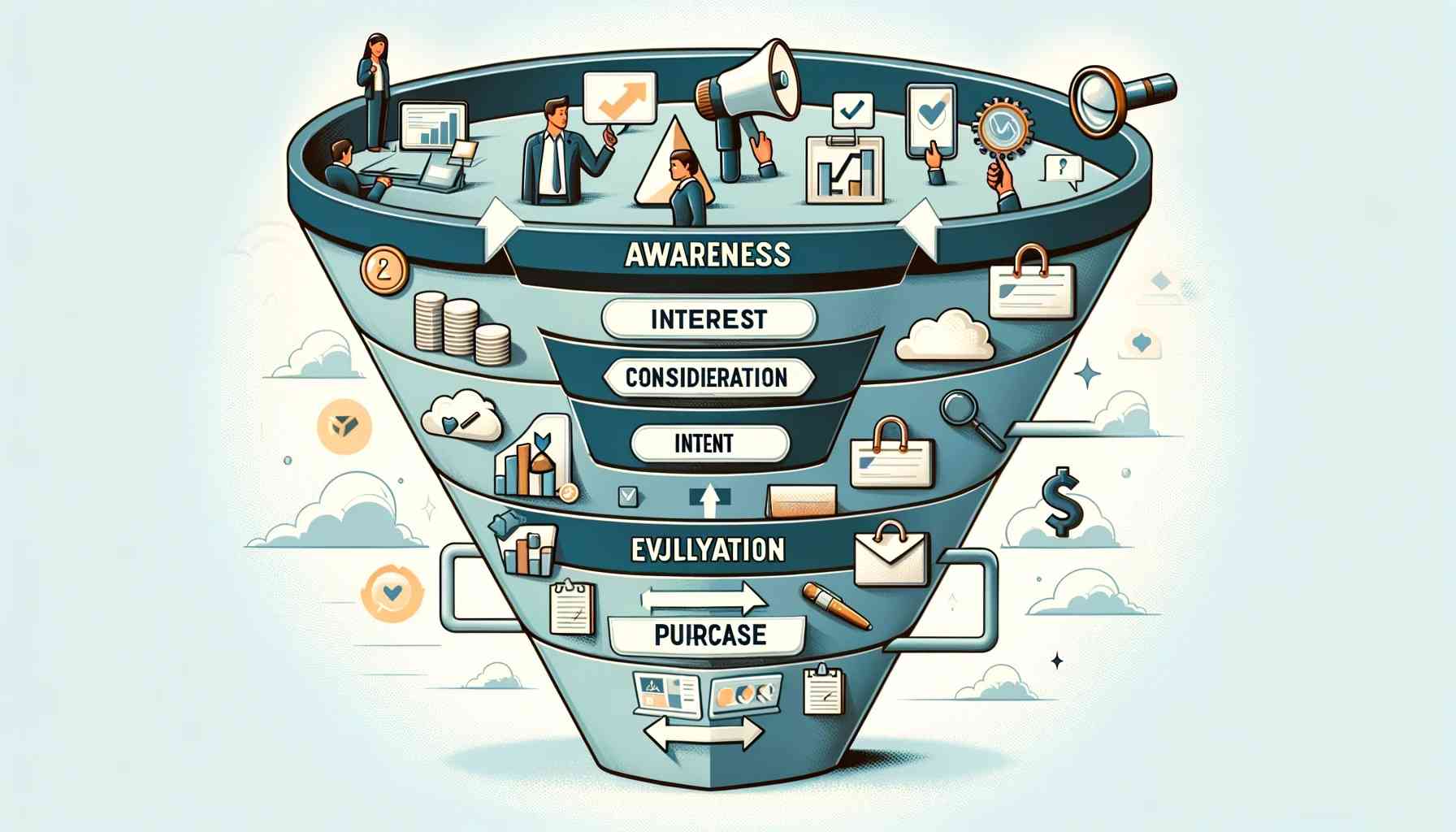
In this part of the guide, we highlight the TOFU (Funnel Top), MOFU (Funnel Half) and BOFU (Funnel Bottom Part).
This funnel is like a basic structure that any company can use, but details may vary greatly depending on the type of customers you have.
Understanding deeply who your audience is and what your needs are, you can apply the right strategies for improve your website.
Here are the main points of the sales funnel and how a site can follow each one of them:
- Top Funnel (ToFu), Awareness Stage: at the top of the funnel (ToFu), we are talking about awareness. Here, your website should be a reliable source of educational information to attract visitors and introduce them to the problems your company solves. You should use SEO to optimise content with relevant keywords for increased organic traffic;
- Funnel medium (MoFu), Consideration stage: your website now needs to present persuasive solutions to the problems of visitors. Integrate call-to-actions (CTAs) that direct visitors to related content such as ebooks, webinars or free demonstrations;
- Funnel Fund (BoFu), Decision stageIt's time to make a decision. Here, social proof is essential. Testimonials from satisfied customers, case studies and numbers that validate the effectiveness of their products or services are essential to influence the purchase decision;
- After-sales: the after-sales may not be present in some companies funnels, but it is super valid to keep one aligned with the team and that is able to take responsibility for customers;
- Retention Strategies: keep in touch with customers through newsletters, exclusive promotions or loyalty programs to encourage repeated purchases.
These are some questions that will help you reflect on the main strategies for improve site. . By following these tips, you increase the chances of mounting a (competitive) window on the internet for your company's success.
7 professional tips to improve the site
One of the ways to improve your site is by redoing it, a complete reform.
To redo a website, the most important part of this process is to have a team of experts and an advanced preparation.
Like renovating a house, moving forward without considering goals can result in disappointment.
Modernity requires understanding of reality based on data, that is, in real insight, otherwise you can end up back to square one.
The alternative? Check out below our 7 tips that will help in the process of recasting your website:
1. SEO Strategy: be found on Google
SEO (Search Engine Optimization) is a set of techniques and practices that aim to improve the visibility of a site in the organic search results of search engines, such as Google.
It's how you can make your site appear higher and more often when someone searches for keywords related to your business or content.

Here are some important SEO strategies that can help boost your website:
- Local SEO: Imagine that you own a pizza place in a busy neighborhood of the city. When someone searches for “pizza near me” or “best pizza shop in the [neighborhood name]”, Local SEO, with the Company Profile in full Google, increases the chances of your business appearing among the first results;
- Title optimisation and description: the titles and descriptions of the pages are like business cards for your website in search results. By optimizing them with relevant keywords and attractive information, you increase the likelihood that users will click on your link;
- Production of content for blog: creating and sharing relevant and useful content through a blog attracts qualified traffic to your website and helps establish your authority and expertise in certain subjects;
- Creation of segmented landing pages: by creating niche-specific pages or regions, you can better target your target audience and increase conversion chances. For example, having pages dedicated to specific services such as “creation of site for doctors“, or to specific regions such as “web design in Rio de Janeiro”;
- Backlink: links from other sites that point to yours continue among Google's sign of authority. Conquer links with useful content, partnerships and guest posts; paid or exchanged links need rel=”sponsored”, as per the Google spam policies.
2. Redesign of site
Your website is like your seller 24 hours a day, 7 days a week, and has the potential to be your biggest asset and the centre of your marketing strategies.
A site redesign is basically a visual recast of the site.
It's like giving your site a new face and functionality to make it more modern, attractive and effective in obtaining results.
Here are some advanced strategies for a site redesign:
Consistent Branding
Make sure that the new site design consistently reflects the brand's visual identity and message.
This includes the use of colors, typography, logo and design elements that strengthen the brand image.
Intuitive Navigation
Simplify site browsing so users can easily find what they are looking for.
This involves the logical organization of content, creating clear menus and implementing an intuitive navigation structure.
Quality Content
Stop create content quality, focus on producing relevant, useful, original and updated information for your target audience.
As for the frequency of blog posts, be consistent, prioritizing quality over quantity and adapting to your audience's preferences and always spying on competitors.
In keyword planning, search for relevant terms, diversify your choices and integrate them naturally into the content. These practices will help boost the engagement and success of your blog.
These advanced strategies can help ensure that your site redesign not only attract visitors, but also engage and convert them more effectively.
3. High-level user experience
UX, or user experience, encompasses all aspects of user interaction with a website, application or digital product, aiming to provide a positive experience.
Two applicable strategies are: usability tests, which identify site improvements points through interaction with real users, and content customisation, which adapts the website's content to individual user preferences.
When it comes to redesigning a website, the design and user experience (UX) must come together harmoniously.
In addition to visually attractive, with up-to-date design and layout, a website should also be easy to navigate and meet user expectations.
4. Mobile First
The concept of mobile first says that the site should be first created for mobile and only then adapted to other devices. That is, the mobile device user is the priority.
It is not difficult to understand that this is a strategy involving the creation of a digital experience for improve site.
But what many do not know is that it is essential to start with content.
The first step, therefore, is to define all the content before worrying about style, prioritizing the visual hierarchy to put the most important information into focus.
After that, it is concerned with keeping the design simple and functional to meet the needs of mobile users.
Prioritise the organization and make use of blank spaces, as they give a breather to the page and help in understanding the site and avoid visual/cognitive overload to the user.
5. Give an overview of your process in simple steps
To help your visitors have a proper understanding of your company and feel safe, it is essential to describe the steps of your process in a simple and clear way.
For example, on the homepage of our website we include a section of “How It Works”.
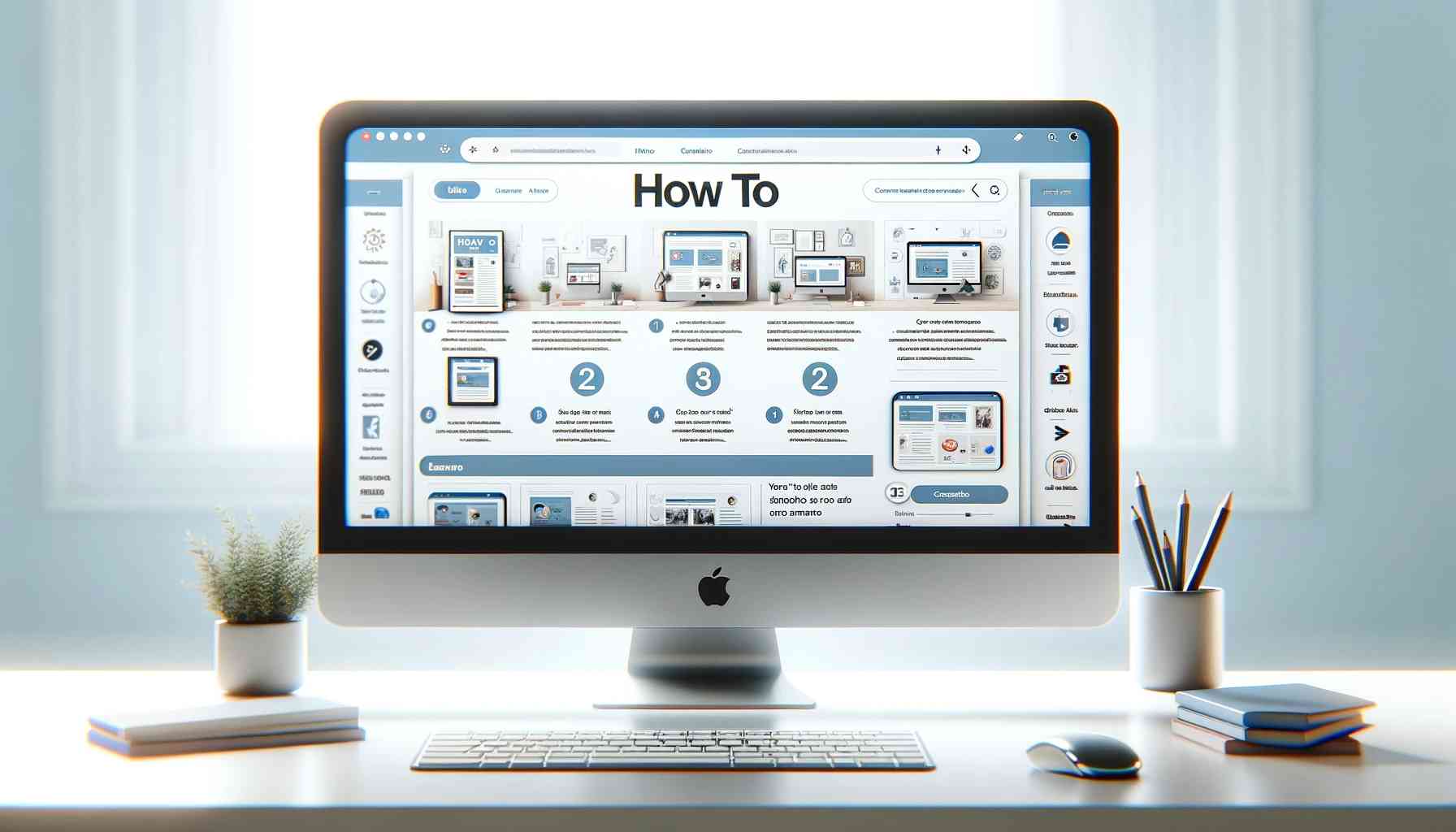
This is interesting because it summarizes the user as is his work process and makes him buy time.
For this to work, write from your client's perspective. Even if the real process is more complex on your side, focus only on those parts that are relevant to your customers.
Remember that this is not the time to explain technical details to customers, but rather to make them feel confident about moving on with you.
Without enough information, they'll be worried. With a lot of information, they may feel overwhelmed. The ideal is to provide information to the right extent so that they feel safe and able to make the next decision.
6. Loading speed
If you already have a website, the first thing you need to know is whether your site is slow or fast. And for that, we recommend the use of tools such as the Google PageSped, which will assign a note to your site and show any corrections.
To improve site speed, you can do this in various ways:
- Optimize Images: Compress large images to reduce their size without losing quality.
- Use a Quality Server: Choose a fast and reliable hosting provider.
- Minimize Plugin Use: Disable or remove unnecessary plugins and use only the essentials.
- Enable Cache: Use cache plugins to store versions of your pages and load them faster.
- Reduce Unnecessary Code: Clear the website code by removing blank spaces and unnecessary comments.
- Use a CDN: Distribute site files by servers around the world to improve loading speed.
- Enable Compaction: Activate gzip compression to reduce the size of site files.
- Update Regularly: Keep site software, themes and plugins always up to date to improve performance and security.
Implementing these practices can significantly improve the speed of your site by providing better experience to visitors and increasing their chances of conversion.
7. Create a site accessible to all
When you create a visually inviting site, it is essential to consider the diversity of users, including those with visual impairments or other special needs.
Here are some ways to make your website more accessible for everyone:
Use Text Alternatives (Alt Text)
Add short and accurate descriptions to your images, videos and other media. These descriptions, known as “alt text”, allow screen readers to describe visual elements for visually impaired users.
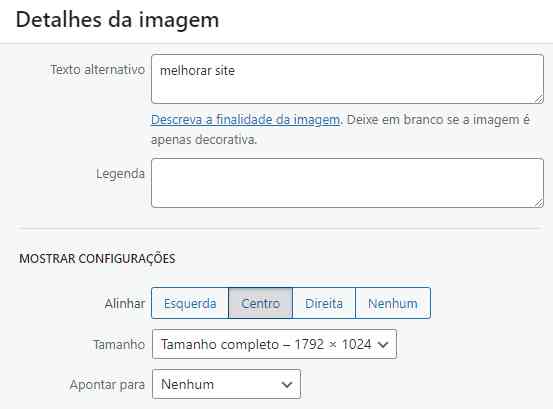
In addition to helping users with disabilities, text alternatives also improve optimisation for search engines (SEO). Search engines use these descriptions to understand and index the content of images, helping your site to rank better in search results.
Be Descriptive and Concise
Instead of simply describing the image, convey its meaning or context. For example, instead of “a smiling woman’s picture”, you could use “a young woman smiling while holding a book in a sunny park.” That gives a better understanding of the scenario.
Include Video Descriptions
For videos, describe the visual and auditory content. Summarize what is being shown and describe important dialogues or sounds. This ensures that everyone can understand the content of the video.
By implementing these practices, you make your site more inclusive and improve your visibility in search engines. This not only helps to create a better experience for all users, but can also increase your website traffic.
Ready to improve your website? Count on WebSyd!
You've been lost between so many options and technical details at the time of improve the site?
Follow these tips and offer a good experience to users, as well as stand out in the search results and, consequently, competition.
As experts in creating SEO sites and strategies at WebSyd, we understand that a well-designed website is just the beginning.
This is why we offer services of SEO consulting and link building, to improve the positioning of your site in search mechanisms and increase its online visibility.
Get a quote to create a professional website and have a quality digital presence! Click the button below.

FREQUENTLY ASKED QUESTIONS
Why is it important to reformulate my website regularly?
Recasting your website is crucial to ensuring a positive user experience, improving loading speed, updating design and staying competitive in the digital market. A well-structured and optimised website can significantly increase conversions, turning visitors into customers and followers.
What are the main factors that influence user experience (UX) on a website?
The main factors influencing UX include site loading speed, intuitive navigation, visual design, usability, accessibility and relevant content. Focusing on these aspects helps create a pleasant and efficient experience, increasing the likelihood of conversion.
How can I improve the speed of my website?
To improve the speed of your site, you can optimise images, use a quality server, minimize the use of plugins, enable cache, reduce unnecessary code, use a CDN (Content Delivery Network) and activate gzip compression. Tools like Google PageSpeed can help identify and fix specific problems.
What is SEO and why is it important for my website?
SEO (Search Engine Optimization) is a set of techniques and practices aimed at improving the visibility of your site in the organic search results of search engines, such as Google. Implement SEO strategies, such as keyword optimisation, relevant content creation and backlinking, increases the likelihood of your site appearing at the top of search results, attracting more qualified traffic and improving conversion chances.

Caio Nogueira is a SEO, GEO, link building and Digital PR expert and co-founder of WebSyd, website creation agency and SEO consulting founded in 2016. It acts with organic search strategies, digital authority construction and brand optimisation for search engines and artificial intelligence platforms. Throughout his trajectory, he participated in more than 1000 projects involving SEO, website development, content marketing and authority acquisition through backlinks and Digital PR. At WebSyd, it participates in the planning of strategies to increase organic visibility, lead generation and presence of companies on Google and AI-based search engines. As an author, it publishes content on SEO, GEO, website creation, link building and digital authority, sharing analyses, strategies and practical experiences related to organic growth of companies. Its contents and contributions have also been published in companies and vehicles of technology and marketing such as Wix, HostGator, Duda, Neil Patel, Locaweb and E-Commerce Brasil.
View all posts


 Estimate the cost

