
How to open a successful online store: Step by step with 7 simple tips!
Summary (TL;DR)
In this post, let's talk about how open a successful online store, addressing from the construction of the correct base and choice of platform, to the importance of a good accommodation and security plan with SSL certificate.
You will learn to select the domain name, test the site before launching it and prepare your store for online sales. By following this step by step, you will be ready to launch an efficient and attractive e-commerce, maximizing your chances of success.

Quick answer: to open a online store, define what you will sell and for whom, choose the platform (hosted, such as Shopify and Cloudmshop, or installed, like WooCommerce), hire hosting and domain when the platform does not include, activate the SSL certificate, test the purchase from start to finish and only then begin to disclose. Success depends more on product, margin, freight and disclosure than the tool.
You don't have to know how to program it in the first place, but you have to have a plan.
See below the step by step of how to mount online store.
Step by step on how to open a successful online store
Check out below a complete step by step of how to open a successful online store.
Step 1. Build the right base
Establishing a suitable base will help you optimise your online store from the start. This will also facilitate your work when you make some more complicated decisions.
So, at this stage the first thing you need to do is your business plan. For that, answer these questions:
- Why do you want to start this company?
- Is there currently a gap in the market?
- What problem are you solving for your customers?
- How does your product help to solve this problem?
- What are you gonna sell?
- Who are you gonna sell these items to? (i.e. who is your target market or target audience?)
Your answers to these questions already help and a lot during the creation of the business plan, and thus the first step in how to open a successful online store is completed.

Step 2. Find a platform to sell your items
As mentioned in the introduction of this article, fortunately it is not necessary to have knowledge in coding to start using your e-commerce shop.
Thanks to the multitude of available platform options, everything turns out to be much simpler.
Here are the main ones you can choose:
- Shopify and Cloudmshop (hosted, monthly);
- Marketplaces, such as Free Market and Amazon, to start without own website;
- PrestaShop;
- BigCommerce;
- Magento (Adobe Commerce);
- WooCommerce.
Each of them has its advantages. So, do a good research before starting the process of how to open a successful online store.

Step 3. Choose a hosting plan
For those readers not familiar with the term, hosting is what feeds their e-commerce store. Without hosting, your website will simply not run.
Platforms such as Shopify, Cloudmshop, BigCommerce and marketplaces take care of the accommodation for you.
In the case of Magento and WooCommerceYou're the one who needs to chase. But that can also be a good thing, because it allows you to have all the control.
Small online stores can start with a shared hosting plan to keep costs low.
However, you run the risk of having a site with slow performance during someone else's peak time.
If this is starting to happen, it's time to upgrade to a Hosting plan dedicated, on which your site is the only one available.
Step 4. Find the perfect domain name
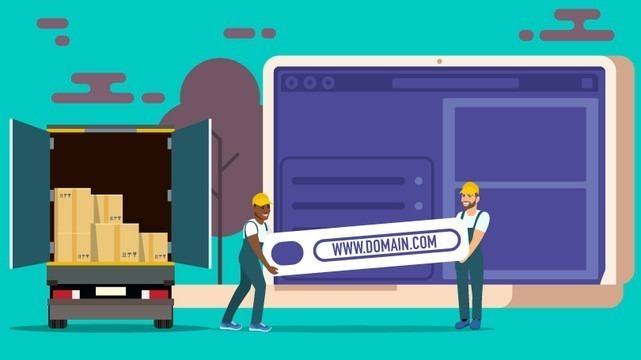
A domain name is the URL your customers will enter in the website address box to find your site and store.
With sites like Etsy and Amazon, the only thing you can add to your URL is the name of your store, which doesn't give you much room to work.
Shopify, Cloudmshop, BigCommerce, WooCommerce and Magento allow you to use your own domain, which strengthens the brand and facilitates disclosure.
Prefer a short name, easy to type and linked to the brand; keywords in the domain are not required to rank.
- Have you started setting up your website? Also learn how to attract visitors to your e-commerce!
Step 5. Add an SSL certificate to your website
Even if internet purchases are at full speed, it is necessary to show customers that your website is safe and reliable.
For this, just add an extra layer of security to your online store with an SSL certificate.
Simply put, an SSL certificate adds a lock to your website to keep important things, such as credit card information and passwords, protected from hackers.
By digitally encrypting these important files, customers feel comfortable delivering their payment information.
In addition, the SSL certificates They're a Light sign of rating on Google, and the browser shows the “unsafe” alert on pages without HTTPS.
Many hosting and platforms already include the free SSL certificate; check it out before hiring.
Step 6: Test, test again and test once again
Every new site should be tested before launch, but it is especially important when the subject is a online store.
After all, if your customers fail to complete a transaction, your hard work will be wasted and no sale will be possible.
Instead of getting to that point, do a quick audit of each page on your website. Make sure all links work.
Don't forget to test your shopping cart functionality as well.
To do this, activate a test sale and complete the entire transaction, including inserting a fake credit card number and billing and shipping information.
- Now that you know how to ride your e-commerce, see our article and increase traffic on your website!

Step 7: Start selling your products online
With everything tested, it's time to open your online store And start selling.
Keep in mind that at first it may be a little complicated, but then everything will be fine. Therefore, patience is needed for the results to appear.
What else to plan before opening the online store?
Form the business and follow the rules of e-commerce
To issue a tax note and hire payment means and carriers, the store needs CNPJ. Who starts alone can evaluate the MEI, which has annual billing limit and a list of permitted activities; current rules are in the Entrepreneur's Portal. . If the expected billing goes beyond the limit, talk to an accountant about the best option.
The Decree 7.962/2013 defines what every online store needs to inform and offer the consumer:
- business name and CNPJ in prominent location;
- physical and electronic address for contact;
- product characteristics, including health and safety risks, where there is a risk;
- price with additional costs, such as freight, broken down;
- terms of offer, payment methods and delivery time;
- immediate confirmation of the request and an electronic service channel;
- a clear means for the client to exercise the right of repentance.
Organize stock control
Selling a product that ended up generates cancellation, complaint and negative evaluation. Use platform stock control or an integrated management system (ERP) to automatically download each sale. If you also sell at marketplaces or in physical store, all channels need to use the same balance.
Reserve money and time for disclosure
A new store doesn't get visitors by itself. Before opening, define how much you will invest in ads, which social networks you will use and how you will produce content for organic search. A list of emails or contacts in WhatsApp with whom you already know your brand helps in the first sales.
How long does it take for the store to work?
The first sales usually come from paid disclosure, social networks and customer base you already have; organic traffic takes longer to grow. If you prefer a store made by a website creation agencyAt WebSyd, the custom online store is ready in about 60 days. Get a quote.
FREQUENTLY ASKED QUESTIONS
Do I need coding experience to open a online store?
Nope. Platforms such as Shopify, Cloudmshop and WooCommerce allow you to create a online store without programming, with visual themes and settings.
What is the importance of hosting for my online store?
Accommodation is essential for the functioning of your website. Without it, your shop won't be available to customers. For small websites, shared hosting may be enough, but larger stores may need dedicated plans.
Why do I need an SSL certificate for my online store?
The SSL certificate encrypts the data between the browser and the site, such as payment and passwords, avoids the alert of “unsafe” from the browser and is a light sign of rating on Google.
What's the advantage of testing my online store before launching it?
Testing the site before launch ensures that everything, from links to the purchase process, works properly. This avoids problems with customers and improves the purchasing experience, maximizing your sales.

Caio Nogueira is a SEO, GEO, link building and Digital PR expert and co-founder of WebSyd, website creation agency and SEO consulting founded in 2016. It acts with organic search strategies, digital authority construction and brand optimisation for search engines and artificial intelligence platforms. Throughout his trajectory, he participated in more than 1000 projects involving SEO, website development, content marketing and authority acquisition through backlinks and Digital PR. At WebSyd, it participates in the planning of strategies to increase organic visibility, lead generation and presence of companies on Google and AI-based search engines. As an author, it publishes content on SEO, GEO, website creation, link building and digital authority, sharing analyses, strategies and practical experiences related to organic growth of companies. Its contents and contributions have also been published in companies and vehicles of technology and marketing such as Wix, HostGator, Duda, Neil Patel, Locaweb and E-Commerce Brasil.
View all posts


 Estimate the cost

