
Featured Snippets Google: How to Reach Zero Position
Summary (TL;DR)
In this post, we talk about Google's Featured Snippets, which are excerpts highlighted in the search results that respond quickly to user queries.
We discussed the importance of snippets for SEO, as they offer the opportunity to conquer “zero position” and increase organic site traffic.
We explain the different types of snippets, such as definition boxes, tables, sorted and unordered lists, and offer tips on how to optimise content to achieve these highlighted snippets.

Quick answer: featured snippet, or highlighted snippet, is the stretch of a page that Google shows in prominence above the common results to answer a question, paragraph-shaped, list or table. Google chooses the snippet automatically, without specific marking, and almost always between pages that are already on the front page. To dispute, answer the question in 40 to 60 words just below a title with your own question, use lists and tables in HTML and cover long tail variations of the search. Today, in the searches it appears, Google's AI-generated summary is above the snippet.
Optimizing websites is essential for website or blog pages to achieve good positioning in Google search results. No wonder the service of SEO consulting It becomes more and more required. But have you ever heard of Featured Snippets Google?
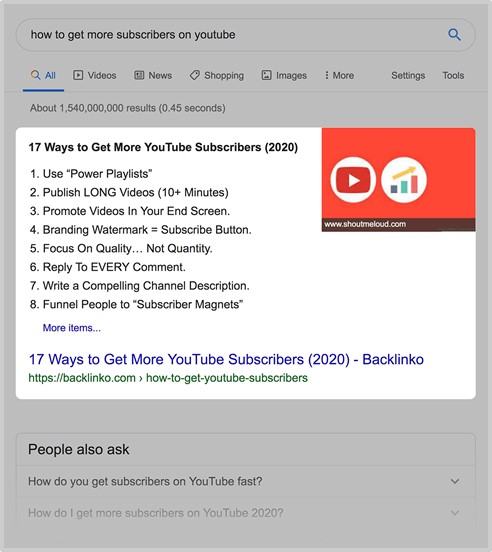
Featured Snippets Google, also known only as snippets, are short excerpts of texts that appear prominently at the top of Google's search results to respond quickly to a user's query.
Second Google documentation on highlighted snippets, there is no marking to ask a page to turn snippet: systems choose alone. Those who do not want to appear can block with the nosnippet rule or limit size with max-snippet.
The content that appears within a highlighted snippet is automatically obtained from web pages in Google's index. The common types of snippets presented include definitions, tables, steps and lists.
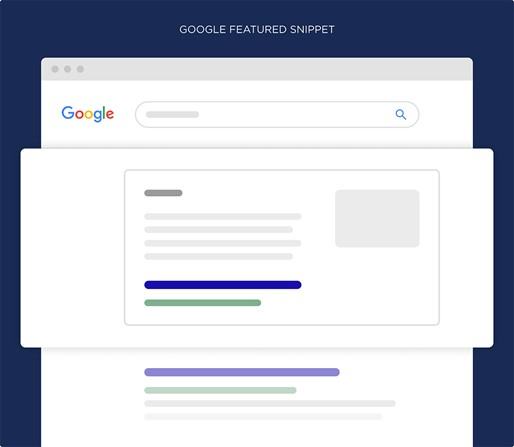
Image www.backlinko.com
But what does snippets have to do with SEO? And how do you get them?
If you want to know more about Featured Snippets Google and how to reach the zero position, continue reading!
What is the importance of snippets for SEO?
Featured snippets can impact SEO in two ways. First, they are an opportunity to get more clicks on organic search results without Google's higher rankings.
In fact, many SEO experts refer to the highlighted scrap box as “zero position” because it appears above the traditional first place.
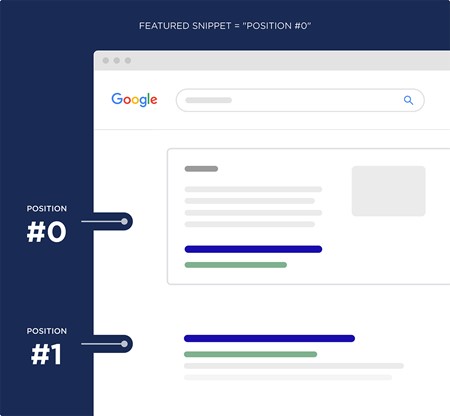
Image www.backlinko.com
By appearing even before the first results, a snippet can have many hits.
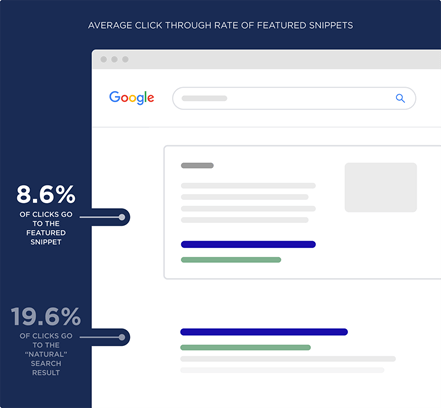
Image www.backlinko.com: demonstration of research results
So if you can put your content on Snippet in the spotlight, you can give a big boost to your organic click rate. See an example below:
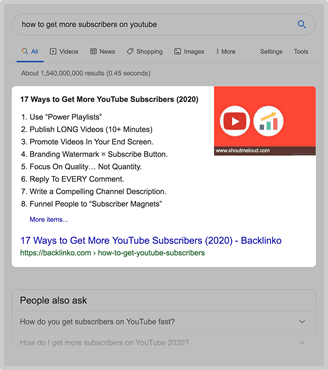
Image www.backlinko.com
Secondly, the highlighted Snippets increase the number of “unclicked searches”. In other words, when a Google user does not click on any of the search results.
This is because the highlighted Snippet usually gives the answer that the user seeks.
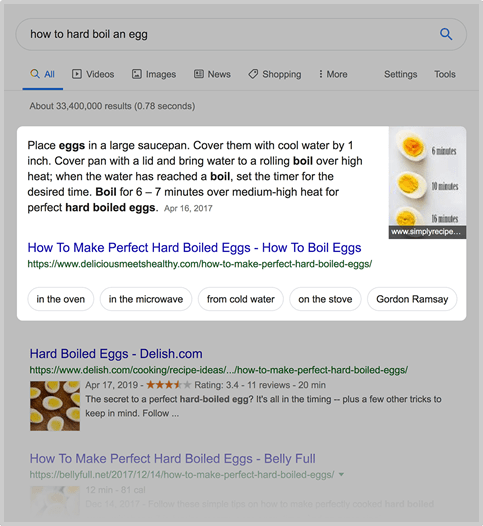
Image www.backlinko.com
Therefore, before deciding on a specific keyword, it is important to observe whether or not the research results have a highlighted snippet. In that case, according to a study of the sector done by Ahrefs, you will have less clicks compared to SERPs without a highlighted snippet.
This does not mean that you should automatically throw away a keyword if there is a highlighted snippet. After all, surveys of SEMrush and Ahrefs made between 2017 and 2021 already showed snippets in more than 10% of the analyzed searches, and the format remains common.
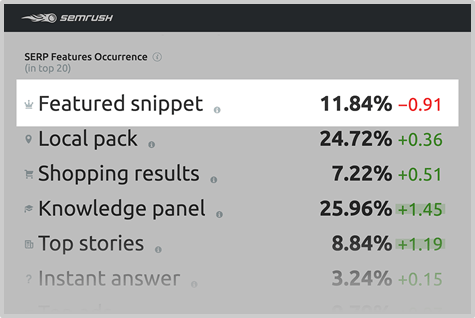
Image www.backlinko.com
Which means it will be difficult to completely avoid keywords with a highlighted snippet. In addition, along with the monthly competition and research volume, the highlighted excerpts should be taken into account in their process of choosing keywords.
The highlighted Snippet types
There are 4 main types of Snippets highlighted that appear more often in Google search results.
Definition box
This is a text fragment designed to provide users with a direct and concise definition or description. In the example below, when using the term “rich snippets”, there is a box of definition at the top of the results:
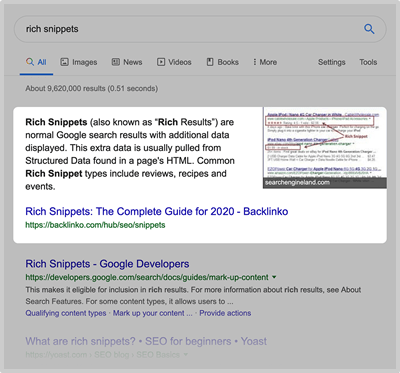
Image www.backlinko.com
Boxes of definition are often used by Google to answer questions such as “what is”. Here's an example:
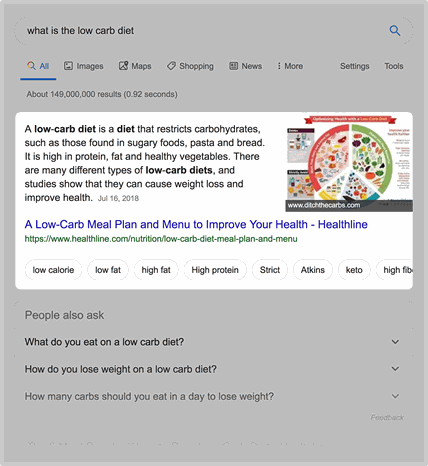
Image www.backlinko.com
As you can see, the settings Google tends to use are short and pleasant. In fact, SEMrush found that the average definition of highlighted excerpts is between 40-60 words.
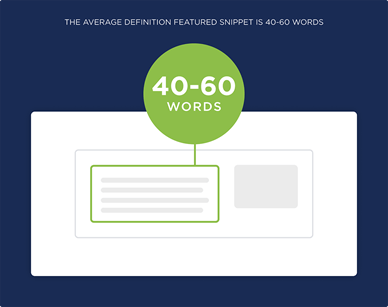
Image www.backlinko.com
Table
This type of snippet is when Google extracts the data from a page and displays it as a table. Here's an example:
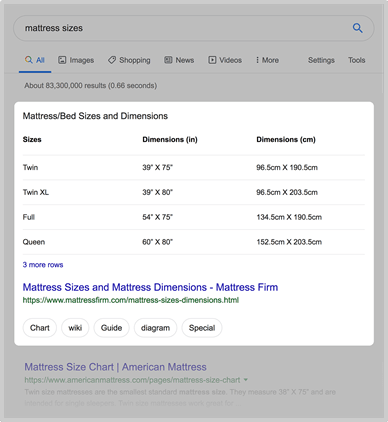
Image www.backlinko.com
Ordered list
This is a list of items presented in a specific order. Google tends to use sorted lists for queries that need a set of steps.
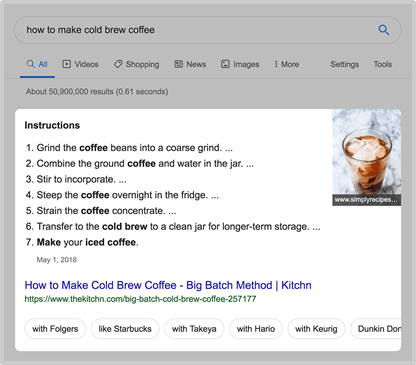
Image www.backlinko.com
They also use sorted lists for listings that classify things into a specific order, such as this:
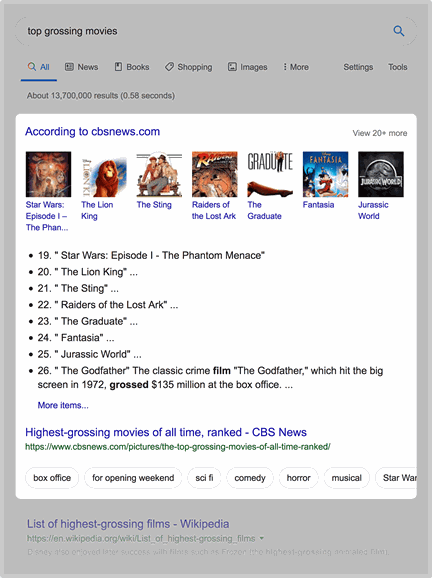
Image www.backlinko.com
Unordered list
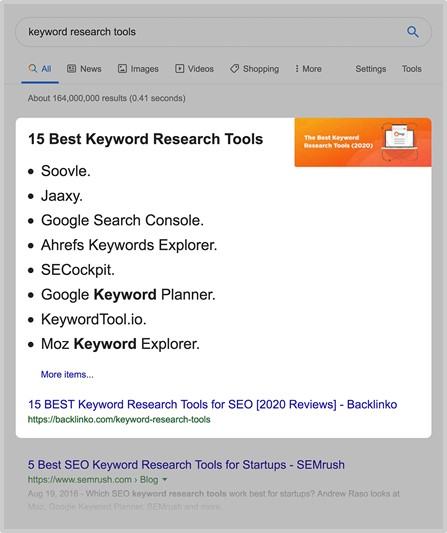
This is the way Google presents a list of items that do not need to be in a specific order, such as the example below:
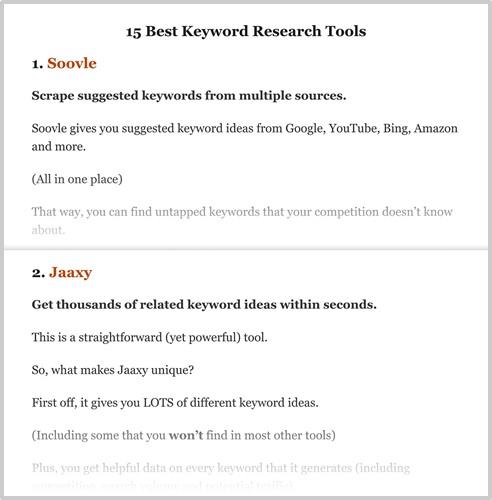
Image www.backlinko.com
That is why Google only presents each tool as a simple list, without any information that classifies them in one way or another, as you can see below:
How to Optimize for Featured Snippets Google
Right now you must be wondering: How can I optimise my website or blog to Featured Snippets Google?
To achieve this, it is necessary to devote efforts that require time, but are totally possible. See some of them next.
Find SERPs with a highlighted snippet
Your first step is to look for a search results page that already has a highlighted snippet. In other words, highlighted snippet opportunities. This way, you know what Google wants to show in a snippet for that term. Actually, they already do!
In addition, you can see what kind of snippet highlighted Google wants to show for that term (the definition, unordered list, etc.). Which makes your page optimisation for this specific type of snippet super simple highlighted.
For example, when you search “the best glass water bottles”, you can see that Google has an unordered list snippet featured at the top.
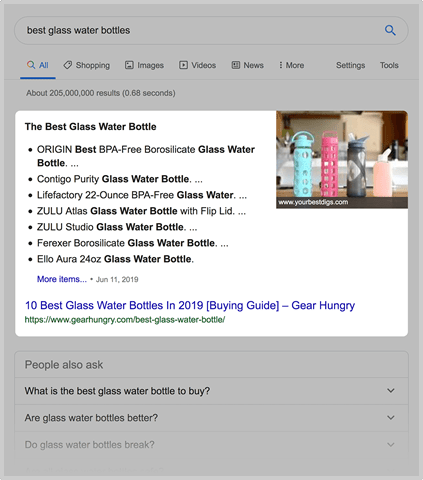
Image www.backlinko.com
There are two ways to look for SERPs that have a highlighted Snippet.
First, you can search several keywords, one by one. So if you have a list of potential keywords to target, you can search each one and note whether or not the results of this term have a highlighted snippet.
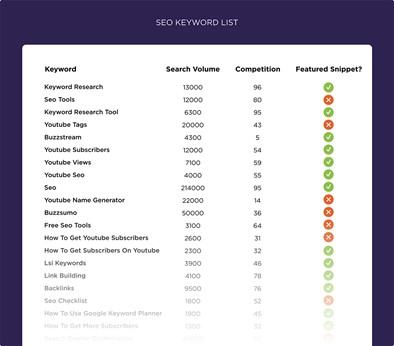
Image www.backlinko.com
Secondly, you can use a tool like SEMrush and Ahrefs for concentrate in keywords with a highlighted snippet.
For example, when running an organic keywords report using Ahrefs, you can filter out any keywords that do not yet have a highlighted snippet.
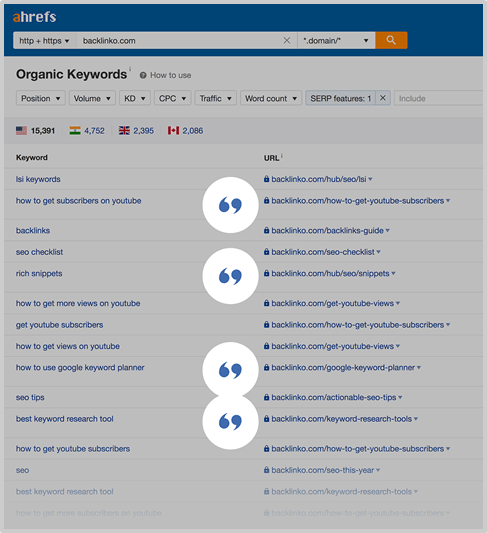
Image www.backlinko.com
Optimize for this specific highlighted snippet
Then it's time to optimise the content of your page so that Google chooses to use it in the highlighted Snippet.
See how to optimise your content for the 4 most popular types of snippets.
The definition: you need to provide Google with a small text piece (40-60 words) that they can use directly in the highlighted snippet. It also helps if you have “What is X” directly above your definition.
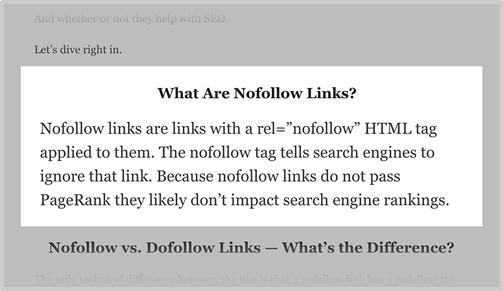
Image www.backlinko.com
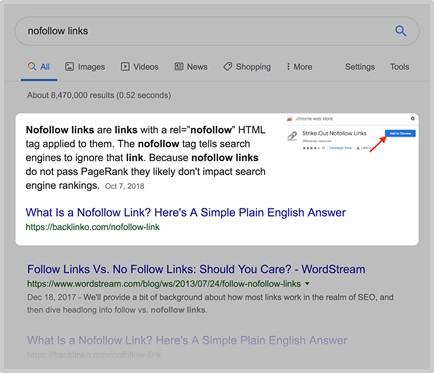
Image www.backlinko.com
The Hubspot, for example, takes this one step further. In fact, they design small boxes in their contents that look like a snippet.
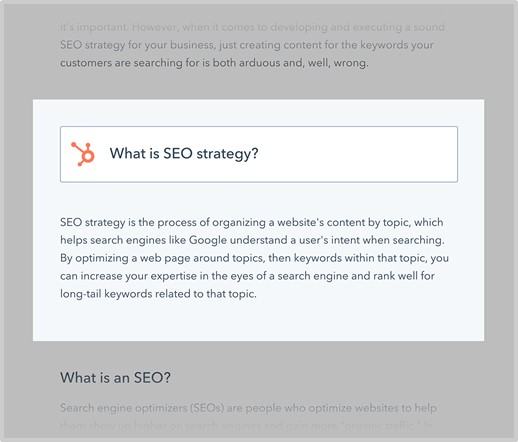
Image www.backlinko.com
We don't think you need to go that far. But this shows that formatting is the key to putting your content on Snippet. Specifically, the closer your content looks to a Snippet, the more likely Google will use it.
The only other thing to keep in mind is that you want your definition to be objective. In other words: do not include an opinion on the subject in any way.
Remember: Google does not want opinions to appear as definitions. So even if you have a strong feeling about it, do your best to write the definition without any emotion. In fact, you should write the definition as a dictionary “definition”.
For example, you can see in the example below that the definition of “nofollow links” appears to have been extracted directly from a dictionary.
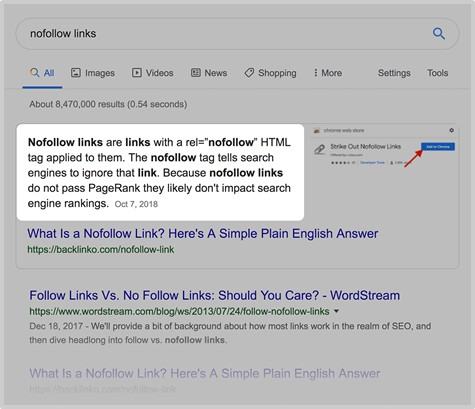
Image www.backlinko.com
The table: it is believed that Google tends to obtain content for the excerpts presented in the tables.
In other words: they are not collecting data from various parts of their page and presenting them in table form. Instead, they are essentially eliminating tables that already exist.
For example, check out this highlighted snippet table.
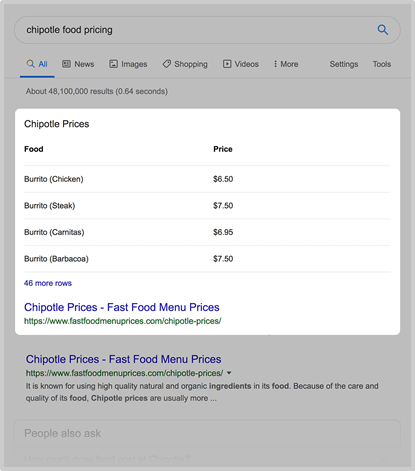
Image www.backlinko.com
Well, when you look at the source of that content, you can see it's literally the same table.
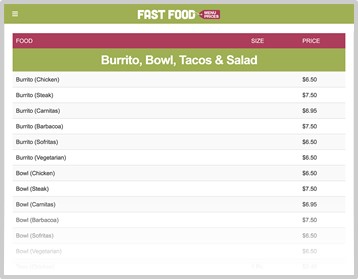
Image www.backlinko.com
The way you encode these tables depends on how your site is configured (and whether or not you use WordPress). But in general, as long as your HTML uses the tag <tr> to present the data in a table, Google should be easy to “read” its table.
The sorted list: the key here is to organize your page so that steps or lists of specific items are presented in a way that Google can easily understand.
Specifically, you must group each item or step in the H2 or H3 text. And present each item as a subtitle.
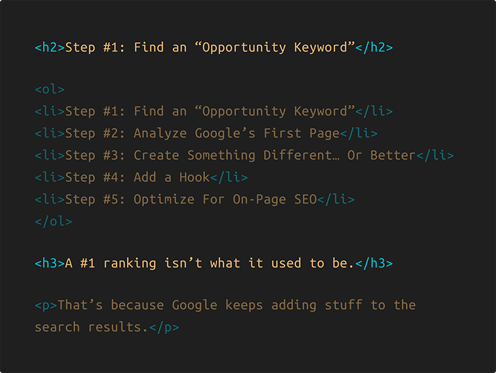
Image www.backlinko.com
To make the order of your items or steps clear to Google, you can even include text such as “Step 1” or “1”. in each subtitle. Here's an example:
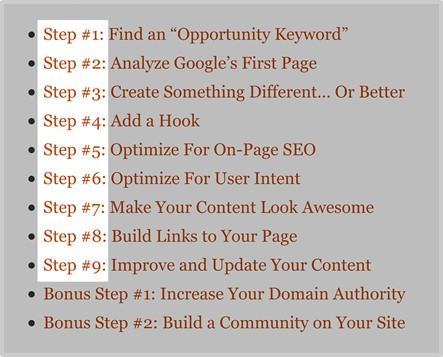
Image www.backlinko.com
The most important thing to keep in mind is that consistency is the key. Therefore, if you present step 1 as “Step 1: Make X”, do not perform the second stage: “Step 2: Make Y”.
Instead, present your steps like this: Step 1, Step 2, Step 3 ...
Or so: 1., 2., 3 ...
For example, post below presents a 9-step SEO strategy:
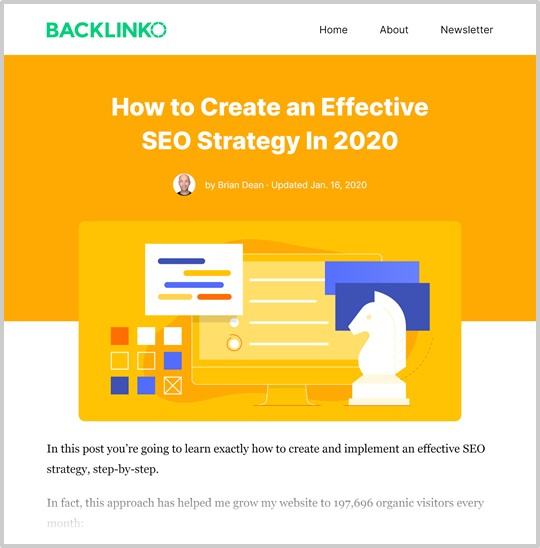
Image www.backlinko.com
Each step of the process uses exactly the same format (“Step #1”, “Step #2”, etc.).
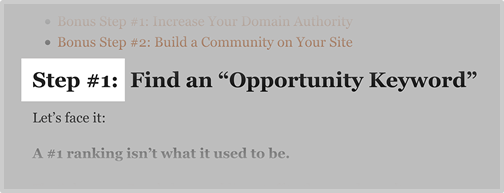
Image www.backlinko.com
It also involves each step in a H2 tag.
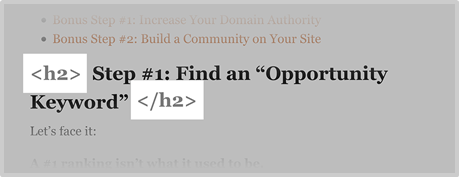
Image www.backlinko.com
Optimize your page around various different long tail terms
Ahrefs found that the vast majority of featured Snippets appear when people search for long-tail keywords.
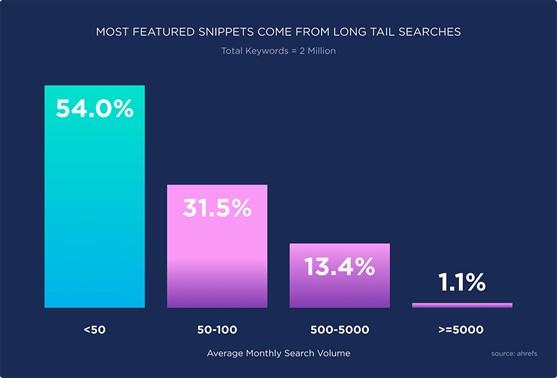
Image www.backlinko.com
Long-tail keywords are terms that people use in search engines that are very long and very specific.
The consultations that people use for search by voice they are perfect examples of this type of research.
Here's an example of traditional research.
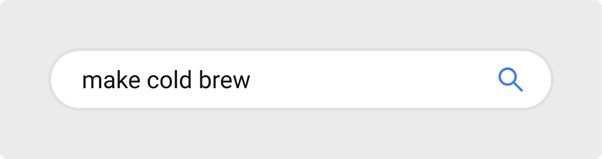
Image www.backlinko.com
And here's a long-tailed colloquial version of that same research query.
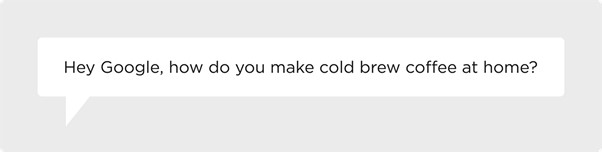
Image www.backlinko.com
The conclusion here is that you don't just want to optimise your content for highlighted snippet keywords that many people are looking for, as “what is SEO”.
You also want to optimise the highlighted Snippets that appear when people look for variations and long-tail versions of these terms.
In the example below, you can see that sections have been added to this page which are designed to classify several different long-tail highlight snippets.
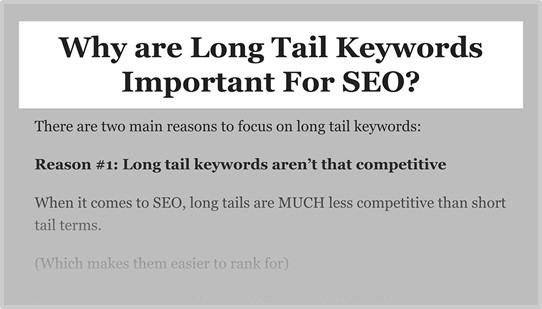
Image www.backlinko.com
It's almost like a mini page of Frequently asked questions. . So how do you know which long tail keywords segmental?
We recommend checking the boxes “People also Ask” in SERPs.
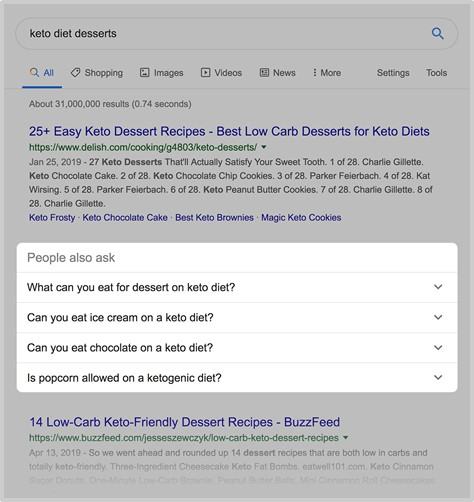
Image www.backlinko.com
These are related issues that Google considers closely related to the keyword you just searched.
In the following example, a key word for which it is in the highlighted Snippet is “ YouTube Description”.
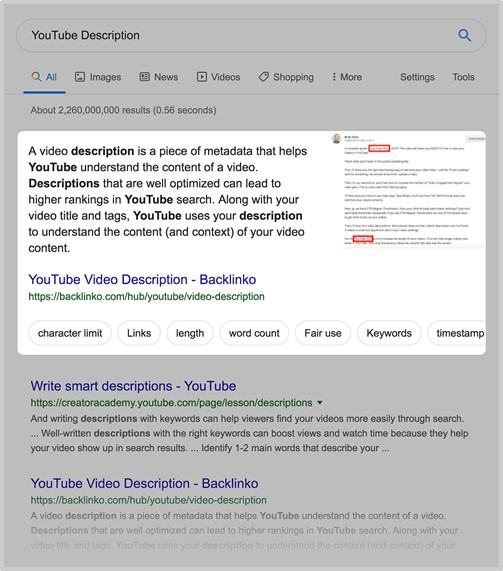
Image www.backlinko.com
And this classification is a direct result of content optimisation for the definition snippet.
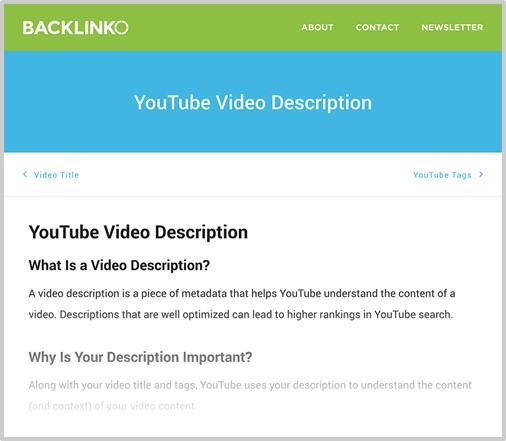
Image www.backlinko.com
That said: there are many long-tail queries that could be answered on the same page. Queries Google shows directly in the search results.
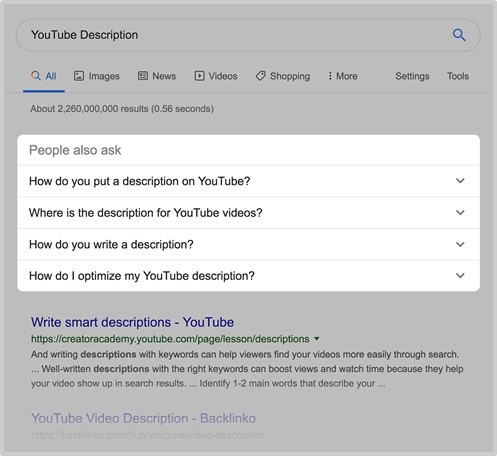
Image www.backlinko.com
Increase your highlighted Snippet SEO efforts
If your page (and site) have authority, you can rank your page on dozens of highlighted Snippets.
The key to increasing this is to add many settings, sorted lists and other formats that Google loves putting on Highlighting Excerpts on your page. For example, you can see that HubSpot has a “principal” definition at the top of most of its pages.
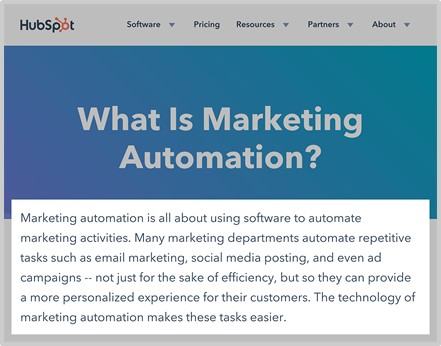
Image www.backlinko.com
But they also put several questions and answers on a single page.
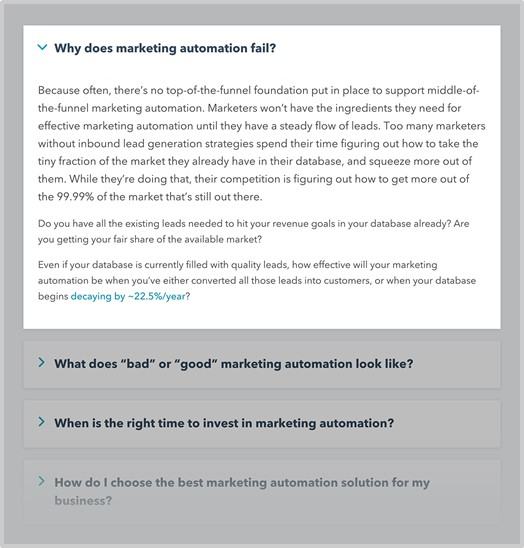
Image www.backlinko.com
Improve your Google ratings
It's one thing to optimise your content for featured snippets. But the truth is, if your page has not yet been ranked on Google's front page, your chance to get a highlighted snippet is pretty much zero.
In fact, according to the study of Ahrefs cited above, 99% of the snippets analyzed are pages that have already been classified on page 1.
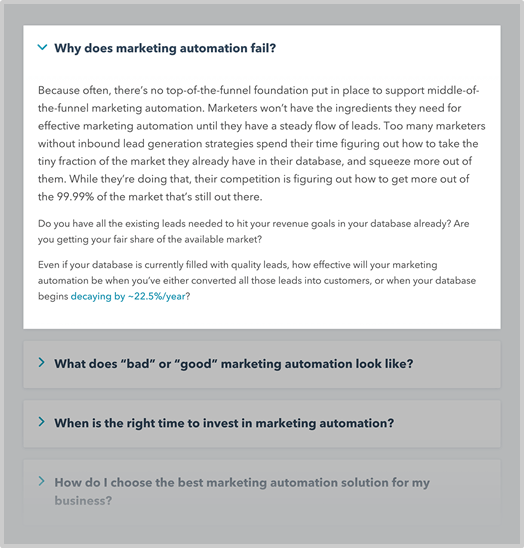
Image www.backlinko.com
This makes sense if you think about it: the first page is a list of Google's best and most reliable content on this topic. Therefore, they will not extract information from a website on page 11, even if it is perfectly formatted.
Therefore, in addition to formatting your content in the right way, you also need to sort on page 1 to have a real chance of entering the featured Excerpts box.
For example, this page is classified as “#0” as a highlighted snippet.
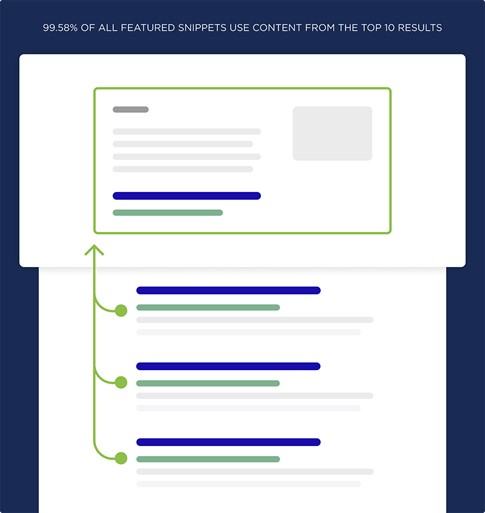
Image www.backlinko.com
Featured Snippets and Google AI Summaries
Since Google started showing abstracts generated by AI in part of the searches, this block appears above the highlighted snippet. The same practices that help conquer the snippet (direct answer, lists, tables and questions as subtitles) also facilitate the page to be cited as a source in these abstracts.
Conclusion on Featured Snippets Google
Featured Snippets Google is a way to quickly solve the questions of search engine users, and at the same time it is an excellent way to get more organic traffic to sites.
Knowing this, we hope that from now on you will start directing some efforts to do so and that you will soon be able to get a highlighted snippet on Google!
Source: www.backlinko.com
Do you want to find out which searches on your site can become a featured snippet?
FREQUENTLY ASKED QUESTIONS
What are Featured Snippets on Google?
Featured Snippets are short chunks of text highlighted at the top of Google's search results that respond directly to the user query, automatically extracted from web pages.
Why are Featured Snippets important to SEO?
They are important because they offer the chance to appear at “zero position” in search results, which can significantly increase organic traffic and website visibility.
What are the common types of Featured Snippets?
The main types of Featured Snippets include definition boxes, tables, sorted lists (with sequential steps) and unordered lists (simple listings).
How can I optimise my website to achieve a Featured Snippet?
To optimise, identify keywords that already have highlighted snippets, organize and format the content according to the type of snippet (definition, list, table), and focus on long-tail keywords. In addition, improve page ranking to increase the chances of being selected by Google.

Caio Nogueira is a SEO, GEO, link building and Digital PR expert and co-founder of WebSyd, website creation agency and SEO consulting founded in 2016. It acts with organic search strategies, digital authority construction and brand optimisation for search engines and artificial intelligence platforms. Throughout his trajectory, he participated in more than 1000 projects involving SEO, website development, content marketing and authority acquisition through backlinks and Digital PR. At WebSyd, it participates in the planning of strategies to increase organic visibility, lead generation and presence of companies on Google and AI-based search engines. As an author, it publishes content on SEO, GEO, website creation, link building and digital authority, sharing analyses, strategies and practical experiences related to organic growth of companies. Its contents and contributions have also been published in companies and vehicles of technology and marketing such as Wix, HostGator, Duda, Neil Patel, Locaweb and E-Commerce Brasil.
View all posts


 Estimate the cost

