
4 tools that every web designer needs to know
Summary (TL;DR)
Building a website from scratch can be simplified by using specific tools that automate parts of the process, allowing web designers to focus their efforts on more creative and strategic areas.
Tools like Elementor, Google Fonts, Figma, and Color Scheme are essential for professionals in the area, helping with customisation, font choice, interface creation, and color palette development.
By using these features, web designers can optimise their workflow, improve the usability of websites and devote more time to innovation and development of unique projects.

Quick answer: four tools that speed up the work of web designer are Elementor (visual page builder in WordPress), Google Fonts (free sources for web), an image editor and a color palette tool. They reduce repetitive tasks and leave more time for visual design.
Building a site from scratch can be simpler with the help of some programs and resources. Thanks to its practicality, these are tools that every web designer needs to know.
By using selected tools, the web designer manages to focus their efforts on other stages, which require more creativity and the unique vision that each professional is able to put into a project.
By eliminating steps in building a website using automated tools, the process as a whole becomes simpler, and there is time to study other important elements for a well-structured page.
If you are a web designer who has just started, or even if you already have a good experience, you need to check out 4 tools that every web designer needs to know.
By knowing these resources, you can understand what makes sense to insert into your routine to make it much more profitable and functional. Check it out, next!
4 tools that every web designer needs to know
As in all professions, knowing how to perform a task is very important. However, from the moment you master a function, the natural step is to automate it.
It is through automation, which happens with the use of specific tools, that the professional gains time to work in activities that cannot be done automatically.
In the world of web design, which is almost 100% digital, there are no shortages of useful resources that can be used by professionals.
You want to know what those resources are? The truth is, there are dozens of them on the market. But to make it easier, you will find 5 tool options that every web designer needs to know.
-
Element
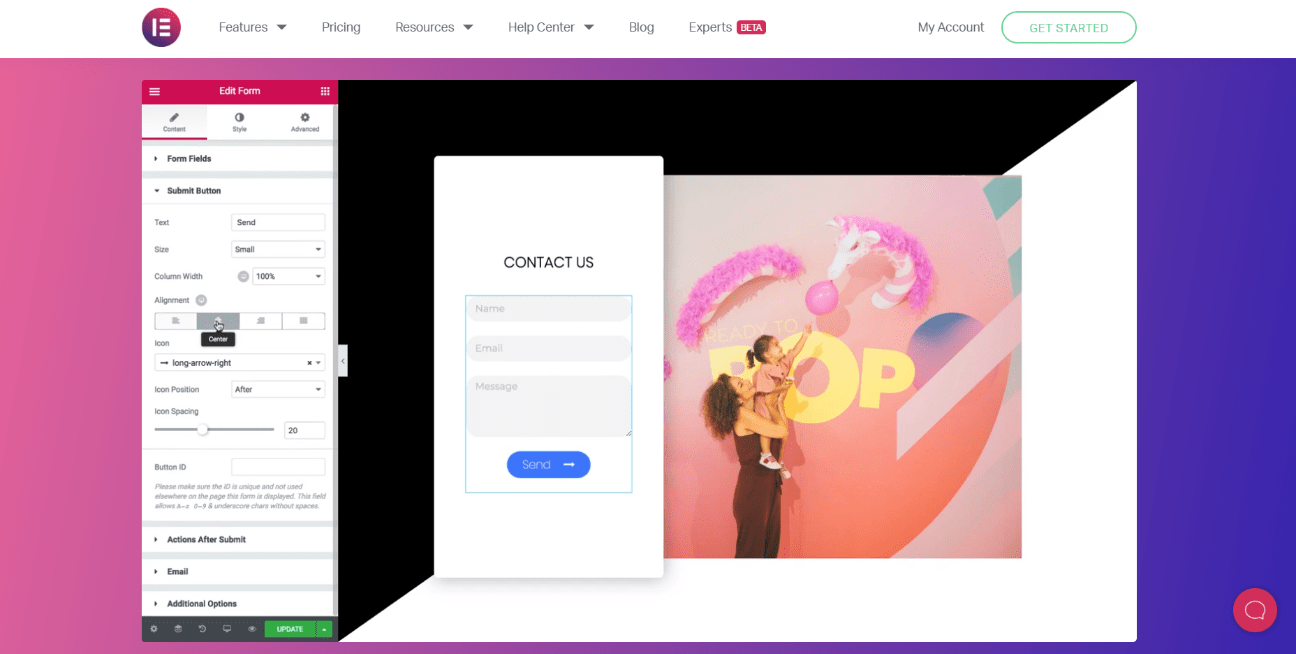
One of the most used platforms by web designers in web design It's WordPress. The values, WordPress costs and expenses they are usually attractive for the choice of tool.
However, working with WordPress is not an easy thing, which requires technical knowledge. In order to facilitate this, the free plugin Elementary. Its great advantage is to have an intuitive interface, in the “drag & drop” style in building pages.
With the Element, whatever template you choose to use in WordPress, since the tool allows the user to add or delete any element from the screen.
In addition, the Elementor does not require knowledge in programming code. The web designer only gets the creative and visual part, using the Elementor's ready modules to build your website.
Elementor plugin creators describe that the central purpose of the tool is to provide a total customisation environment without losing the simplicity of use.
One indication that this is one of the tools that every web designer needs to know is that it only had over 13,000 downloads in the first three weeks after its official release. A good number for a niche resource.
2. Google Fonts
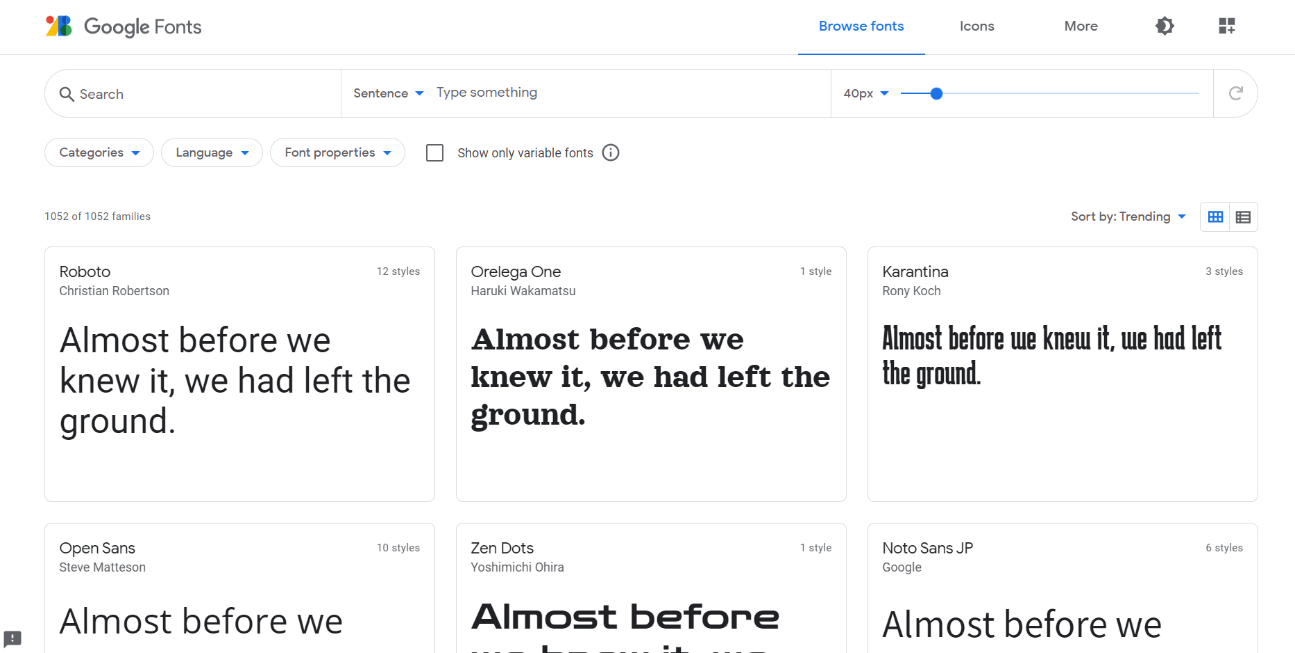
The choice of sources is one of the most important aspects in building a website. After all, a source can make usability better or worse depending on its style.
And when we talk about fonts, one of the five tools that every web designer needs to know is Google Fonts, a online platform that allows the user to know and use different sources on their pages.
The platform Google Fonts is free and offers hundreds of types of letters, which are separated into categories, which makes it easy for the web designer to look for a specific style when needed.
However, the advantages of Google Fonts go far beyond that:
Google Fonts is integrated into Elementor, the first tool suggested in this article and one of the best WordPress plugins.
In other words, it means you won't need to install a source on your own server when using Google Fonts, which makes your page much lighter.
In addition, Google Fonts is also integrated with Figma, a web designer tool that allows visual creation of the site, and the next feature of this list.

3. Figma
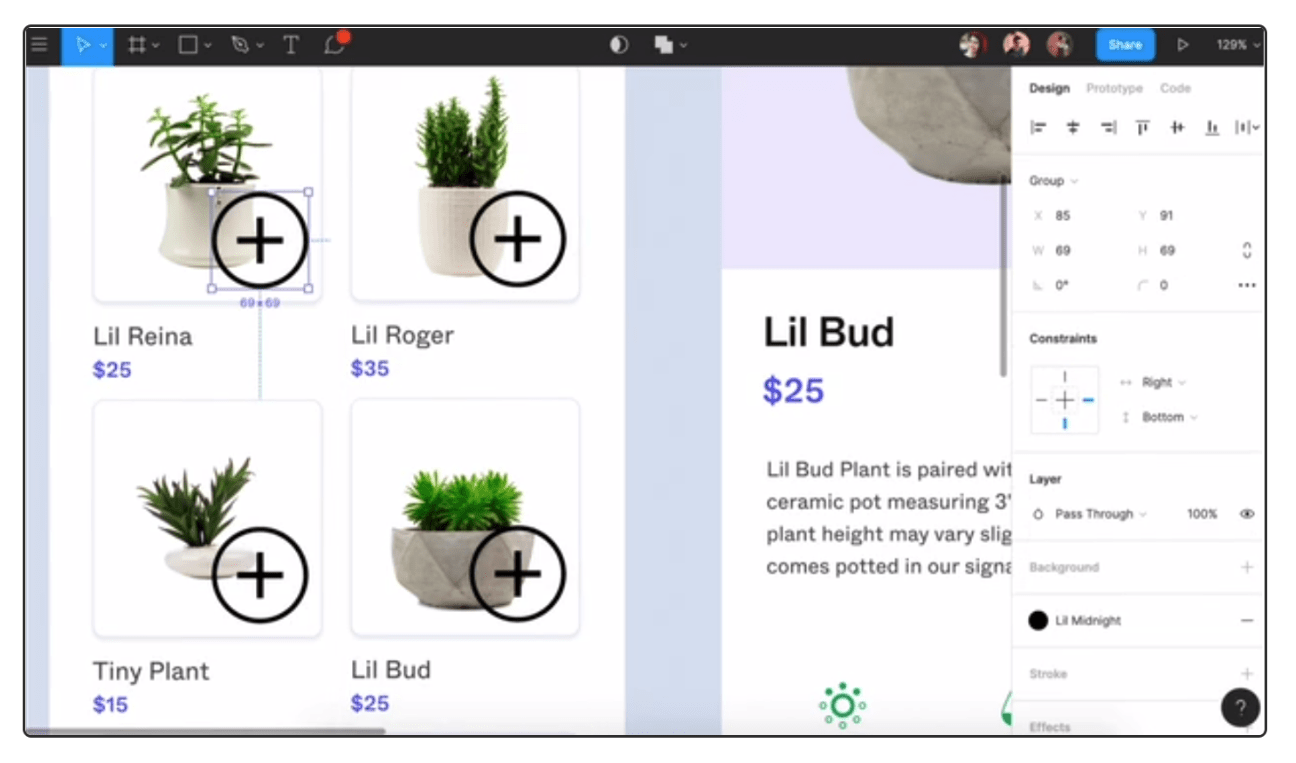
Photoshop and Illustrator have always been the darlings of web designers in creating graphic project sites. However, this preference is changing to Figma.
Figma is a tool that allows the creation of web and application interfaces, and does not require downloading or installing a program: everything is done online by the browser.
In Figma, the web designer can create multiple versions of the same page on screens within a project. With everything gathered together, those endless copies of a website are no longer necessary.
As many people have worked at Figma, it is not difficult to find “ready” projects available on the internet. Thus, it is up to the web designer only to make small changes and change the texts.
One of the advantages of Figma is that it is a multitasking platform. In other words, several professionals from a webdesign company you can view and edit a project simultaneously through a shared link.
Figma will require a quality computer to function well. However, anyone who is already used to creating in Adobe package programs will certainly have the right settings for the online platform.
4. Color Scheme
Finally, the fifth among the tools that every web designer needs to know is Color Scheme, a useful feature especially for those who have difficulty in developing a color palette.
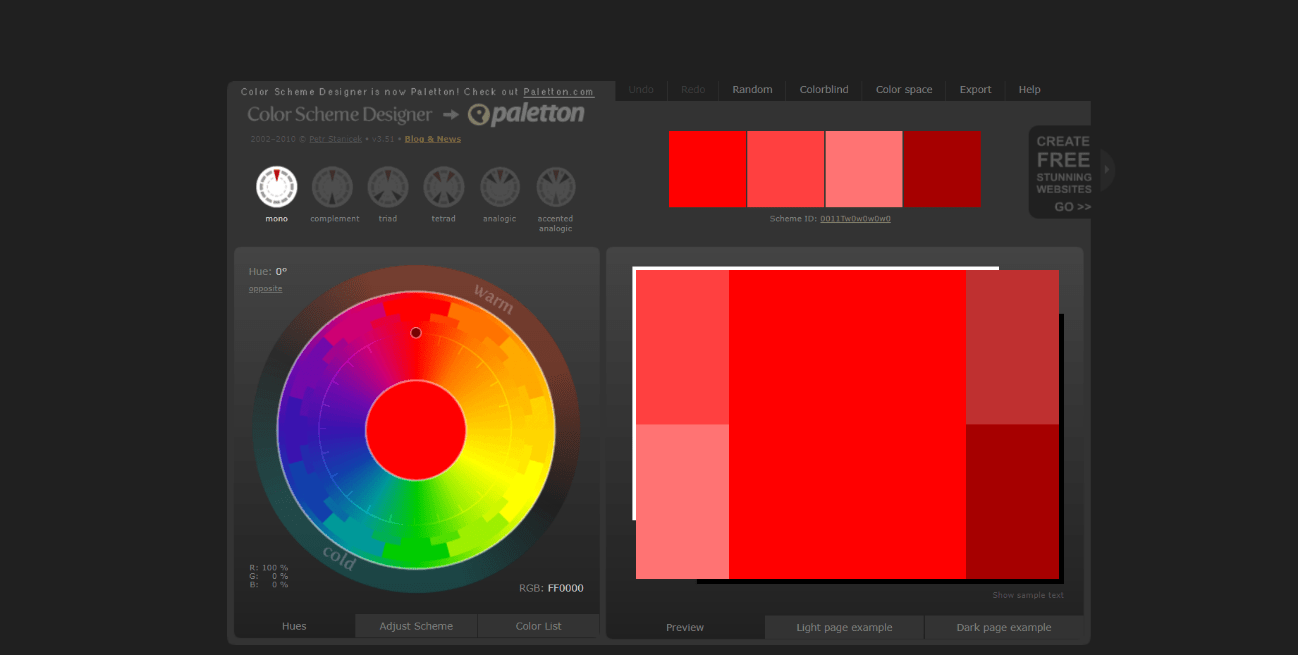
Color Scheme is an application that works on any browser online. In it, the web designer manages to create color palettes, and can also identify the hexa code of each one.
By accessing Color Scheme, you will come across a color wheel with all the possibilities present in the RGB configuration, which is used on screens and monitors.
When selecting a color on the wheel, Color Scheme presents next to the compositions that can be made.
The Color Scheme pattern is the monochrome palette, but you can change the presentations to complementary colors, triads, tetrahedrals and analogs.
With these possibilities, it's much simpler to find out what can work on color in your graphic design.
In addition, by automating this step, you save a portion of time that is used in the color combinations of elements. Much simpler, isn't it?
Web design tools for creativity
The work of a web designer is a mixture of creativity and the search for solutions so that users have the best experience possible.
With the growth of technology and the use of online platforms, the work of the web designer is more necessary than ever.
It's no accident that the web designer is considered a professional of the future, and a 2019 Tutano story already pointed out that there were vacancies for web developer, while there were no skilled workers.
By using tools that favor creativity, the web designer manages to get away from tasks that take a long time and can devote their focus to other areas, such as the usability of a page.
These tools that every web designer needs to know are only 5 useful resources that professionals in the area have at hand, which favor creativity by automating activities that are part of the construction of a site.
The web designer who knows how to use online tools and programs in his favor, whether to create a color palette or to keep important files on the computer, is ahead of the competition.
So, by focusing your efforts on what really matters, your sites gain their own identity and you have more time to work on other projects.
FREQUENTLY ASKED QUESTIONS
Why is Elementor an important tool for web designers?
Elementor is a WordPress plugin that facilitates the creation of pages with a “drag & drop” interface, allowing customizations without the need for programming knowledge, which makes the process of creating websites more accessible and efficient.
How does Google Fonts benefit from the work of a web designer?
Google Fonts offers a wide library of free fonts that can be easily integrated into websites, especially with Elementor. This allows web designers to choose typographies that best fit the design without compromising the performance of the site.
What are the advantages of using Figma to create site interfaces?
Figma allows the creation of interfaces directly in the browser, without the need to install programs. It supports real-time collaborative work, making it easier for multiple people to edit simultaneously, as well as providing flexibility in creating multiple versions of a page.
What is Color Scheme for and why is it useful for web designers?
Color Scheme helps web designers create and test color palettes, featuring complementary and harmonic combinations based on the RGB colour wheel. This facilitates the choice of combinations that work well together, saving time and ensuring visual harmony of the project.

Caio Nogueira is a SEO, GEO, link building and Digital PR expert and co-founder of WebSyd, website creation agency and SEO consulting founded in 2016. It acts with organic search strategies, digital authority construction and brand optimisation for search engines and artificial intelligence platforms. Throughout his trajectory, he participated in more than 1000 projects involving SEO, website development, content marketing and authority acquisition through backlinks and Digital PR. At WebSyd, it participates in the planning of strategies to increase organic visibility, lead generation and presence of companies on Google and AI-based search engines. As an author, it publishes content on SEO, GEO, website creation, link building and digital authority, sharing analyses, strategies and practical experiences related to organic growth of companies. Its contents and contributions have also been published in companies and vehicles of technology and marketing such as Wix, HostGator, Duda, Neil Patel, Locaweb and E-Commerce Brasil.
View all posts


 Estimate the cost

