
Japanese SEO Spam: How to Fix Japanese Word Hack on Your Website
Summary (TL;DR)
In this publication, you will find a detailed analysis of the Japanese SEO spam, a cyber attack technique that turns hacked sites into windows for malicious content in search results.
The text explains how this threat affects the security and performance of online pages, highlighting their consequences such as traffic loss, damage to the reputation and exposure of visitors to malware.
Effective methods are presented to identify if your site has been compromised, such as checking suspicious URLs and using tools like Google Search Console.
Publication also offers a practical guide to correct the problem, including the use of backups, security plugins and password changes, as well as steps to request Google's reconsideration. To avoid future invasions, the text presents preventive strategies such as regular updates of CMS, two-factor authentication and constant monitoring.
With examples of reliable tools and an illustrative case study, the article provides a complete approach to protecting and recovering your site, ensuring its security in the digital scenario.
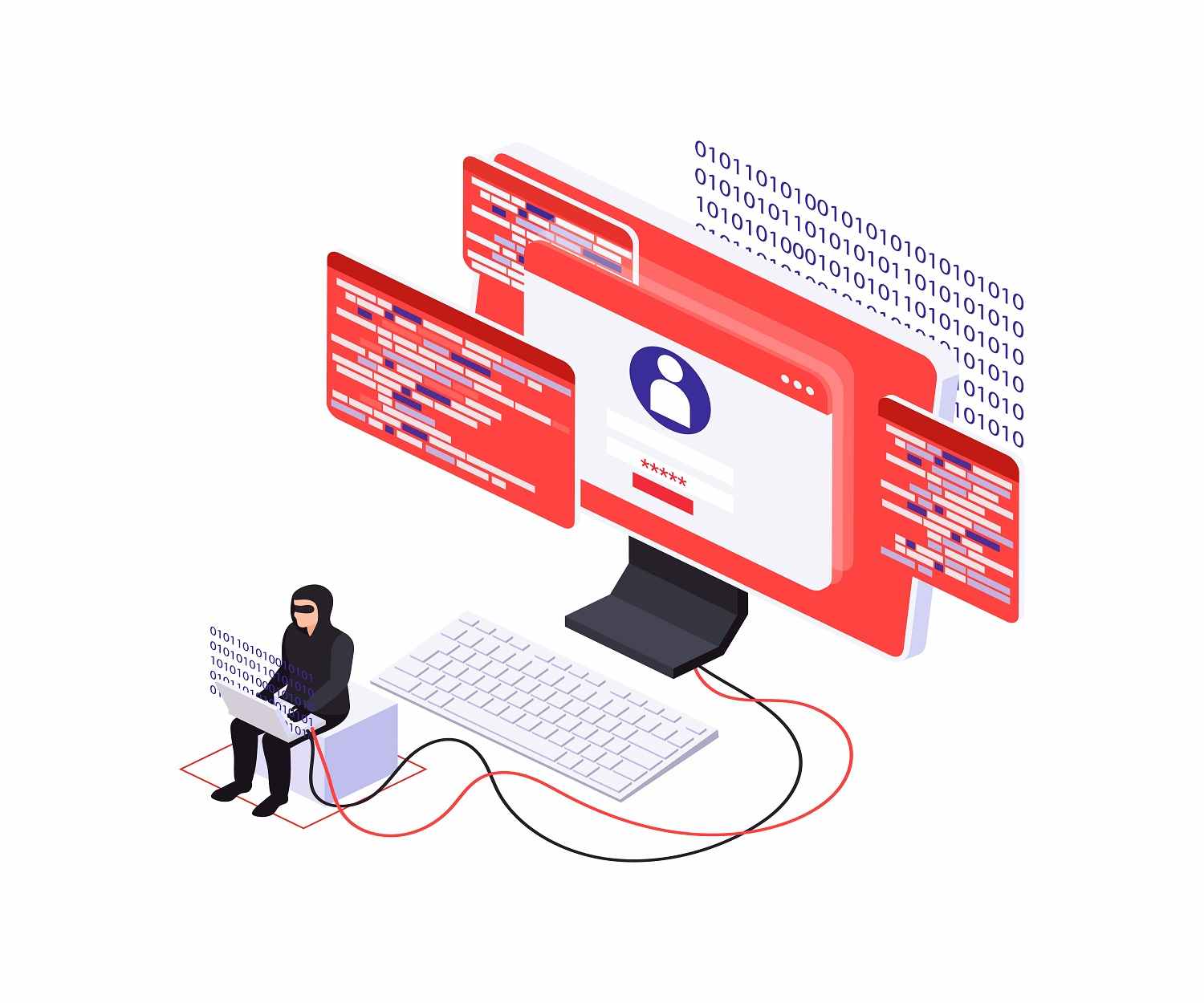
Japanese SEO spam, or hacking Japanese words, is an invasion that creates Japanese pages within your site. They appear on Google and lead visitors to fraudulent pages. To fix, back up, scan the site, remove malicious scripts and pages, exchange passwords and request a review of Google in Search Console.
It's a real risk, because attacks on websites don't stop growing. A report from Check Point Research on the third quarter of 2024 shows an alarming increase in cyber attacks: the average weekly number of attempts per organization worldwide reached 1,876, 75% more than in the same period of 2023.
In Brazil, in the same period of 2024, the index was even higher, with 2,766 weekly attacks per organization, growth of 95%. These data show how vulnerable websites become easy targets for invasions such as the hack of Japanese words, compromising the information security.
This malicious technique transforms the content of the site into a spam window, displaying Japanese texts in search results and redirecting users to fraudulent pages.
The site hacked with Japanese words not only harms your image but can also drive away customers and directly impact business performance. The cause? Security breaks in outdated or poorly protected systems that are quickly exploited by hackers.
If you've identified signs of invasion or suspicion that your site has been compromised, it's time to act. Knowing how to fix and prevent Japanese SEO spam is essential to protect your online presence and avoid further damage. Let's show you how to work this out and keep your secure website!
What is Japanese SEO spam?
Japanese SEO spam, or hacking Japanese words, is a cyber attack that manipulates websites to display content in Japanese in search resultsEven if you've never created that kind of material. These hackers generate hidden pages and links within your site, usually monetized by redirecting to fake stores or illegal products.
Why Japanese words? Hackers use this method because Japanese is a highly specific language, and created pages can be optimised to reach a specific audience without you noticing it. These pages are loaded with affiliate links that generate revenue for the invaders, while harming the reputation and performance of your site.
This attack is particularly dangerous because directly affects how your website is displayed on Google. . The infected pages appear with titles and descriptions in Japanese, redirecting users to malicious domains.
In addition, hackers can add themselves as owners in Google Search Console, gaining control over their website and further hindering recovery.
Understanding how Japanese SEO spam works is the first step in solving the problem. But don't worry: with the right measures, you can clear your site, strengthen security and prevent that from happening again.
How to identify if your site has been affected?
The most common symptoms are unexpected redirects to fake pages, creating URLs with Japanese words or strange characters, and changes in titles and descriptions of the pages displayed in search results.
That kind of attack. often goes unnoticed Until someone reports or the site starts to lose organic traffic.
Tools like Google Search Console and security verifiers are great allies in this diagnosis. In Search Console, for example, you can access the tab “Security Problems” to check suspicious behavioural alerts.
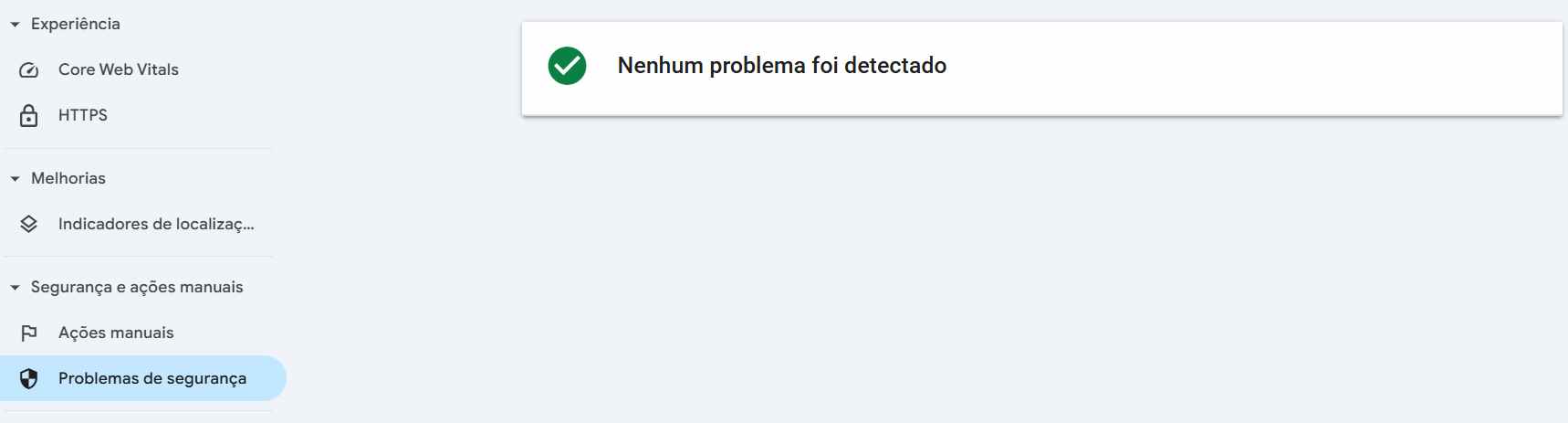
Another option is to do a Google search with the command site: seudominio.com.br japan. . This displays Google indexed pages containing the word “Japan”. If you find unknown URLs or titles in Japanese, your site is likely to have been compromised.
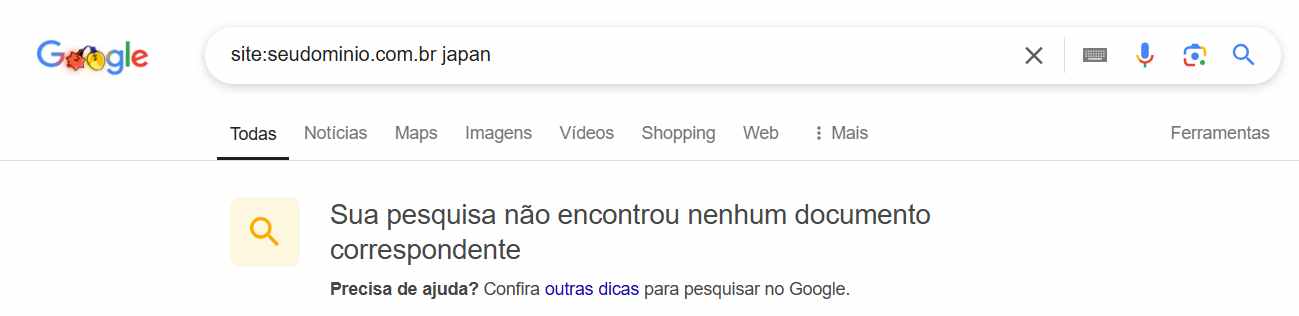
Step by step to identify the problem:
- Go to Google and type site: seudominio.com.br japan.
- Analyze the results in search of suspicious URLs or titles in Japanese;
- Enter Google Search Console and navigate to the “Security Problems” tab.
- If you find any irregularity, write down the URLs and start the correction process.
Japanese SEO spam impacts on your site
This attack can cause serious damage to the reputation and performance of your website. One of the most immediate impacts is the penalty for search mechanisms like Google, which can lower your domain ranking or even temporarily block it. This means loss of organic traffic, which directly affects your visibility and the generation of leads or sales.
In addition, the presence of redirects to obscure sites or suspicious keywords in search results undermines visitors' confidence. Whoever accesses your site and finds unexpected content or suspicious behavior probably won't come back. This kind of negative experience can also lead users to report their website, further aggravating the situation.
The safety risks They go beyond credibility. Visitors accessing compromised pages can be exposed to malware or phishing attempts, damaging your experience and even your devices.
It is essential to prevent Japanese spam attacks with proactive measures such as regular security audits, frequent updates and constant monitoring of website performance.
How to Fix Japanese Word Hack?
If your site has been targeted by Japanese spam, it is essential act quickly to mitigate the damage and restore your safety. This process requires care to avoid data loss and ensure that the problem does not occur again.
Check out a step by step to help you fix Japanese SEO spam and protect your site from future attacks:
1. Back up your website before you start
Before making any changes, it is essential to create a complete backup of your website. This includes all the files and database, ensuring that you can restore the original content if something goes wrong during the removal process.
Use backup tools offered by your hosting or specific plugins such as UpdraftPlus. . Save the copy to a secure location outside of the hacked server, such as cloud storage or local device. This care protects your data while you clean the site and minimizes the risk of losing important information.
2. Access and scan your website with security tools
After ensuring backup, the next step is to scan your site for malicious scripts and compromised pages. Tools like Sucuri, Wordfence and MalCare are excellent options to identify vulnerabilities and remove spam from Japanese words.
Another tip is check the generated report to understand which areas of the site were affected. This step is important to map the problem and decide whether the removal will be done manually or with the help of security plugins.
3. Remove malicious scripts and pages manually or with security plugins
After identifying the compromised files, you can choose to remove malicious content manually or using security plugins. Method manual, access the directories of your site via FTP or file manager of the hosting panel. Look for unknown scripts, suspicious directory pages and external links that shouldn't be there.
If you prefer a more automated solution, plugins like Wordfence or Sucuri help to identify and delete these elements in a practical way. Remember to review each change for avoid erasing legitimate files.
4. Change all access passwords to the site and server
With the site cleared, it's time to strengthen your security. . Change all access passwords, including administrative dashboard, FTP, database and hosting. Choose strong combinations using uppercase and lowercase letters, numbers and special characters. This hinders new invasions and protects your site from future attacks.
Consider also enabling two-step authentication for administrative logins. This extra layer of security requires a unique code generated by applications like Google Authenticator, significantly increasing protection against hackers.
Remove unknown owners and users from Search Console
In this kind of invasion, the hacker usually Add as owner in Search Console to touch sitemaps and segmentation. In Settings > Users and permissions, remove those you do not recognize and also delete the check file or log that it used.
5. Request Google reconsideration after fixing problems
After fixing the problems, go to Google. In Search Console, open the report Security problems, dial that fixed and click Request revision, explaining what was done. If there is also a manual action by spam, the request is made in the Manual Actions report.
Include details about actions taken, such as cleaning malicious pages, password exchange and security enhancement. If the review is approved, the hacked site notice comes out of the results; fake pages that were already indexed may take longer to disappear, and Search Console removal tool helps speed up.
How to prevent future SEO spam attacks?
Avoiding attacks like Japanese SEO spam requires a continuous prevention. . Implementing good digital security practices and using adequate protection tools are the first steps to shield your site from invasions. Check out some practical actions to protect your platform and ensure its long-term safety:
Keep CMS, plugins and themes updated always
Maintaining updated CMS, plugins and themes is essential to prevent attacks. Hackers often use vulnerabilities in outdated versions to access websites. Regular updates fix security failures and enhance system stability.
Be it in WordPress, Joomla or other CMS, set up automatic updates whenever possible. If you prefer to perform the updates manually, create a schedule for periodic reviews. This helps minimize the risks of vulnerabilities and keeps your site safer against Japanese SEO spam practices.
Enable two-factor authentication
Two-factor authentication adds an extra layer of security to your site login. With this measure, even if a hacker gets the password, it will require a unique code generated by applications like Google Authenticator to access the system.
Implement this authentication for all users with administrative access to the site. This solution is simple but extremely effective to prevent attacks and protect confidential information. Using advanced authentication methods is one of the pillars of site security against spam and other cyber threats.
Use security plugins and configure automatic backups
Security plugins, such as Wordfence and Sucuri, are indispensable tools for protect your site from invasions. . They offer features such as firewall, malware detection, and suspicious access blocking, helping to identify and eliminate possible threats before they cause damage.
In addition, setting up automatic backups ensures that you have an updated copy of your website in case of problems.
Monitor website performance regularly
Monitoring the performance of your site is a practice that goes beyond metric analysis. Check frequently for presence of suspicious pages, redirects and unknown links help identify signs of invasion before they become bigger problems.
Tools like Google Search Console, GTmetrix and Pingdom can be used to evaluate the integrity of the site and its speed. Detailed reports from these platforms help identify anomalies and ensure that you take preventive measures quickly.
Examples of tools to correct and prevent attacks
There are several reliable tools to fix and prevent spam attacks SEO. Plugins such as Wordfence and Sucuri are widely recommended to protect sites against hackers. They offer features such as IP blocking, malware scanning, and custom firewalls, as well as options to correct vulnerabilities.
Another interesting service is that offered by MalCare, which has real-time monitoring and cleaning of hacked sites. Using a combination of these technologies is an efficient strategy to remove spam from Japanese words and keep your site protected in the long run.
Case study: How a site regained its SEO after the attack
In a case study published in Google developers blog, a restaurant that used WordPress had its site invaded by hackers, resulting in the insertion of unwanted links and unauthorized content.
Google warned the owner, Sam, about the attack, marking the site as “invaded” in the search results. After investigating the source code, Sam found links to pharmaceuticals and other suspicious pages, with altered metadata to promote drugs. These links, although hidden to users, were visible to search engines, severely affecting the site's SEO.
Sam acted quickly to remove the invaded content and sent a reconsideration request to Google. However, the request was initially rejected, and Google suggested that it check the server files in search of unknown scripts such as changed PHP files.
After a detailed analysis, Sam discovered that malicious scripts had been added to the footer.php, index.php and functions.php files. She restored these files to the clean backup versions, which eliminated the unwanted content of the site.
After sending a new request for reconsideration, Google approved the request and removed the hacked site markup.
Final considerations: Solve the problem and protect your site in the future
Japanese SEO spam attack can be devastating to the site, damaging your SEO and affecting visitors' confidence. However, as shown in this case study, recovery is possible with the correct actions.
The key to solving the problem is to act quickly, removing any malicious content and restoring your site from secure backups.
But prevention is the best way. . Implement good security practices, such as keeping your CMS up to date, using two-factor authentication and regular monitoring, will ensure that your website is protected from future attacks.
If you need help cleaning up the site and strengthening security, ask for a budget WebSyd.
FREQUENTLY ASKED QUESTIONS
What is Japanese SEO spam and how does it affect my website?
Japanese SEO spam, also known as Japanese word hacking, is a cyber attack that inserts malicious content such as pages with Japanese text on your site. These contents appear in the search results and redirect users to fraudulent websites. This type of invasion affects your reputation, reduces your organic traffic and can lead to Google penalizing you, impairing your website's performance.
What are the signs that my site has been affected by Japanese SEO spam?
The most common signs include:
- Search results with titles or descriptions in Japanese that you did not create.
- Unexpected redirects to false or malicious pages.
- Strange or unknown URLs created within your domain.
- Security alerts on Google Search Console. Perform specific Google searches (using command)
site:seudominio.com.br japan) or check the “Security Problems” tab in Search Console can help identify the problem.
How can I fix Japanese SEO spam on my website?
The correction process shall include:
- Make a full backup of the site before starting.
- Use security tools, such as Sucuri or Wordfence, to identify and remove malicious files.
- Change all access passwords to the site, including FTP, hosting panel and database.
- Restore corrupted files from clean backups.
- Request Google reconsideration after fixing the problem by explaining the actions taken.
How can I prevent future Japanese SEO spam attacks?
Preventing these attacks requires continuous security measures, such as:
- Keep CMS, plugins and themes updated all the time.
- Implement two-factor authentication for administrative logins.
- Use security plugins such as Wordfence or MalCare to monitor and block suspicious accesses.
- Perform regular site backups to ensure that you can restore it in case of invasion. In addition, regularly monitoring site performance with tools such as Google Search Console helps identify signs of invasion quickly.

Caio Nogueira is a SEO, GEO, link building and Digital PR expert and co-founder of WebSyd, website creation agency and SEO consulting founded in 2016. It acts with organic search strategies, digital authority construction and brand optimisation for search engines and artificial intelligence platforms. Throughout his trajectory, he participated in more than 1000 projects involving SEO, website development, content marketing and authority acquisition through backlinks and Digital PR. At WebSyd, it participates in the planning of strategies to increase organic visibility, lead generation and presence of companies on Google and AI-based search engines. As an author, it publishes content on SEO, GEO, website creation, link building and digital authority, sharing analyses, strategies and practical experiences related to organic growth of companies. Its contents and contributions have also been published in companies and vehicles of technology and marketing such as Wix, HostGator, Duda, Neil Patel, Locaweb and E-Commerce Brasil.
View all posts


 Estimate the cost

