
Squarespace x WordPress: Which is the best website creation platform?
Summary (TL;DR)
In this article, the reader will find a detailed comparison between Squarespace and WordPress, two giants of the site creation market.
The text addresses several important aspects to help choose the ideal platform, such as design, ease of use, customer service, price, and plugins and tools.
Squarespace is praised for its modern designs and ease of use with a drag and drop interface, ideal for beginners.
On the other hand, WordPress stands out for unlimited flexibility and personalization, being more suitable for experienced users.
The article concludes that the choice between Squarespace and WordPress depends on the specific needs and technical skills of the user.
Squarespace x WordPress: Which is the best?
Quick answer: Squarespace is easier for those who want to set up a visual site by themselves, with accommodation and support included, from US$ 25 per month (official prices in October 2026). WordPress gives more freedom, with over 70 thousand plugins, total SEO control and possibility to grow without changing platform, but requires hosting and maintenance. For companies that will invest in SEO and content, WordPress is usually the best choice.
Are you looking to create an amazing website? So it's no surprise that you're divided between choosing Squarespace or WordPress. But before choosing which of the two site creation platforms to use, you need to make an analysis of various aspects.
Firstly, because both are excellent services, extremely widespread and respected and They have millions of active users. Secondly, because they have completely different natures, while one is a website creator, the other is a free platform, but it allows for the web design.
Although people have more doubts about whether to use Wix or WordPress to build websites, Squarespace is also one of the great website creation platforms.
In this article, we will compare these and other characteristics of these Internet giants. By analyzing your positives, negatives, weaknesses and strengths, you will choose the site builder for you more quietly. We will explore areas such as ease of use, design flexibility, resource quality, applications, site optimisation, SEO, support, prices and more.
Squarespace x WordPress: Design
Design: Squarespace
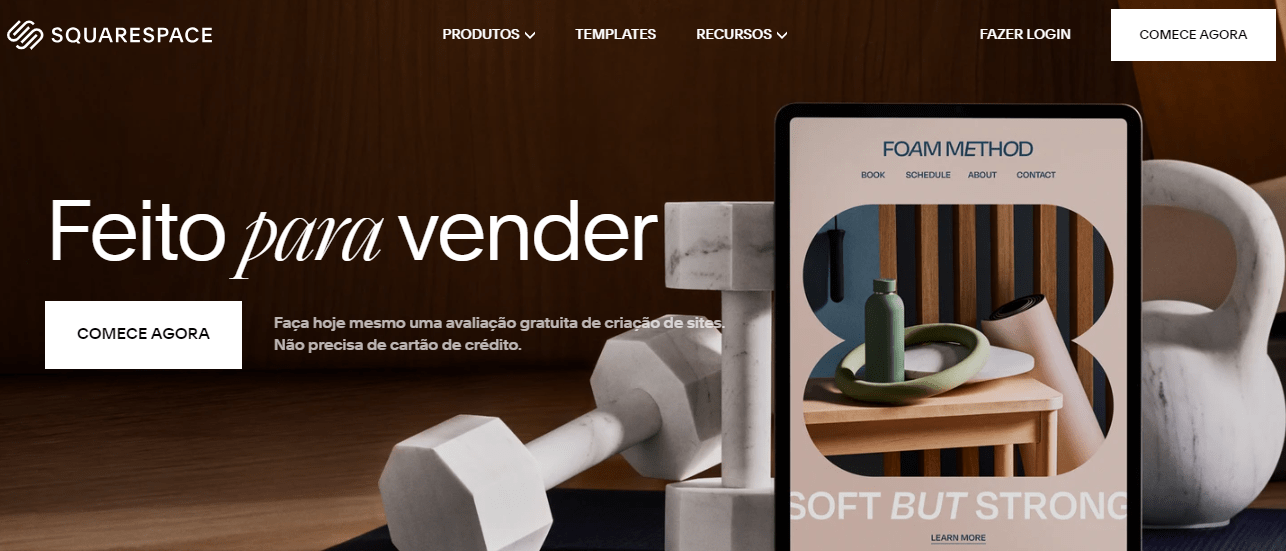
Squarespace has quality designs made by specialised professionals. The models are beautiful, modern and professional. However, you have only about 100 options to choose from, covering a variety of categories, from online stores to fashion sites. Only 10 of them are from online stores, so if this is your business, get ready to find several shops with the same template.
As for customisation, Squarespace allows you to customize the content enough but with limitations. Some models do not accept certain features, so it is necessary to test several until you find the ideal.
Design: WordPress
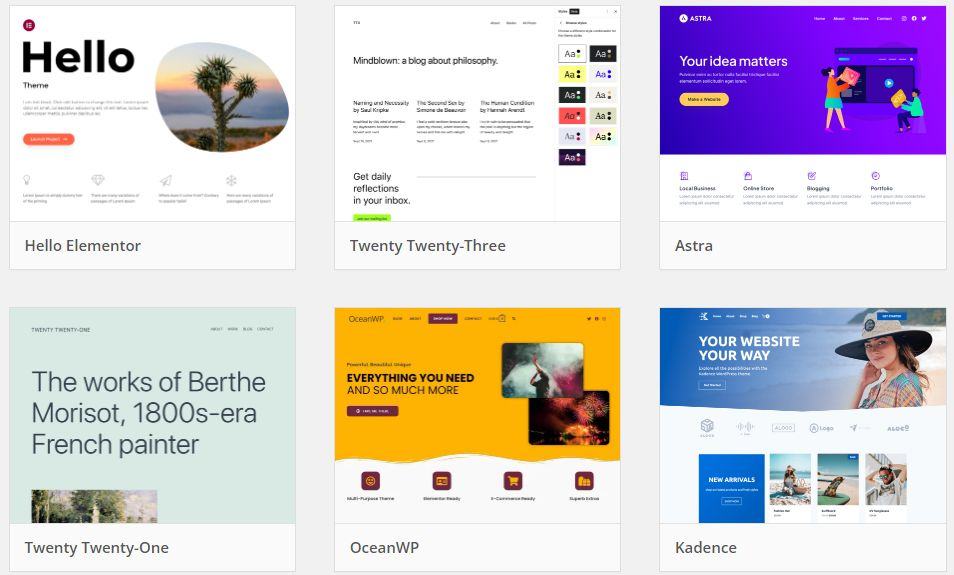
If you are prepared for coding, WordPress has a lot of chance to please you. That's because he has thousands of themes, which means you don't have to worry about anything but picking one!
And that's not all. You can browse commercial themes, or even upload your own theme to host on WordPress and even be downloaded by other websites.
As for customisation, the creation of WordPress sites It's incomparable. It gives you total control over your site. It may not be as simple and easy as dragging and dropping, but there are no limits to what you can change in your model. That is, you can create a site exactly your way.
The WordPress system is the most used by digital entrepreneurs, because it has many resources that help in the digital marketing strategies.
Squarespace x WordPress: Ease of Use
Ease of Use: Squarespace
As it is a website creator that uses ready-made templates and allows customisation, Squarespace is very easy to use. It is not the most friendly on the market, but as it requires little or no coding skills, you will adapt quickly.
In addition, it has the function of “grabbing and dropping”. With it, just choose an element, such as a text box, for example drag wherever you want and drop. He'll be in exactly the same place after his page is published.
When you create a website with Squarespace, you have the advantage of seeing your page exactly as it appears when it is in the air. This is called “What you see is what you get” or WYSIWYG. This makes it very easy to make changes, because you can leave everything exactly the way you want, without stopping to view.
Ease of Use: WordPress
Because it's an open source platform, in WordPress you don't use drag and drop: instead, you use code plugins and third party plug-ins to customize your pages. This offers much more creative control, but makes the whole process a little more difficult, especially if you don't know anything about site creation.
Besides, you don't see your changes when you create them like you do with Squarespace. Instead, you do backend edits. That is, you will have to pause and click on view to see all your modifications.
The advantage of WordPress is that it is highly customizable. It's a powerful, flexible platform, which is great if you're confident to move the code. If you don't have a tight budget, you can hire a developer to help you. This will increase your costs a little, but it'll make the process super simple.
Squarespace x WordPress: Customer Service
Customer Service: Squarespace
Squarespace has a centralized support team, with help centre, videos, chat and email, as well as a community forum to help you create the site.
Customer Service: WordPress
When it comes to support, WordPress has a huge community. That's why it's easy to find videos and tutorials about any problem you might encounter on your site. However, WordPress does not have a personalised team, exactly because it has a multitude of customers and cannot provide support for everyone.
Squarespace x WordPress: Price
Price: Squarespace
All Squarespace plans have unlimited storage and come with a free domain for the first year, which will then cost around $15. You can choose between 4 plans, which have values from 12 to 40 monthly dollars. There is no free version of Squarespace, but you can try it at no cost for 14 days.
Price: WordPress
WordPress is a free platform, but you still pay to help cover other aspects of your site. Five main factors to be considered when calculating their costs are:
- Hosting: you need to pay for an online provider where you can install and store your WordPress site.
- Themes: although some topics are free, it is worth thinking about the superior quality in investments in paid themes.
- e-commerce integration: if you want to sell through your website, you need tools for online stores.
- Plugins: trusted plugins can expand your site and can generate more gains with your website.
- Developer: choose between developing your site or hiring someone affects your project budget greatly.
However, because you do not have a tax cost, you can control your expenses in the way you want, so you can save a lot when creating your website.
In a way, by what WordPress offers, it is the best option when considering a cheap website.
Squarespace x WordPress: Plugins and Tools
Plugins and Tools: WordPress
The official directory of WordPress has over 70,000 free plugins. You can search or filter by category; prefer the most installed, well-evaluated and updated recently.
There are free and premium plugins in WordPress. On the one hand, paid plugins often come with more support. But the free ones are very good and meet the simplest demands.
Plugins and Tools: Squarespace
Squarespace does not have a separate app store or offers extra plug-ins to add to your website. It has apps, such as blogging, analysis, notes and portfolios, but they're all integrated. This provides a small variety, however, they have good quality and serve well for basic functions of a site.
Squarespace x WordPress: Conclusion
It's hard to choose between the two, as both have great features and are super interesting platforms. If you are a professional, the indicated is to opt for WordPress, since it is a complex system that allows you to expand your business and add several features. However, he sins a little in the lack of easier and more visual resources.
If you want to opt for ease and want to do your site all by yourself, you are likely to adapt well to Squarespace. He's a simple tool, but he does the job well. However, the site is a little expensive and it is possible to find cheaper alternatives that are equally intuitive.
You want WebSyd support on this project?

FREQUENTLY ASKED QUESTIONS
What is the main difference between Squarespace and WordPress?
Squarespace is a website creator who uses a drag-and-drop interface, facilitating the creation of websites without the need for coding skills. WordPress, on the other hand, is an open source platform that offers full control over site customisation, ideal for users who have programming knowledge or are willing to learn.
Which platform is easier to use for beginners?
Squarespace is usually easier to use for beginners due to its intuitive interface and WYSIWYG design tools (What You See Is What You Get), which allow you to see real-time changes. WordPress, although highly customizable, can be more challenging for beginners by requiring the use of plugins and encoding for advanced customizations.
How do Squarespace and WordPress costs compare?
Squarespace plans range from US$ 25 to US$ 139 per month (official prices in October 2026), with accommodation included. WordPress is free, but you pay for domain, hosting and, if you want, premium themes and plugins; the total cost depends on the project.
Which platform offers more design and customisation options?
WordPress offers more design and customisation options, with thousands of themes and plugins available that allow for an almost unlimited customisation. Squarespace, although limited to about 100 models, provides high-quality designs made by professionals and is easier to use for those who have no coding experience.

Caio Nogueira is a SEO, GEO, link building and Digital PR expert and co-founder of WebSyd, website creation agency and SEO consulting founded in 2016. It acts with organic search strategies, digital authority construction and brand optimisation for search engines and artificial intelligence platforms. Throughout his trajectory, he participated in more than 1000 projects involving SEO, website development, content marketing and authority acquisition through backlinks and Digital PR. At WebSyd, it participates in the planning of strategies to increase organic visibility, lead generation and presence of companies on Google and AI-based search engines. As an author, it publishes content on SEO, GEO, website creation, link building and digital authority, sharing analyses, strategies and practical experiences related to organic growth of companies. Its contents and contributions have also been published in companies and vehicles of technology and marketing such as Wix, HostGator, Duda, Neil Patel, Locaweb and E-Commerce Brasil.
View all posts


 Estimate the cost

