
Online Chat for Website: The 6 best tools in 2026
Summary (TL;DR)
Starting an online business is more affordable today, but requires quality customer service and relationship to stand out. Online presence is essential, and tools like online chats are crucial to engaging visitors and turning them into customers.
WebSyd lists and explains the top 6 online chat tools in 2026, offering insights into usability, features, integrations, performance and customer support for each of them.

How to get more customers using an online chat site?
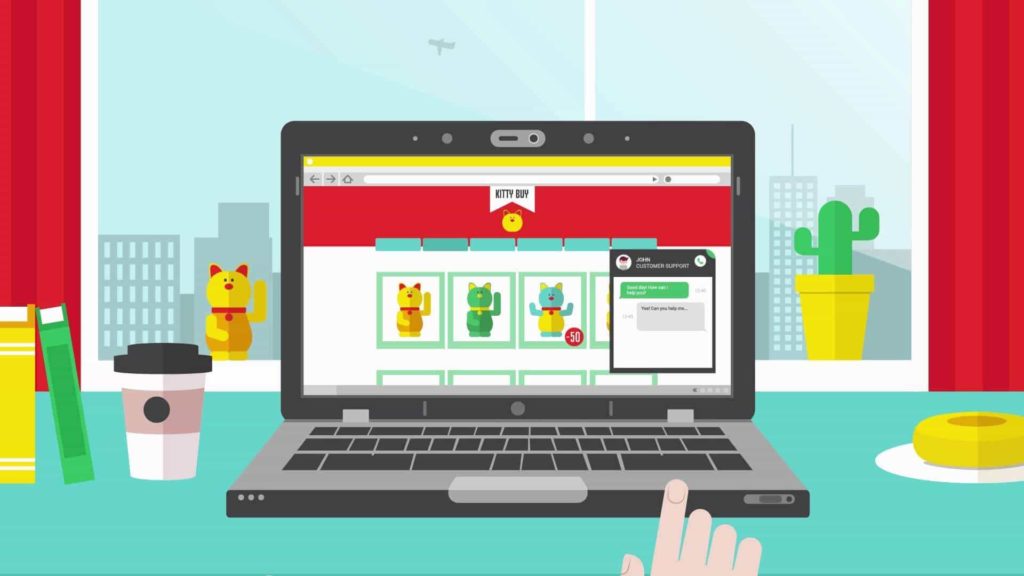
Nowadays, starting a new idea, starting a startup or even a small company is much more accessible than it was before.
However, together with this ease came more responsibilities. Today, except for specific cases, what differentiates you from the competitor is customer service and relationship.
Currently, not being on the Internet means not existing for thousands or millions of people looking for your service on Google, Facebook and other websites that own a monstrous user base.
Through web design WebSyd helps to include small businesses, entrepreneurs, self-employed professionals or bloggers on the internet.
Creating a website is the first step in disclosing your work, because it's where the customer checks who you are after meeting you on Google or social networks.
However, we know that just having a website developed by a specialised company is not enough to meet all your demands in relation to your company's marketing.
A website that has no one to feed is of no use. A site that does not have updated information constantly frustrates users. A website that does not offer answers to customer doubts and does not have efficient service channels simply does not work.
Imagine you call the phone that's on the company's website and the number changed. Or even send an email and the same return saying it doesn't exist anymore. Frustrating, isn't it?
It makes you think that company isn't serious, that it's not actually compromised your audience or that it might even be some kind of hacking. Companies have to worry more and more about these details, because this is where it separates the chaff from the wheat.
Therefore, many companies began to treat digital service as part of marketing.
One of the ways to start is precisely humanizing online chat service. Today, although the internet has evolved a lot, many people are still afraid to shop on the Internet because they do not trust the things they see on the screen.
Still, e-commerce continues to grow year after year. The two things coexist because trust is built on care.
We have two problems in this scenario that explain this: the first is in relation to digital education. A lot of people who don't have that much intimacy with the Internet don't feel safe enough to shop there.
However, it is also the responsibility of companies that want to get more customers, helps them understand why they should buy with it.
Educating your client means showing him that what you offer is what he seeks. Sometimes your client doesn't even know he needs you to solve his problem. That's about what I'm doing in this article, talking about the advantages of having a website to get more customers, for example.
Maybe before you read this article, you didn't think that a website could really get you more customers, right?
The second problem is exclusively for companies. As previously said, most companies that already have a website do not have a fast and efficient form of online chat service that makes the customer buy in the act. This ends up pushing away customers, who cannot take their doubts away and understand better about the service.
6 best online chat tools for website
Online chat services have become an indispensable part of user experience on websites across various sectors. These tools provide a convenient way for visitors to interact with businesses, get real-time support and instantly clarify doubts.
From now on we will review and review some of the best online chat tools available today, taking into account criteria such as usability, features, integrations and customer support.
Analysis criteria for online chat tools
Before we dive into the review of tools, it is important to establish the criteria that will be used for evaluation:
- Usability: Is the user interface intuitive and easy to use for visitors and support agents?
- Resources: What are the features offered by the tool, such as file uploading, call transfer, chat history, among others?
- Integrations: Can the tool be easily integrated with other platforms and systems such as CRMs and e-commerce systems?
- Performance: Is the tool fast and reliable, with minimal downtime and good scalability?
- Customer Support: Does the company offer efficient technical support and help resources, such as documentation and tutorials?
Based on these criteria, we will review some of the main online chat tools available:
Review of tools
1. JivoChat
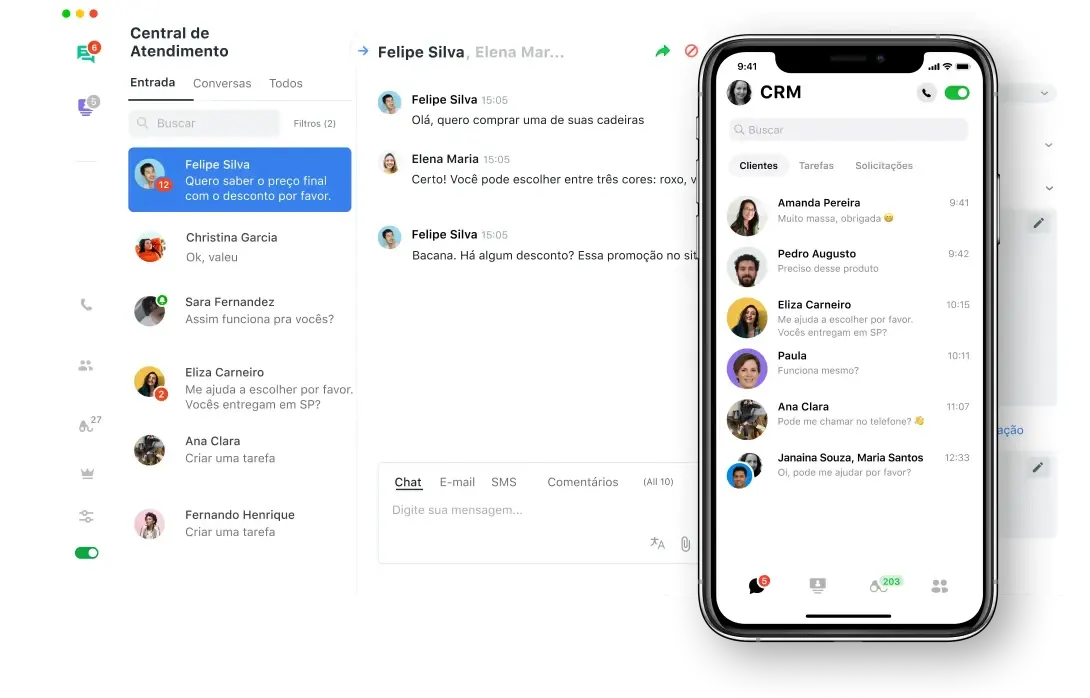
JivoChat is a multifaceted communication platform designed to facilitate interaction between companies and customers. Its differential lies in the ability to offer a diverse set of tools in a single interface, aiming to improve both customer experience and business operational efficiency.
Usability and Interface
The platform stands out for its exemplary usability, with an intuitive interface that simplifies configuration and use for both operators and customers. This is reflected in the ease of implementation in various digital environments, without requiring software downloads or complicated hardware installations.
Main resources
JivoChat goes beyond traditional live chat, incorporating advanced features such as real-time visitor monitoring, browsing history, and ready responses, facilitating more effective and personalised communication.
Other notable features include mobile chat widgets, location-based customer distribution, and multilingual support, meeting a wide range of business needs.
Integrations
In terms of integrations, JivoChat offers extensive compatibility with popular CRM tools, e-commerce platforms and content management systems such as WordPress, Shopify and Google Analytics. This flexibility allows companies to maintain synergy between their marketing, sales and support tools.
Performance
The performance of JivoChat is robust, capable of managing a significant volume of simultaneous interactions without compromising the speed or quality of communication. The platform also provides detailed analysis and reporting capabilities, allowing companies to track important metrics and optimise their customer service strategies.
Customer support
JivoChat's customer support is another strong point, with broad availability and support features that include guides, tutorials and live service. This ensures that companies can quickly resolve any technical issue or challenge that arises during the use of the platform.
Conclusion
JivoChat establishes itself as a versatile business communication solution, integrating a number of powerful features with a friendly interface. Whether for small businesses or large corporations, the platform offers an efficient and effective way to engage customers, improve satisfaction and boost sales.
2. Zendesk Chat
Zendesk Chat is the online chat of Zendesk, a customer service software company. Born as Zopim, was purchased by Zendesk and today is part of Zendesk Messaging, which brings chat on the site, message apps and AI agents in the same panel.
It is intended to improve communication with customers by providing immediate support and increasing conversion rates.
Usability
Zendesk Chat is designed to be intuitive for both support teams and end users. It offers a clean interface and user experience without complications, allowing agents to easily manage conversations through a centralized panel.
Live chat can be activated on websites with few steps, and agents can start responding to customers immediately, with the ability to handle multiple conversations simultaneously.
Resources
The main features of Zendesk Chat include:
- Automatic triggers: sending proactive messages based on visitor behavior.
- Pre-chat forms: collecting visitor information before the conversation begins.
- Real-time monitoring: overview of active visitors on the site.
- Analysis and reports: insights into chat volume, response times and customer satisfaction.
- Customization of the chat widget: to match the brand and design of the site.
- Chat routing: directs customers to the most appropriate agent or department.
- Integrations
Zendesk Chat integrates perfectly with other Zendesk products, such as Support, Guide and Sell, creating a cohesive ecosystem of customer service tools.
Provides integrations with third-party platforms, including CRM systems, marketing tools, e-commerce platforms and productivity applications such as Salesforce, Magento, WordPress, among others, expanding its functionality and efficiency.
Performance
Zendesk Chat is known for its reliable performance and scalability, supporting companies of all sizes from small startups to large corporations. The platform ensures seamless and uninterrupted communication with website visitors, even during peak traffic, ensuring agents can maintain a high level of customer service.
Customer support
Zendesk Chat customer support varies according to the plan you have purchased, with options that include access to the help centre, community and email support. The Enterprise plan provides 24/7 live support, ensuring that companies can receive assistance at any time. In addition, Zendesk provides a broad knowledge base, tutorials and forums to help users maximize the use of the platform
3. SendPulse
Another great online chat service option is SendPulse. It is a dynamic platform that goes beyond email marketing, offering campaigns automation accessible to both beginners and experienced marketers.
Usability:
SendPulse's online chat offers an intuitive and easy-to-use interface for both operators and visitors to the site. The live chat setup is simple and fast, allowing users to start interacting with customers in a matter of minutes.
Personalization of the style and format of the chat is flexible and adaptable to the individual needs of each company.
Resources:
SendPulse's live chat platform offers a wide range of features that go beyond real-time conversations.
In addition to live chat, users have access to chatbots with artificial intelligence, speech recognition, business creation directly in chat and integration with CRM systems. The ability to customize automated messages based on user behavior increases the effectiveness of interactions.
Integrations:
SendPulse Online Chat stands out for its ability to integrate with a variety of applications and platforms, including CRM systems, social networks and marketing automation tools.
This flexibility allows users to make the most of their existing solutions and centralize their customer service operations on a single platform.
Performance:
SendPulse's online chat platform demonstrates sound and reliable performance, even in high-traffic periods. The ability to deal with a large volume of simultaneous conversations and fast response time contribute to a positive experience for both customers and operators.
Customer support:
SendPulse offers comprehensive customer support, with a dedicated team available to help users in five different languages. In addition, features such as the knowledge base and the usage guide provide additional resources to resolve doubts and maximize platform use.
Overall, SendPulse's Chat Online stands out as a comprehensive and effective solution for companies seeking to improve customer communication and boost their
This platform helps businesses to integrate the live chat on a website and combine it with one chatbot.
4. LiveChat
LiveChat is a customer service platform that allows real-time interactions through an online chat widget on websites. It is designed for companies of all sizes, aiming to improve customer engagement and boost sales through direct and effective communication.
Usability
The platform is highly intuitive and easy to use for both agents and customers. It offers a clean interface, with customisation options that allow you to adapt chat to the specific needs of the company and brand. In addition, it is accessible in several languages, increasing the scope of customer service globally.
Resources
LiveChat is rich in resources, including:
- Customer engagement tools such as custom and automated messages based on visitor behavior.
- File sharing options during conversations.
- Detailed analyses and reports to monitor customer service performance and satisfaction.
- Team management, allowing the supervision of chats and efficient distribution of conversations between agents.
- E-commerce capabilities, facilitating product presentation and sales tracking directly in the chat.
Integrations
LiveChat integrates into a wide range of tools and services, including email marketing platforms, e-commerce solutions like Shopify, video conferencing tools like Zoom, CRM systems, and more. This allows companies to expand LiveChat functionality and create a more cohesive and efficient customer service ecosystem.
Performance
The platform is designed to provide stable and reliable performance, ensuring that website visitors can start conversations without interruption or delays. The ability to manage multiple simultaneous conversations helps maintain a high level of operational efficiency for support agents.
Customer support
LiveChat provides comprehensive support to its users, including a detailed knowledge base, tutorials and access to a dedicated support team. Depending on the plan chosen, companies can benefit from different levels of support, ensuring that any technical question or challenge is resolved quickly and effectively.
LiveChat is a comprehensive and robust solution for companies seeking to improve their customer service strategy and engagement, offering a wide range of features and integrations to meet various business needs
5. Chatra
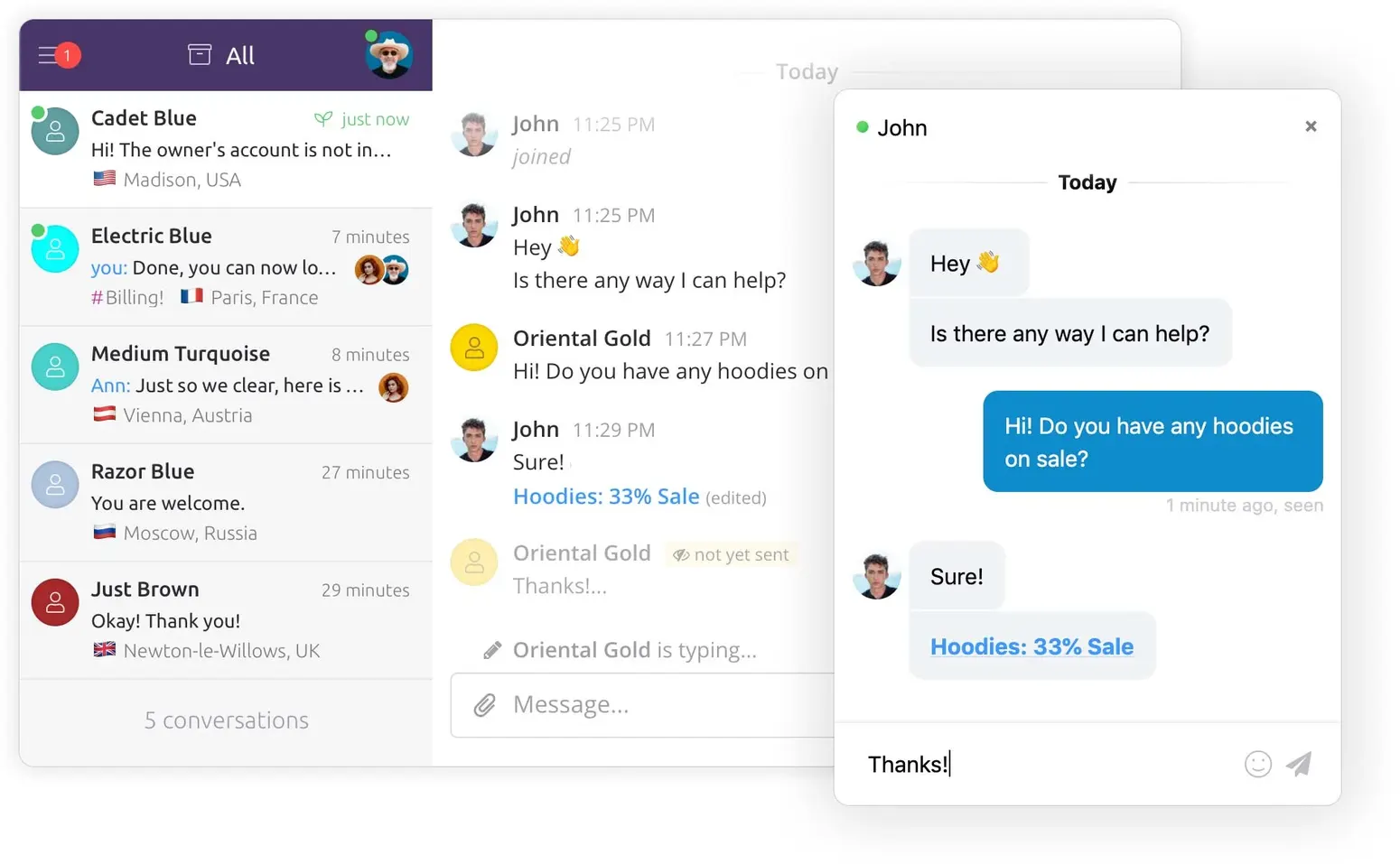
Chatra is a live chat software designed for small businesses and e-commerce retailers, offering an affordable solution to engage visitors in real time. With a free plan available, Chatra aims to simplify direct communication between companies and their customers .
Usability
The implementation of Chatra is extremely fast, standing out for being one of the most agile in the live chat software market. The user interface is intuitive, without complications or excess of buttons and tools, making it accessible even to novice users.
Resources
Chatra offers a standard set of features, with some features depending on the chosen plan. Includes bots and automation features, basic and detailed customer information, real-time visitor tracking, and shopping cart content visualization. Productivity features for agents such as notifications, notes, saved responses, team chats and invisible mode are also available .
Integrations
Supports a wide variety of integrations with popular site building services and other tools like Google Tag Manager, Shopify, WordPress, Wix, WooCommerce, and SquareSpace. . These integrations facilitate the implementation of live chat without the need to manipulate site codes.
Performance
Chatra proves to be a reliable and sufficient live chat solution, with fast response speed and no delay in response problems. The features available to customers during chat allow for effective and satisfactory interactions .
Customer support
Chatra maintains a central support and service via the chat itself. Updated support plans and channels are in Chatra official website.
6. tawk.to
The tawk.to is a free online chat for websites, with mobile app, shared inbox, knowledge base and integrations with WordPress, Shopify, Squarespace and other platforms. The company only charges for optional add-ons, such as removing the widget brand or hiring attendees. It is a good gateway for small companies who want to test the service by chat at no cost.
Conclusion
More and more it is necessary to have a site that is responsive (work on all devices) and have mechanisms that help the end customer find what he's looking for. An optimised website that is well positioned on Google, which has accurate and clear information about your business and has tools that enable an efficient service channel to be available is essential for any company.
Be a site for restaurant, or one site for lawyers, digital agency, whatever the niche, it sure can be a powerful tool to get more customers.
If your site doesn't have a fast call channel yet, it's worth starting with. At WebSyd, custom-made websites depart from R$5,000 and are ready in about 45 business days; online stores take about 60 days. The chosen chat can be integrated into the project. Get a quote.
FREQUENTLY ASKED QUESTIONS
Why is online chat important to capture customers?
An online chat provides real-time service, allowing visitors to immediately take questions and receive personalised support. This not only improves user experience, but also increases trust, leading to a higher likelihood of customer conversion and loyalty.
What are the best online chat tools?
Six good options are JivoChat, Zendesk ( Zendesk Messaging Chat), SendPulse, LiveChat, Chatra and tawk.to. They vary in price, automation, chatbots and CRM integrations. To start at no cost, tawk.to is free; for larger operations, Zendesk and LiveChat have more team management features.
How can online chat improve sales?
An online chat allows you to interact directly with potential customers while they are on your site, providing support and answering questions that may be obstacles to purchase. This can accelerate the decision-making process and increase conversion rates, resulting in more sales.
Is it difficult to implement an online chat on my website?
Nope. JivoChat, Chatra, tawk.to and the other tools generate a code that is pasted on the site or installed by plugin (for example WordPress), without advanced technical knowledge. Then, just customize the widget and set times and automatic messages.

Caio Nogueira is a SEO, GEO, link building and Digital PR expert and co-founder of WebSyd, website creation agency and SEO consulting founded in 2016. It acts with organic search strategies, digital authority construction and brand optimisation for search engines and artificial intelligence platforms. Throughout his trajectory, he participated in more than 1000 projects involving SEO, website development, content marketing and authority acquisition through backlinks and Digital PR. At WebSyd, it participates in the planning of strategies to increase organic visibility, lead generation and presence of companies on Google and AI-based search engines. As an author, it publishes content on SEO, GEO, website creation, link building and digital authority, sharing analyses, strategies and practical experiences related to organic growth of companies. Its contents and contributions have also been published in companies and vehicles of technology and marketing such as Wix, HostGator, Duda, Neil Patel, Locaweb and E-Commerce Brasil.
View all posts


 Estimate the cost

