
How to Use LinkedIn for Cold Outreach Without Being Spam: Complete Guide to 2026
Summary (TL;DR)
In this post we will address how to use LinkedIn to do cold outreach ethically, personalizedly and efficiently, expanding connections and generating business without looking like spam.
We will also present good practices to send messages to contacts and unknowns, tips for structuring an outreach funnel, as well as follow-up strategies and B2B emails to increase response rates.
Finally, we highlight common errors to avoid, such as excessive use of templates and premature commercial approach, reinforcing that patience and personalization are indispensable to transform connections into real opportunities.
LinkedIn is the world’s leading professional social network, with more than 1.3 billion members. . Use LinkedIn for Cold Outreach It's a powerful strategy to expand connections and generate business.
Cold outreach means sending messages to unknown people, initiating contact without prior interaction. However, this practice may seem invasive or spam if poorly applied.
This full guide shows how to use LinkedIn for cold outreach without being spam, delivering real results. Learn how to send messages with ethics, personalization and effective strategies.
Quick answer: to cold outreach on LinkedIn without turning spam, send personalised note invitations, only approach after the accepted connection, start with the relationship and not by selling, do at most two follow-ups and don't use bots or automation extensions, which are prohibited by LinkedIn and can restrict the account.
How to use LinkedIn for cold outreach: how to send a message to someone
Sending a message to a contact already connected on LinkedIn may seem like a simple task, but the effectiveness of this communication depends heavily on the care and strategy in the approach used. Even if the person is already on your network, it is essential that the message be personalised and relevant to increase the chances of engagement and positive response.
Good practices for LinkedIn connection messages:
- Search the profile of the person: Before sending any messages, take a few minutes to analyze your contact profile. Observe your professional experiences, interests, recent publications and activities. This research helps build a more targeted message and shows that you care about establishing a true connection.
- Be personal and direct: Use the person’s name and mention any specific details that have drawn your attention, such as an article she shared or a recent project. This shows genuine interest and makes the approach more human.
- Avoid long messages: On LinkedIn, short and objective messages work better. The professional usually has little time to read extensive texts, so go straight to the point clearly.
- Show value: Explain quickly the reason for your contact and how the conversation can be beneficial to both. Focusing on exchanges of knowledge or opportunities creates an environment conducive to dialogue.
- Include a call to action: Finish the message with a question or invitation to a simple action, such as scheduling a quick conversation or exchanging ideas.
Practical example of message for already established connection:
“Hello, Ana! I noticed that you work with digital marketing and admire your recent publications on industry trends. I'd like to exchange some ideas about strategies for next semester and understand how you're adapting your actions. Can we arrange a quick conversation?”
This message is clear, personalised and respectful. It invites for an open dialogue, without pressure for a immediate sale, increasing the chances of a positive response.
Market reports indicate that custom messages on LinkedIn usually have a much larger response than cold emails, but numbers vary greatly by sector and list quality. Measure your rate instead of relying on averages.
How to send a message to unknowns on LinkedIn
Sending messages to people you do not yet know on LinkedIn requires a careful approach to ensure that your contact is well received and not interpreted as spam. Unlike messages for connections already established, contact with strangers should be even more strategic, personalised and respectful.
Essential steps to send messages to unknown people on LinkedIn:
- Send a personalised connection invitation: Never send direct messages before the person accepts your invitation. When sending the invitation, always add a personalised message explaining who you are and why you want to connect. This increases the chances of one’s accepting and creating a context for future conversation.
- Be clear and objective in the invitation: Say briefly why you want to connect. For example, to mention a common interest, the sector of activity or a professional goal. Avoid generic messages like “I would like to connect with you.”
- Wait for acceptance of the invitation: Respect the person's time to accept the invitation. Never send messages before that, as this can be seen as invasive.
- Send a custom initial message after acceptance: When the invitation is accepted, send a thank you message and take the opportunity to present yourself better. Explain briefly who you are, your goal with contact and what you can add to the person.
- Don't pitch immediately: At first contact, avoid offering products or services directly. Prioritise building relationships, exchanging ideas and understanding the needs of the other person.
- Respect the time and avoid insisting: If the person does not respond, wait a few days before sending an educated follow-up. Don't send too many followed messages so it doesn't seem insistent or invasive.
Custom invitation example for strangers:
“Hello, John! I saw that you work in the technology field and admire your work with innovation. I would like to connect to exchange experiences and learn more about industry trends.”
Example of message after acceptance:
“Hello, John! Thank you for accepting my invitation. I work with technology solutions to improve business processes and would like to understand your challenges for who knows, share some ideas. Can we talk?”
This approach demonstrates respect and professionalism, increasing the chances of starting a productive conversation and preventing your contact from being marked as spam.
10 important questions and LinkedIn rules for outreach
1. Can I send messages on LinkedIn right away?
Nope. LinkedIn monitors activities to avoid spam. It is recommended to use the account normally in the first days before outreach.
2. How do I warm up the account?
- Like and comment on posts;
- Send few invitations per day, always with personalised note;
- reply to incoming messages;
- Update profile often.
3. How many invitations can I send you a day?
LinkedIn does not disclose a fixed number. Second LinkedIn Help Center, all accounts, including Premiums, have limit of invitations, and those who reach the limit are generally one week without being able to send new invitations. Prioritise quality: few well segmented invitations earn more.
4. How many cold messages can I send a day?
There's no official number. Send only what you can really customize; mass and repeated messages are the main constraint trigger.
5. Can I use automation tools?
Nope. O LinkedIn User Agreement prohibits third party bots, extensions and software that automate invitations, messages or data collection, and Aid centre warns that use may restrict the account. Use native resources, such as Sales Navigator and message box reminders.
6. Can I send cold messages on LinkedIn?
Yes, if they're personalised, objective and respectful. Avoid generic text and excess sales.
7. Is LinkedIn Premium Worth it?
Yeah. Premium allows you to send InMails, use advanced filters and expand connection possibilities.
8. What happens if I send too many messages?
LinkedIn may temporarily restrict the sending of invitations, request identity verification or suspend the account in repeated cases.
9. How to avoid being marked spam?
- Customize each message;
- Send invitations and messages at recommended limits;
- Be transparent and polite.
10. How long to see results?
With dedication, the first returns arise between 2 to 4 weeks.
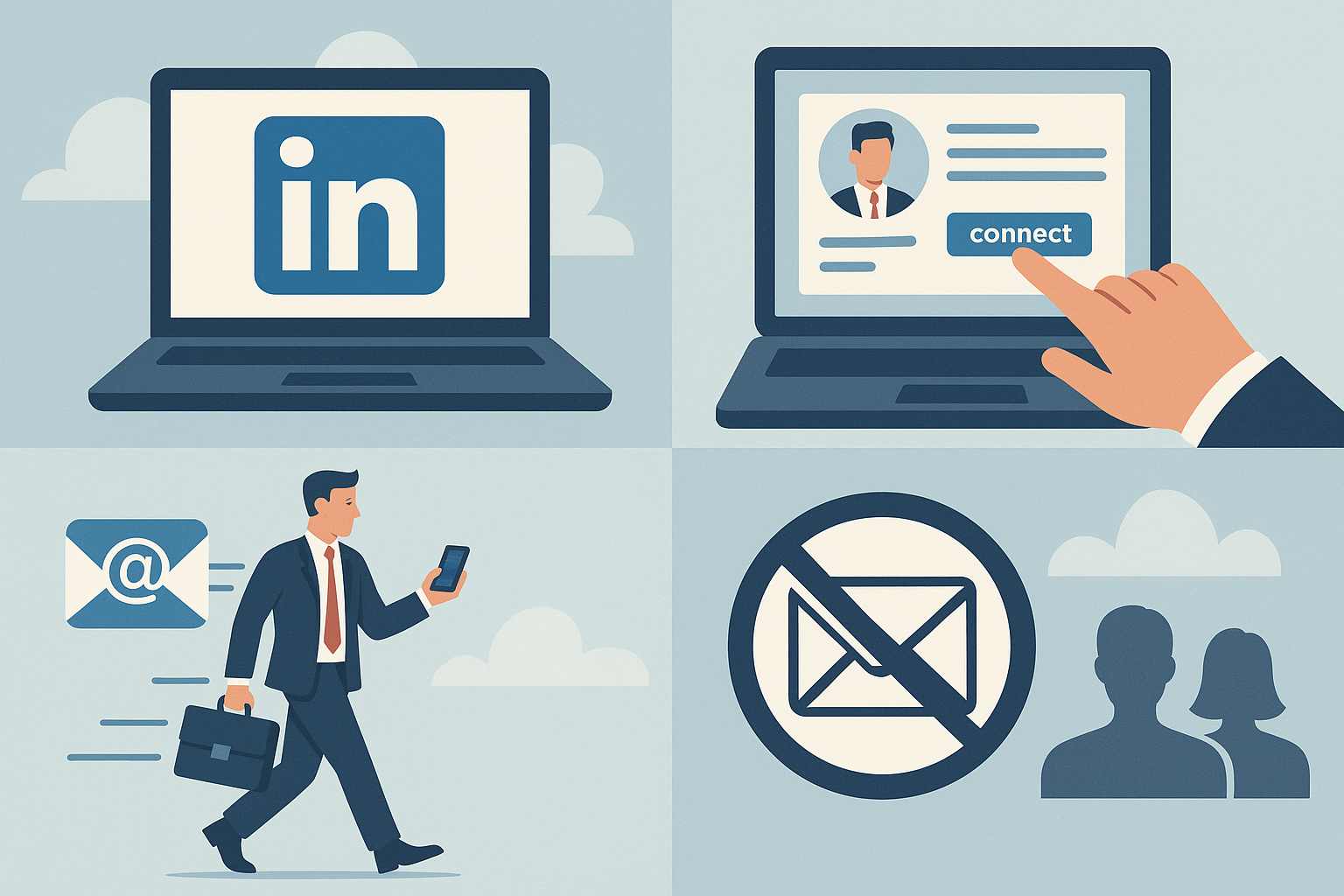
Cold outreach strategy on LinkedIn
For the search via LinkedIn to be really effective, it is essential to adopt a structured and planned strategy. Cold outreach, when well executed, can open doors to valuable opportunities, expand your network of contacts and generate concrete results. However, without a clear plan, messages may end up being ignored or even viewed as spam. To maintain consistency, use LinkedIn's native features such as Sales Navigator and message box reminders.
Identifying your ideal prospects
The first step to a successful strategy is to identify exactly who the people you want to reach are.
To do this, follow these steps:
- Set the demographic and professional profile: Think of features such as age, geographic location and level of experience.
- Use Advanced LinkedIn Premium or Sales Navigator filters: These features facilitate segmentation by allowing you to filter contacts by position, sector, company, region and even specific interests.
- Consider the position, sector, location and interests: The more I need your profile target audience, greater chance of getting a positive answer. For example, if you offer solutions to the financial sector, direct your search to managers or experts in this area who are located in strategic regions for your business.
Building your outreach funnel (Connexion → Message → Follow-up)
A well-structured funnel is essential to conduct contact in a natural and respectful way.
Here's how to build this flow:
- Connection: Send a personalised call invitation. Briefly explain who you are and why you contact, avoiding generic messages. This helps increase the chances of the invitation being accepted.
- Initial message: Once the connection is accepted, send a message presenting itself clearly and demonstrating value to the prospect. Avoid talking directly about sales in this first contact, prioritize the relationship.
- Follow-up: If you do not receive an answer, wait a few days and send an educated reminder. Take advantage of sharing some new benefit, a question that generates interest or content relevant to the prospect.
Follow-up Time and Label
Following a good follow-up tag is crucial to not being invasive and maintaining professionalism:
- Wait 3 to 5 days before sending the follow-up: This shows respect for the time of contact and avoids seeming insistent.
- Be brief and polite: Use few lines to remember the contact and show availability to help.
- Avoid more than 2 unanswered follow-ups: Sending many followed messages can cause discomfort and harm your image on the platform.
Efficient structures for B2B cold outreach emails
Sending emails to cold outreach in the B2B (business-to-business) environment requires a strategic and careful approach. Unlike personal contacts, companies expect clear, objective communication that shows value quickly. To increase the response rate, it is essential to structure your email effectively by following steps that engage the reader from the first moment.
Key elements of an effective email for cold outreach B2B:
- Attractive and Direct Subject: The subject is the first contact of the recipient with your email, so you need to draw attention without looking sensationalistic. Prefer short, clear and curious subjects, for example:
“How to Improve the Efficiency of Your Sales Team”
“Solution to reduce costs in [sector name]”
- Custom Introduction: Avoid starting with generic phrases like “I hope you’re all right”. . Search the recipient's name, company and industry, and make a custom opening that shows that the email was specifically designed for him.
- Brief and clear presentation: Present who you are and your company succinctly, focusing on how you can help the recipient. Use simple language and avoid unnecessary technical jargon.
- Present the value or benefit: Explain quickly what problem your product or service solves and how this can positively impact the recipient's company. Be direct and use data or examples when possible.
- Clear Call to Action (CTA): Finish with an invitation to the next step, which can be scheduled for a meeting, demonstration or quick call. The CTA shall be specific and easy to respond to, such as:
“Can I schedule a quick conversation this week?”
“I would like to show a demonstration of our product. When would be a good time for you?”
- Educated and professional closure: Finish the email with a cordial phrase and your signature, including name, position and contact information.
Practical example of email for cold outreach B2B:
“Subject: How to optimise project management at [Company Name]
Hello, [Consignee name],
My name is Lucas and I work at WebSyd, specializing in solutions, including creation of professional websites, to optimise project management in technology companies. I realized that your team can benefit from tools that increase productivity and reduce rework.
I would like to schedule a quick conversation to show how we can help [Company Name] achieve these results. When would be a good time for you?
I appreciate the attention and I'll be at your disposal.
Sincerely,
Lucas Silva
Solutions Consultant
[Telephone] .... [Email]”
Common errors to avoid on LinkedIn outreach
Excessive use of templates
Copied and pasted messages are easily perceived and ignored. Always personalize. You can use PDF’s for example to talk about your company.
Ignore customisation
Not mentioning name, position or interests reduces confidence and answers.
Force pitch too soon
Selling right on the first message removes prospect. Prioritise the relationship.
Conclusion
LinkedIn is an essential tool for searching and networking. Using cold outreach with strategy, customisation and respect avoids spam and increases your results.
Follow recommended practices, respect platform boundaries, and use LinkedIn native resources to organize prospecting.
Explore also content from WebSyd to optimise your digital presence and sales.
Patience and consistency are fundamental to transforming connections into real and lasting opportunities.
Before prospecting, make sure the profile and the company's website are trusted: that's where the contact will look. At WebSyd, custom-made websites depart from R$5,000 and are ready in about 45 business days; online stores take about 60 days. Get a quote.

FREQUENTLY ASKED QUESTIONS
Does Cold outreach on LinkedIn really work?
Yeah. When done with customisation, respect and strategy, the cold outreach on LinkedIn remains an efficient way to generate connections. Response rates vary greatly by sector and by the quality of the list, so follow yours.
Can I just text someone who's not on my network?
It's not recommended. The ideal is first to send a connection invitation with a personalised message explaining who you are and why you want to connect. Only after acceptance is that you should start the conversation.
How many messages can I send a day without being penalized by LinkedIn?
LinkedIn does not disclose a fixed number. According to LinkedIn's Help Center, all accounts have invitation limits, and anyone who reaches the limit is generally a week without being able to send out new invitations. Send only what you can customize.
Should I use automation tools for cold outreach?
Nope. LinkedIn User Agreement prohibits bots, extensions and software that automate invitations, messages or data collection, and use may restrict the account. Use native resources, like Sales Navigator.
What to avoid in a cold outreach approach?
Avoid generic messages, too long or with direct sales pitch. The initial focus should be on generating value and building a relationship. Also don't insist on many unanswered follow-ups, which may harm your reputation.

Caio Nogueira is a SEO, GEO, link building and Digital PR expert and co-founder of WebSyd, website creation agency and SEO consulting founded in 2016. It acts with organic search strategies, digital authority construction and brand optimisation for search engines and artificial intelligence platforms. Throughout his trajectory, he participated in more than 1000 projects involving SEO, website development, content marketing and authority acquisition through backlinks and Digital PR. At WebSyd, it participates in the planning of strategies to increase organic visibility, lead generation and presence of companies on Google and AI-based search engines. As an author, it publishes content on SEO, GEO, website creation, link building and digital authority, sharing analyses, strategies and practical experiences related to organic growth of companies. Its contents and contributions have also been published in companies and vehicles of technology and marketing such as Wix, HostGator, Duda, Neil Patel, Locaweb and E-Commerce Brasil.
View all posts

 Estimate the cost

